Cart Empty
Continue ShoppingIf you're looking to play MLB The Show 26 exclusively with players on your console (PS5 or Xbox), turning off crossplay is a simple process. Disabling crossplay ensures you only match up against other players on the same platform, keeping your gaming experience within your console's ecosystem.
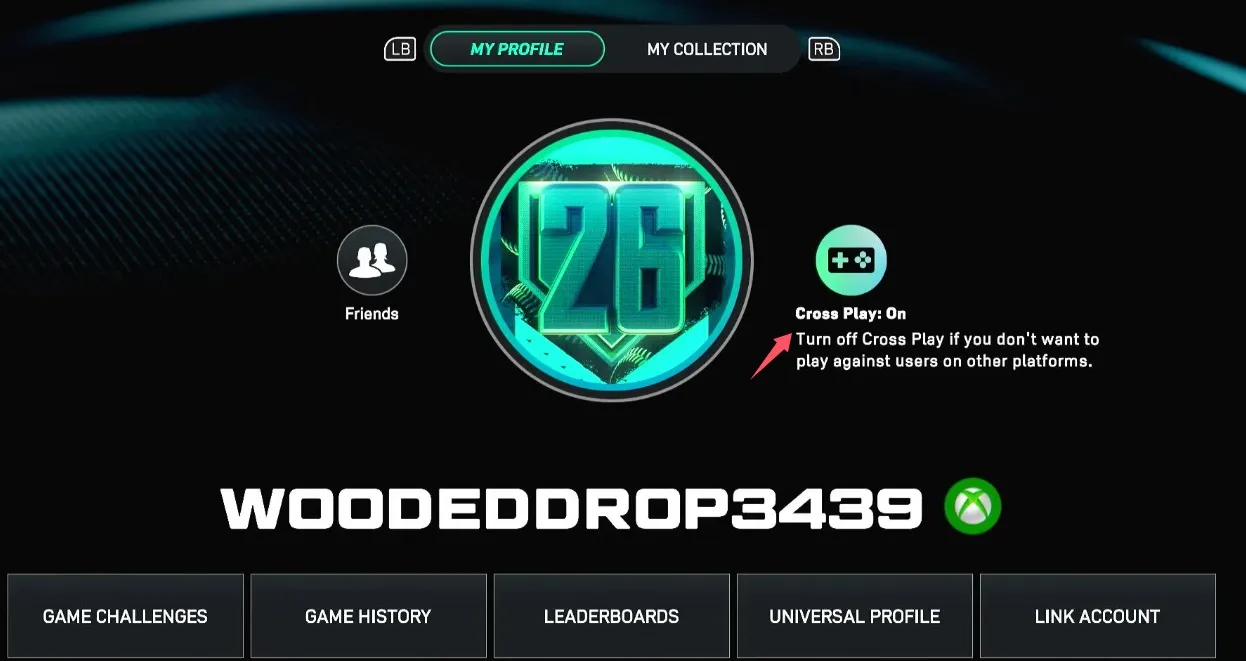
Note: Some players have reported that this option might be greyed out or locked unless you're not currently in a game lobby. In such cases, restart the game or exit any active game lobby before accessing this setting.
If you're focused on enhancing your gameplay in MLB The Show 26, turning off crossplay is just the start. To further boost your experience, you may want to buy MLB 26 currency safely. With sites like U4N, you can purchase the in-game currency with confidence, ensuring secure transactions for a hassle-free experience. Whether you’re looking to unlock exclusive content or advance faster in the game, choosing reliable sources like U4N guarantees that your purchases are both safe and smooth, giving you the edge you need to dominate the competition.
If you're on Xbox, some games don't allow you to disable crossplay directly in the game. In this case, you'll need to adjust your system-level settings to ensure you're only playing with other Xbox players.
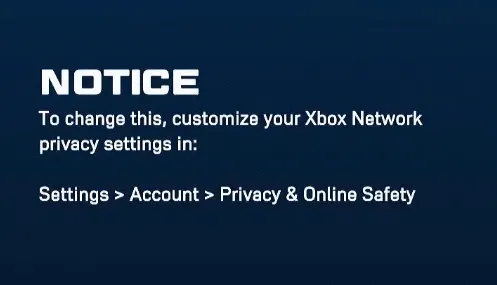
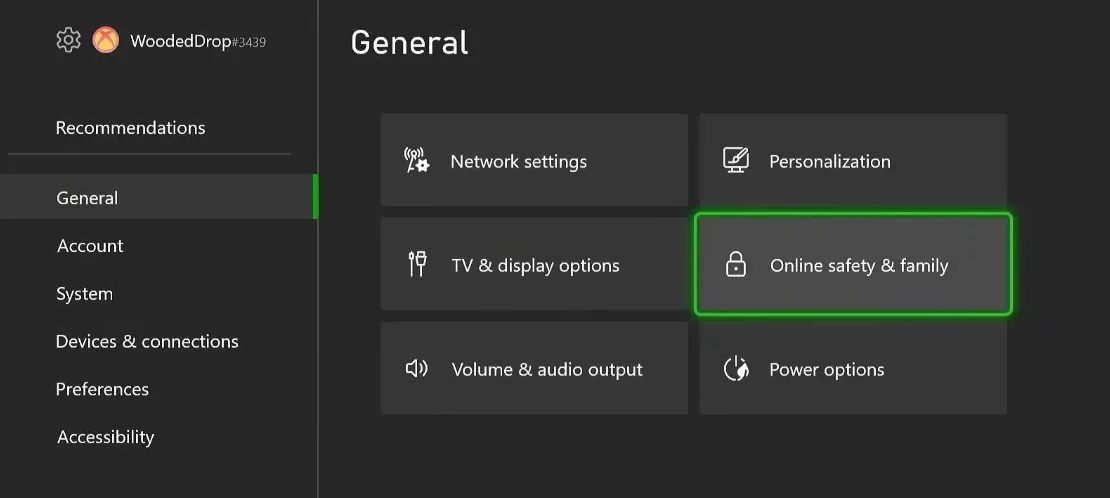
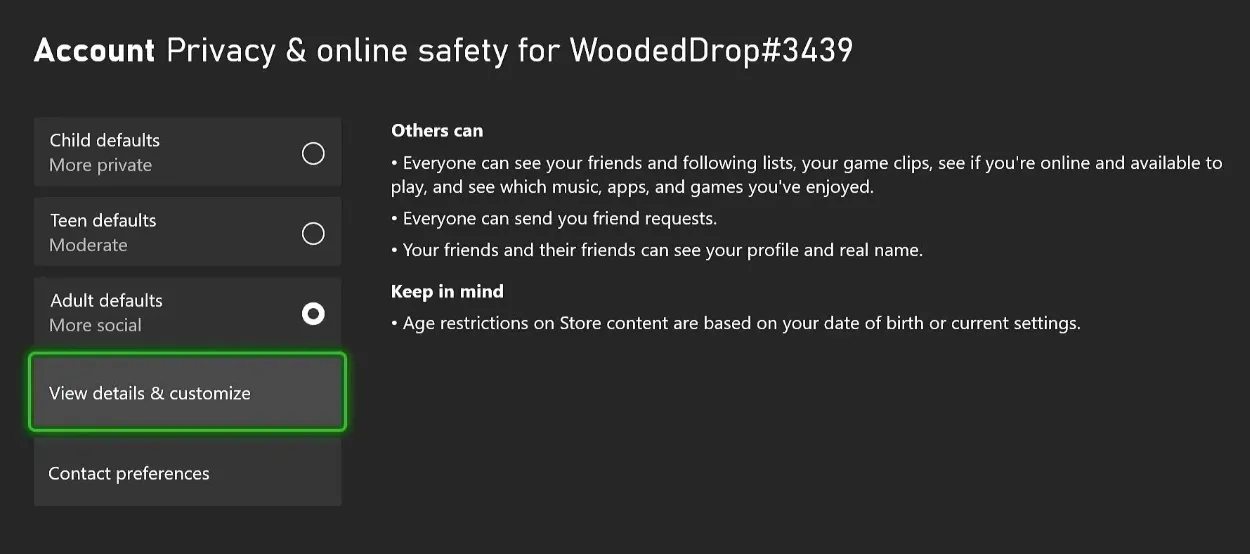
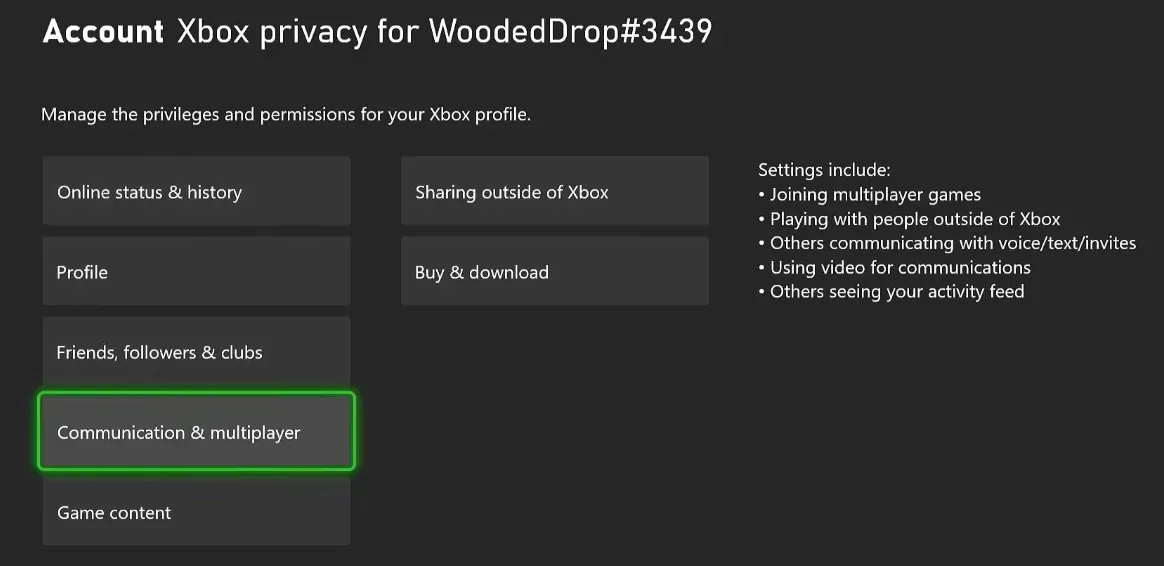
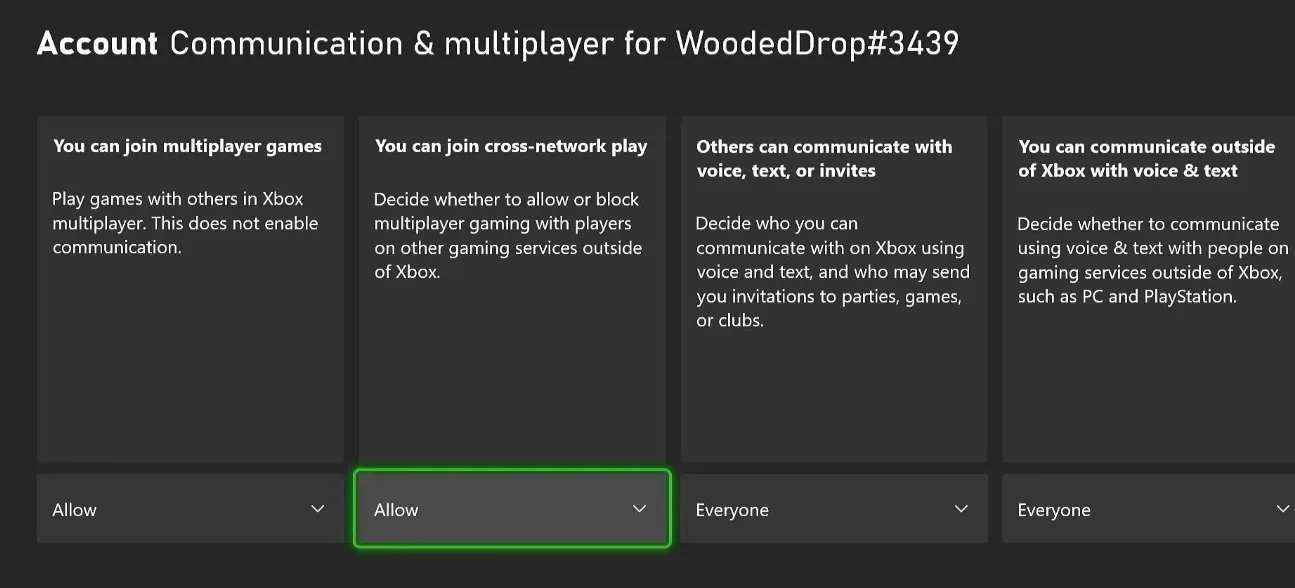
By doing this, your Xbox will no longer match you with players on other platforms in MLB The Show 26 or any other games, ensuring a more controlled and exclusive gaming experience.
The U4N Editorial Team is made up of dedicated gamers and technical experts. We're not just a trusted marketplace for game assets—we're all about empowering players with top-tier, expert-driven content. Our team produces in-depth guides, strategies, and technical fixes for some of the biggest games out there, like MLB The Show 26, Aion 2, Forza Horizon 6, Arc Raiders, and Path of Exile.
Whether it's mastering market flipping in Diamond Dynasty or optimizing your endgame builds, all of our strategies are tested and proven by in-house experts. At U4N, we don't just follow the meta—we help you stay ahead of it.