

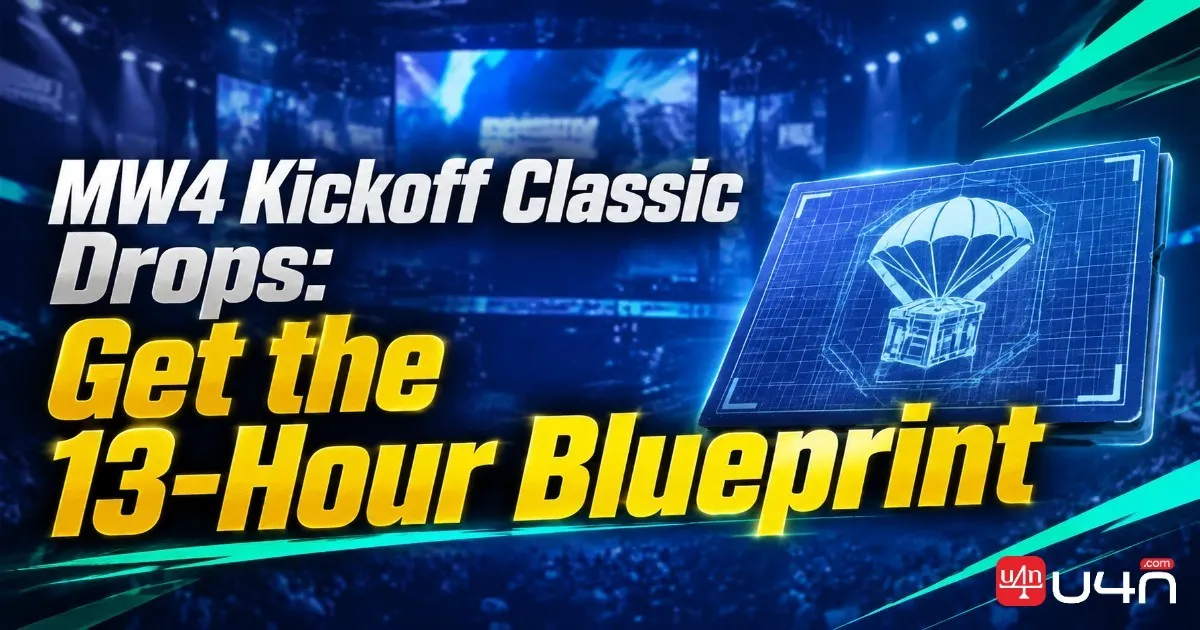
The reward to plan around is Getting Kinetic, the ISO Nightshade blueprint at the end of the 2027 Call of Duty League Kickoff Classic Twitch Drops campaign. It takes 13 hours of eligible live viewing to unlock. That's cumulative, so you can split the time between group play and the playoffs instead of trying to sit through one marathon broadcast.
Our team would sort out the accounts before opening day. There's no need for MW4 Boosting, multiplayer wins, or weapon levels here. The progress that matters is on Twitch, and the account you watch with needs to be linked to the Activision profile you actually use. Finding out you picked the wrong profile after a full series is a much bigger headache than checking it before the first map.
One calendar detail is easy to miss: 2027 is the CDL season label, but the Kickoff Classic takes place December 4 to 13, 2026, on the North American schedule. The campaign covers two blocks of live matches, not ten consecutive broadcast days. If you're reading from China or elsewhere in the UTC+8 time zone, each scheduled start falls on the following calendar day.
Kickoff Classic Start Times
The group stage runs December 4 to 6, and the playoff bracket runs December 11 to 13. The advertised broadcast start is 11 a.m. Pacific, which is 2 p.m. Eastern or 3 a.m. the next day in Beijing. Use the official Call of Duty Esports Twitch channel, callofduty_esports. The CDL schedule may display match times in your local time zone, so check that setting before converting a listing yourself. The official rewards page and campaign rules cover the broadcast channel, reward thresholds, and eligibility requirements.
| Stage | Pacific broadcast dates | US start time | Beijing broadcast dates and start time |
|---|---|---|---|
| Group stage | December 4 to 6, 2026 | 11 a.m. PT / 2 p.m. ET | December 5 to 7, 2026, at 3 a.m. |
| Playoffs | December 11 to 13, 2026 | 11 a.m. PT / 2 p.m. ET | December 12 to 14, 2026, at 3 a.m. |
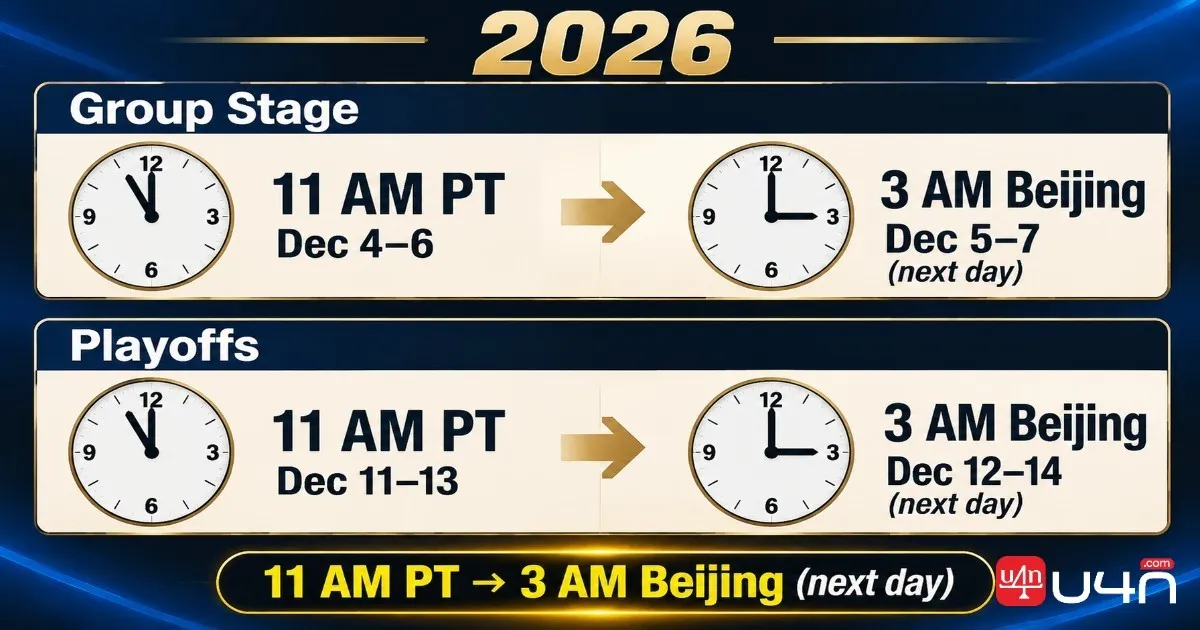
Those are broadcast start times, not viewing deadlines. If 3 a.m. is out of the question, we'd check whether the broadcast is still live when you normally wake up rather than assuming you have to catch the opening match. Don't build a plan around a guaranteed end time, though. A close series can run long, while a quick sweep can leave you with less viewing time than you expected. A replay is fine for catching up on the match, but it isn't a substitute for the eligible live broadcast.
Link the Right Accounts Before Match Day
Check eligibility before setting aside any time. The campaign is open to people aged 18 or older who are legal residents of an eligible location and meet the other requirements in the official rules. The United States is listed; mainland China is not. The Beijing timetable is a scheduling aid for readers using UTC+8, not a statement of eligibility. The rules specify watching on a PC, so we'd use a desktop browser for the campaign rather than counting on a console or TV app.
- Sign in to the Activision account you use in-game. Check the Activision ID and confirm that your actual Steam, Battle.net, PlayStation, or Xbox account is connected, as applicable. If you play on more than one platform, verify the one where you intend to look for the reward.
- Connect the Twitch account you plan to watch with. Use the Twitch linking option on the official CDL rewards page and approve the connection. Check the username on the authorization screen, especially if you share a browser with someone or keep more than one Twitch login.
- Open Drops & Rewards on that same Twitch account. Know where the Inventory tab is before match day. Once you've watched some of the eligible stream, come back and check that the Kickoff campaign is tracking progress.
We'd verify the links rather than disconnecting and reconnecting accounts as a precaution. A player who moved from console to PC, for example, might have an old login saved in a different browser. The question isn't whether you can sign in to Activision. It's whether the profile you just linked matches the one you see when you launch the game.

All 13 Kickoff Classic Drops
Each hour on the table is a total, not an amount you add to the previous row. Seven eligible hours put you at the calling card milestone; six more take you to Getting Kinetic. If the blueprint is your only target, the earlier rewards give you useful checkpoints when you're deciding how much time to set aside for the playoffs.
| Total watch time | Reward |
|---|---|
| 1 hour | 2027 CDL weapon sticker |
| 2 hours | 30-minute Double XP token |
| 3 hours | RAHHHH spray |
| 4 hours | 30-minute Double Weapon XP token |
| 5 hours | G.O.A.T emblem |
| 6 hours | 60-minute Double XP token |
| 7 hours | Bullet Proof animated calling card |
| 8 hours | 60-minute Double Weapon XP token |
| 9 hours | Cookin animated emblem |
| 10 hours | 60-minute Double XP token |
| 11 hours | Locked On charm |
| 12 hours | 60-minute Double Weapon XP token |
| 13 hours | Getting Kinetic weapon blueprint |
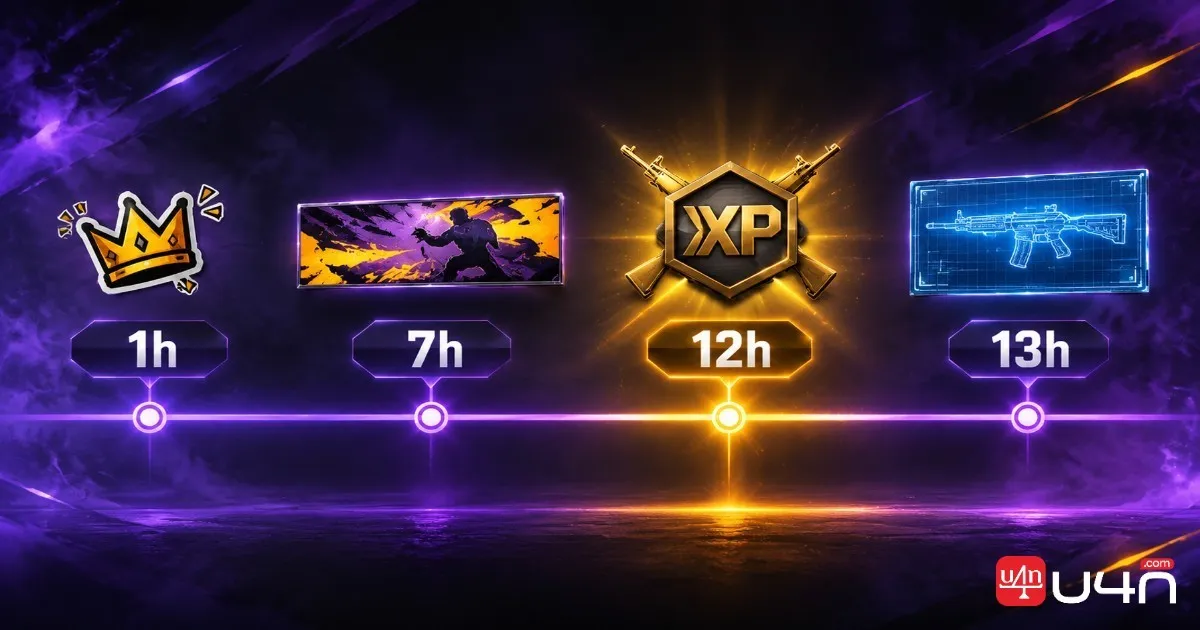
Our pick for a shorter viewing plan is the seven-hour calling card. It's an animated cosmetic you can keep, and it gives you a clear stopping point if the second weekend is busy. If you're in it for the ISO Nightshade, pay particular attention to the last two rows. A claimable weapon XP token at 12 hours does not mean the blueprint is ready. Check for Getting Kinetic by name before you close the stream for the last time.
Split the 13 Hours Across Both Weekends
We'd aim for six or seven tracked hours during group play and pick up the rest across the playoff broadcasts. That's a planning target, not an event requirement. You could get there with three shorter group-stage sessions or a couple of longer ones. The benefit is having several opportunities to make up time if real life interrupts a broadcast, rather than needing one final stream to run just long enough.
Use Twitch's recorded progress to decide when you're done for the day. If you watched from the opening map but the campaign shows less time than you expected, plan around the number Twitch actually credited. The clock on your desk includes every minute you were sitting there. The campaign only credits eligible viewing. We'd rather catch the difference after part of a series than discover it while the final is about to end.
If the counter stays still, check that you're on the official live feed, signed in with the linked Twitch account, and looking at the correct campaign in Inventory. A watch party can be a better place to follow a favorite team, but we wouldn't assume it earns this particular set of Drops. Start with the official channel and confirm the campaign is moving before committing the rest of your session.
Missing the first weekend doesn't erase your chance, but you'll have less room for error. If playoffs are your only option, check progress during the first playoff broadcast and reassess after each day. If you reach 11 hours on Saturday, for instance, you know you need two more credited hours on Sunday. That's a more useful number than how many matches you think you watched.
Claim the Drop and Check It In-Game
Open Twitch → Drops & Rewards → Inventory and select Claim if the button appears for a reward. We'd claim each unlocked item when we notice it, rather than saving the whole list for the final day. The event rules describe eligible rewards being credited to Activision accounts, while Activision's general Twitch instructions say to use Claim within 48 hours of the campaign ending. Those instructions also say to allow up to 24 hours after claiming for delivery. The 14-day restoration window is for earned rewards that are missing, not extra time to click Claim.
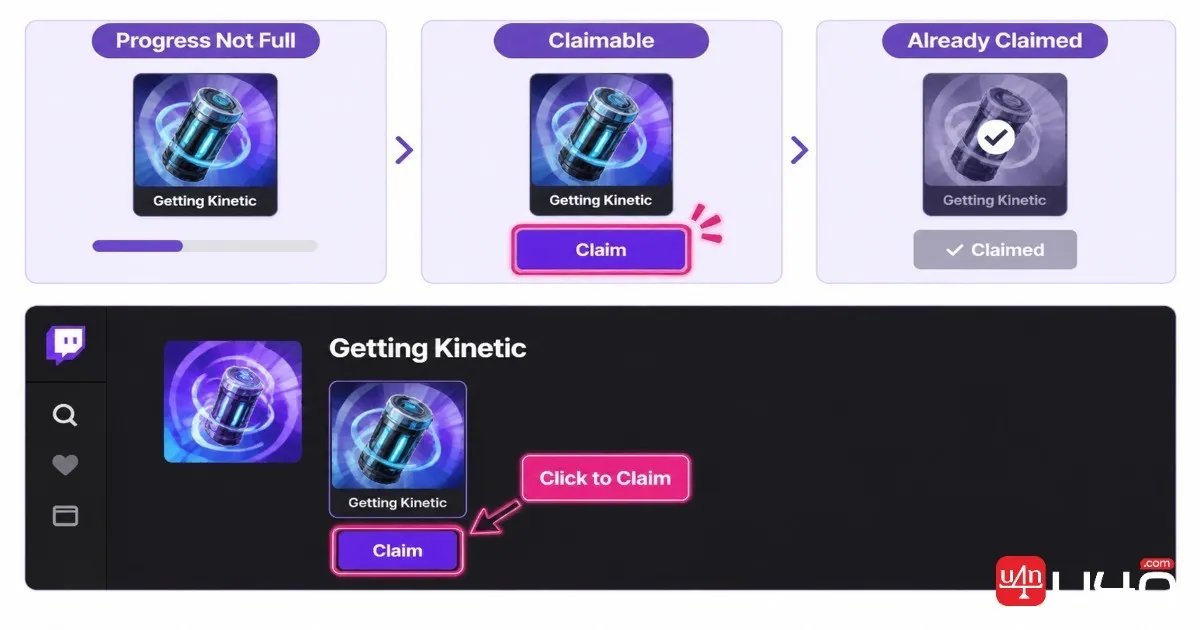
Once Twitch shows the blueprint as claimed, check the ISO Nightshade's blueprint selection in Modern Warfare 4 or Warzone on the linked game profile. If you left the game open during the broadcast, restart it before deciding the item is missing. Check the exact blueprint name rather than relying on the first loadout screen or waiting for a pop-up you might have missed.
Keep track of which step failed. If the blueprint never unlocked in Twitch, check the recorded viewing time. If it unlocked and still shows Claim, use the button while it's available. If it shows as claimed but isn't in-game after the expected delivery window, verify your linked platform and contact Activision Support promptly. A screenshot of the claimed reward and the relevant account names can make it easier to explain what happened. Crop out your email address and any other private information before sharing it.
The Match-Day Check We'd Use
Keep three things handy: the official stream, the Twitch Inventory page, and your next eligible broadcast time. We'd open Inventory early during the first session, then check again when we're about to sign off. That's enough to see whether a session counted and how many hours are left without spending every map break staring at the progress bar.
Treat the blueprint as a separate goal from anything you're pursuing in-game. A search for Modern Warfare 4 DMZ Items for sale won't help you earn Getting Kinetic; it's a viewership reward tied to eligible watch time, not a purchase or a DMZ objective. You can leave your usual loadout alone and use the game only to check delivery after the Drop is recorded.
If the December 13 Pacific broadcast is your last chance, open Inventory as soon as you tune in. Check how far you are from 13 hours while the event is still live. When Getting Kinetic unlocks, claim it if prompted and save the confirmation before closing the stream.