Cart Empty
Continue ShoppingSince its full launch on March 17, 2026, MLB The Show 26 has had ongoing server-related issues. The most common problem reported by players is the “Lost Connection” message, especially during online modes like Diamond Dynasty. In many cases, this results in a counted loss, even if the game was still in progress.
This issue is not isolated. Reports have been consistent across PlayStation, Xbox, and Nintendo Switch, suggesting that the problem is largely server-side rather than tied to a specific platform.
San Diego Studio has already acknowledged the issue and taken initial steps to stabilize the servers.
Maintenance Update (March 18, 2026): Emergency server maintenance was performed shortly after launch. This improved overall stability for some players, particularly in menu navigation and matchmaking.
Ongoing Issues: Despite these efforts, connection problems have not been fully resolved. Community tracking sites like DownDetector, along with player discussions on forums and Reddit, continue to show that “Lost Connection” remains one of the most frequent complaints.
The pattern suggests intermittent instability rather than a complete outage. Some sessions work normally, while others disconnect without warning.
There are two main causes behind this issue:
1. Server Instability: At launch, player traffic is at its highest. This can overload servers, leading to dropped connections during games or failed attempts to enter online modes.
2. Network Sensitivity: Even small disruptions in your internet connection—such as packet loss or brief latency spikes—can trigger a disconnect. MLB The Show 26 appears to be particularly sensitive to unstable connections.
In many cases, both factors are involved at the same time.
Players have reported lost connections in several specific scenarios:
The most frustrating case is a disconnect during a game that counts as a loss, even if the issue is server-related.
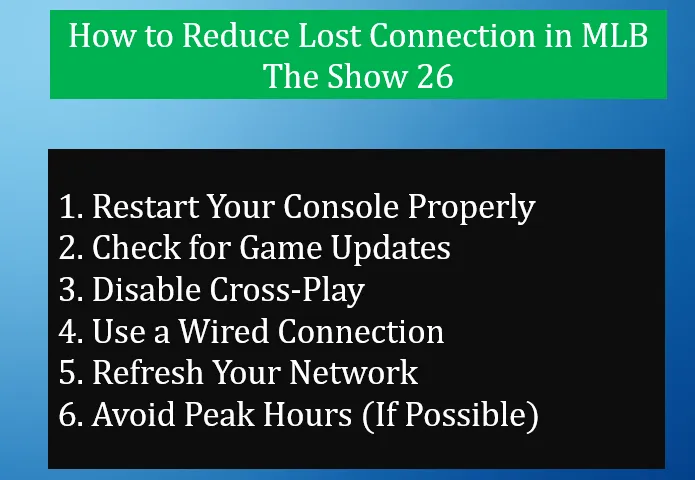
While you cannot fully control server stability, there are practical steps that can reduce the risk on your side.
Avoid using rest mode. Fully close the game and restart your console to clear temporary system issues.
Make sure you are running the latest version of the game. Update 2 included several fixes related to stability and online performance.
Some players report fewer disconnects after turning off cross-platform play in the settings. This can reduce matchmaking complexity and potential sync issues.
A wired Ethernet connection is more stable than Wi-Fi. It reduces packet loss and helps maintain a consistent connection during games.
Restart your modem and router:
This can clear network congestion and improve stability.
Server load is typically higher in the evening. Playing during off-peak times may reduce the chance of disconnects.
If you want to avoid extra frustration while dealing with disconnects, it can also help to reduce time spent grinding for in-game currency. Some players choose to use trusted third-party options like U4N for MLB The Show 26 stubs no ban, focusing on convenience rather than speed. This approach is not required, but for players who prefer a more stable and time-efficient experience, it can be a practical alternative.
Based on past MLB The Show launches, server stability usually improves over time. Early issues are common in the first week, especially with high player demand.
However, for now, occasional disconnects should be expected, even if your personal setup is stable.
For the latest information, you can monitor:
These sources typically post maintenance notices and update details.
The U4N Editorial Team is made up of dedicated gamers and technical experts. We're not just a trusted marketplace for game assets—we're all about empowering players with top-tier, expert-driven content. Our team produces in-depth guides, strategies, and technical fixes for some of the biggest games out there, like MLB The Show 26, Aion 2, Forza Horizon 6, Arc Raiders, and Path of Exile.
Whether it's mastering market flipping in Diamond Dynasty or optimizing your endgame builds, all of our strategies are tested and proven by in-house experts. At U4N, we don't just follow the meta—we help you stay ahead of it.