


Our team's advice is straightforward: install the available GTA 6 update before settling into another long story session, then pay attention to the problems that previously interrupted your game. We would prioritize a dependable save and an uninterrupted mission over any dramatic claim about how different the game suddenly feels.
We also want to keep the conversation focused. Searches for GTA6 Accounts can bring account-related discussions into the same feed as patch coverage, but those discussions should not shape how we interpret a console update. Our concern here is the game installed on your system, the changes supported by the patch notes, and what to check when you return to your save.
We are treating this as a practical update guide, not a performance review. We have not run controlled before-and-after tests, so we will not attach invented crash-reduction percentages, promise smoother driving, or declare every progression problem solved. The useful question is smaller: what should we do differently before our next session?
What Rockstar's Launch Update Actually Covers
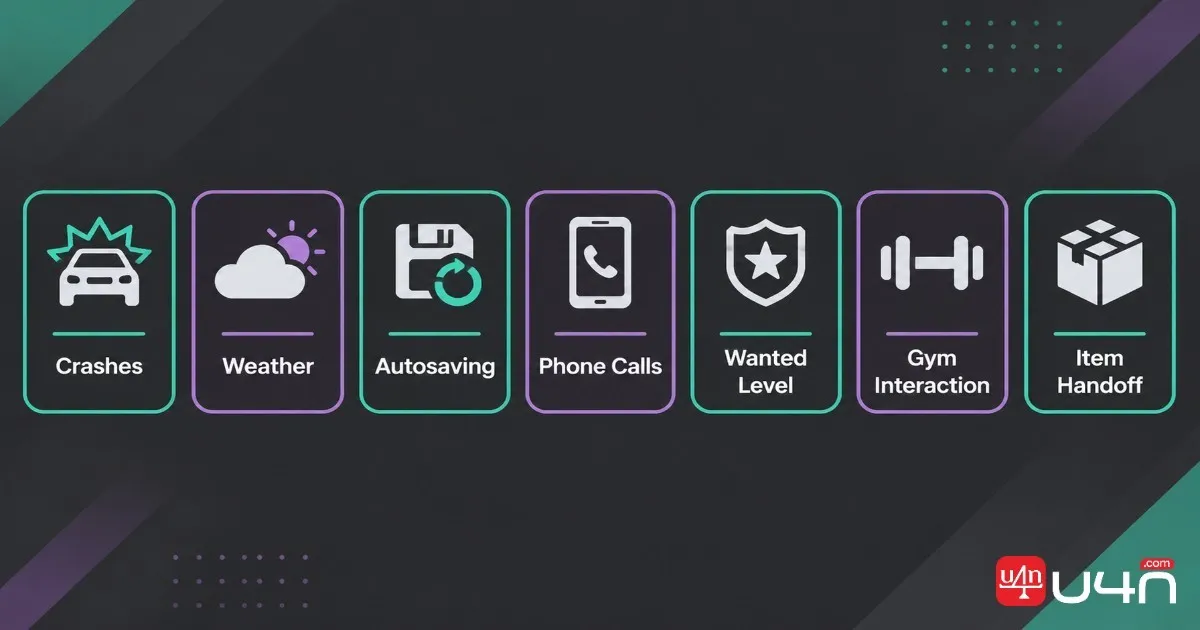
Rockstar's Grand Theft Auto VI Launch Updates support page identifies PS5 and Xbox Series X|S as the relevant platforms and dates its listed changes to November 23, 2026. Its repair list covers the following issues:
| Area | Issue addressed in the official notes |
|---|---|
| Stability | Several problems that caused the game to crash |
| Weather | Weather remaining unchanged for extended periods |
| Autosaving | The game not autosaving correctly |
| Phone calls | Calls failing to trigger, including calls that advance the story or unlock mission content |
| Wanted Level | Players being unable to lose their Wanted Level |
| Gym interaction | Players being unable to use the deadlift bar |
| Item handoff | Partners failing to hand over bags that players could sell to fences |
These are the listed fixes, not a guarantee that every related problem has disappeared. The page does not provide crash-reduction figures, a weather-change timetable, or performance benchmarks.
Our priority order would put stability, saving, and story progression ahead of the smaller interaction checks. That is an editorial judgment about how we would spend our next session, rather than a ranking supplied by Rockstar.
We would also resist turning a short repair list into a feature announcement. A targeted fix deserves accurate coverage without being stretched into a broader claim about graphics, vehicle physics, difficulty, or the economy. If we cannot connect a claim to a documented change or a repeatable test, we would leave it out.
Keep the Version Number Separate From the Fix List
The supplied Reddit thread is titled "GTA 6 Update 1.002.002 patch notes" and points to a third-party update tracker. That makes 1.002.002 a community-reported identifier in this context. Rockstar's linked support article does not display that number, so we would not present it, or the alternative formatting 01.002.002, as a confirmed shared identifier for both console platforms.
For our own records, we would write down exactly what the console displays rather than tidy the number into a preferred format. We would also record the platform beside it. A screenshot labeled only "new patch" is much less useful than one accompanied by the system, installed version, and date checked.
That distinction matters when we compare experiences with other players. Before discussing whether an issue still happens, we would ask whether both reports concern the same game, platform, and installed build. We would not mix this discussion with GTA Online or GTA 5 troubleshooting.
We would use the official repair list to understand the update's stated scope and the local installation details to describe our own setup. Neither needs to do the other's job. This keeps a simple version-number discussion from becoming an unsupported claim about which fixes a particular player has received.
Our Pre-Session Check Before Returning to the Story
We would give the update a few minutes of attention before committing an evening to the campaign. Our preferred preparation is deliberately unremarkable: finish the installation, close the game, and launch it again before loading the save we intend to continue.
We would then check the save information rather than immediately starting a lengthy sequence. Where the game offers an appropriate manual-save opportunity, we would use it and preserve an earlier slot instead of repeatedly overwriting our only reference point. We would not delete older saves in an attempt to make the patch "take."
Our suggested order is:
- Check that the console has finished installing the available update.
- Record the version information shown on the system.
- Start a fresh game session.
- Confirm that the intended save loads.
- Check progress and save details before beginning a long mission.
- Return to normal play, with attention to any issue previously encountered.
This is a preparation routine, not an official recovery procedure. We would not promise that restarting repairs a damaged save or restores missing progress. If a save already behaves unexpectedly, we would preserve it and document the situation before making further changes.
We prefer this restrained approach because it gives us a clear starting point. If something happens later, we can describe the session without having to guess whether installation was still pending or which save we loaded.
There is no need to turn the opening minutes into a laboratory exercise. The goal is to resume playing with enough information to recognize a recurring problem, not to complete a technical checklist every time we pick up the controller.

How We Would Assess Crashes and Weather
For crashes, we would begin with the circumstances of any previous interruption. Were we loading a save, approaching a particular area, leaving a mission, or moving between activities? We would note what we actually remember and leave unknown details blank.
If we encounter the same situation naturally after updating, we would pay attention to the result. We would not repeatedly force a crash-prone sequence on our main save just to produce a before-and-after claim.
One uninterrupted session would be encouraging. We would describe it as an uninterrupted session, however, rather than proof that the issue can never return. Equally, if a crash happens again, we would report that occurrence without immediately deciding that every change in the update failed.
Weather deserves the same measured approach. We would observe it during ordinary travel and activities rather than demand a visible change within an arbitrary number of minutes. Our check would not assume an undocumented weather schedule or treat every long stretch of similar conditions as a confirmed defect.
| What we would record | What we would avoid claiming |
|---|---|
| The activity underway before a crash | A specific technical cause without evidence |
| Whether a previously troublesome sequence completed | That all crashes are permanently resolved |
| Weather observations during ordinary play | A universal deadline for weather to change |
| Whether a problem appeared again | That another player must have the same result |
| Platform and installed version | That all console builds behave identically |
Our preference is to keep observations specific. "We completed the sequence that previously interrupted our session" gives readers something useful. "The game is fixed now" asks them to accept far more than that observation supports.
We would apply the same restraint to visual impressions. A striking sunset or a rainy drive might make the update feel different, but we would not turn that feeling into a claim about redesigned lighting or upgraded effects.

Give Saving and Story Progression Their Own Check
Our next priority would be confidence in the save we are continuing. Before heading into another substantial mission, we would look at the available save information and confirm that it matches the progress we expect.
Where a normal save opportunity is available, we would use it, then verify the result through the game's usual interface. We would avoid interrupting a save operation simply to test whether the update can withstand it. That would create a different question from whether ordinary saving behaves as expected.
We would be equally cautious with a story that appears stalled. Rather than invent a universal waiting period for the next phone call, we would note the last completed objective, any instructions still visible, and the point at which progress stopped making sense.
Our preferred approach would be to continue with the game's own prompts. We would not repeatedly reload, switch saves, and change unrelated settings all at once. If the situation changes afterward, that pile of interventions would make it difficult to explain what happened.
We would also protect the distinction between a documented fix and a recovery promise. Our advice is not to assume that installing an update will reconstruct every missed event in an existing save. If the next step remains unavailable, we would preserve the save and seek guidance rather than overwrite the evidence while experimenting.
For the smaller interactions, we would check only what is relevant to our session. A player already working around a particular activity may want to revisit it. Someone progressing normally through the story does not need to tour the entire map and test every listed repair before continuing.
That is the balance we would aim for: enough checking to protect an evening's progress, without letting patch verification replace the game itself.
Leave Handling and Money Claims Out of the Plan
We would not change our driving settings simply because someone describes the update as a handling overhaul. Before accepting that description, we would want a documented change or a comparison that controls the obvious variables.
If we chose to investigate a handling impression, we would use the same vehicle, route, controller settings, and broadly comparable conditions. Even then, we would label the result as an observation rather than announce an undocumented physics change.
We would take a similar position on claims about money-making shortcuts. Our session plan would not revolve around a comment asserting that a particular method still works. We would not recommend delaying an update, altering saves, or spending an evening chasing a claim that has not been established.
Our editorial test is simple: does the claim help explain this update, and can we support it? If the answer to either part is no, we would leave it outside the article's main advice.
This is also where we would keep our own enthusiasm in check. We can prefer the feel of a session after updating without assigning every pleasant moment to the patch. A good drive is a good drive. It does not automatically establish a technical change.
We would rather publish a narrow assessment readers can trust than a sweeping verdict built around a few lively comments. The practical recommendation remains installation, ordinary play, and careful observation of any recurring interruption.
What We Would Record if a Problem Returns
If an issue reappears, we would stop short of destructive troubleshooting. We would keep the affected save, capture the relevant error or behavior where possible, and write down what happened immediately beforehand.
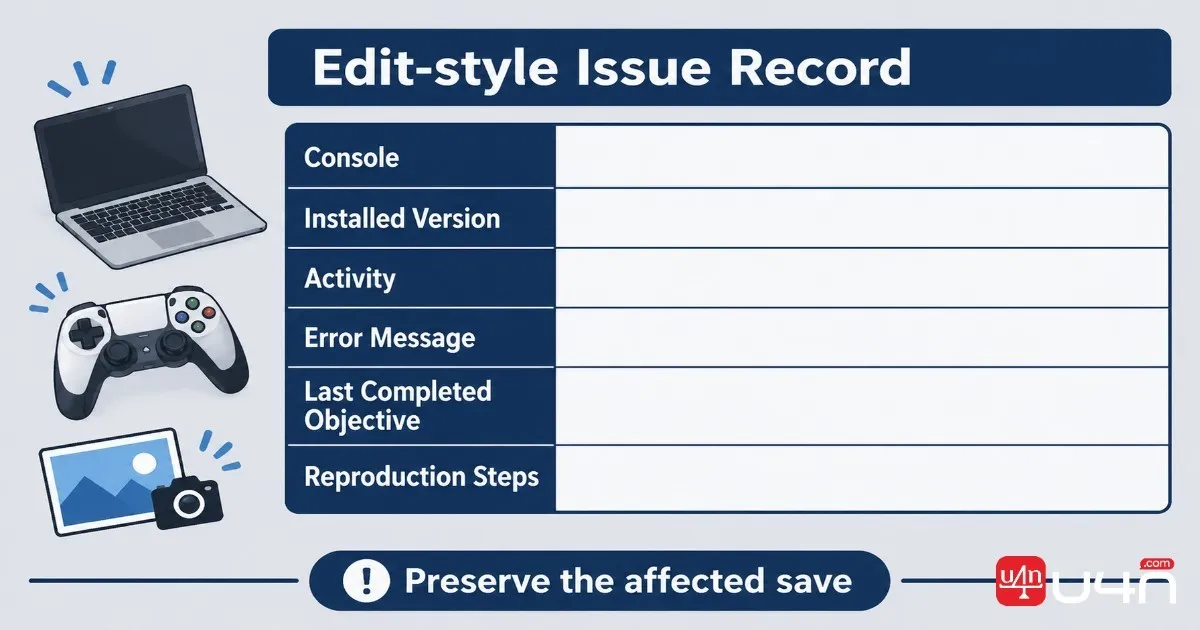
Our report would include the console model, installed version, activity, approximate session length, and any error message. For a progression issue, we would add the last completed objective and the next action we expected. We would distinguish something that happened once from something we could reproduce.
We would also avoid repeating a test that risks more progress merely to strengthen the report. A clear description of one occurrence is preferable to losing another evening trying to make the same failure happen again. If we contact support, we would send the details we have rather than fill gaps with guesses.
Before our next long session, we would confirm the installation and save information, then continue normally. If the previously troublesome situation no longer interrupts us, we would treat that as a useful result for our own playthrough, while keeping the claim limited to what we observed.
We would treat GTA6 Boosting as a separate consideration rather than part of the troubleshooting process. It does not determine whether our game installation is up to date, whether the save file is functioning correctly, or whether an interruption can be reproduced. Instead, we would focus on the console, the current save, and the specific in-game behavior we are trying to verify.
If the same problem returns, we would preserve the evidence and report it clearly. We would not overwrite the only useful save, rewrite our account around a rumor, or call an uncertain result a confirmed fix.