Table of Contents
If you've been trying to log into Aion 2 but get stuck on the "Unable to Connect to Login Server" error, you're not alone. This issue is most common among players outside of Korea and Taiwan, and it's usually caused by regional IP blocks. But don't worry, there are ways around this problem. Here's a simple guide on how to fix it and get back into the game.
Why Is This Happening?
Aion 2 is currently only available in Korea and Taiwan, so players from other regions (like North America and Europe) often face this issue. The game uses regional IP blocks that prevent players from accessing the login servers if they're outside these areas.
When you try to connect from another region, the server rejects your connection because it's not recognizing your IP as being from one of the supported countries. But with a few workarounds, you can bypass these restrictions and play the game.
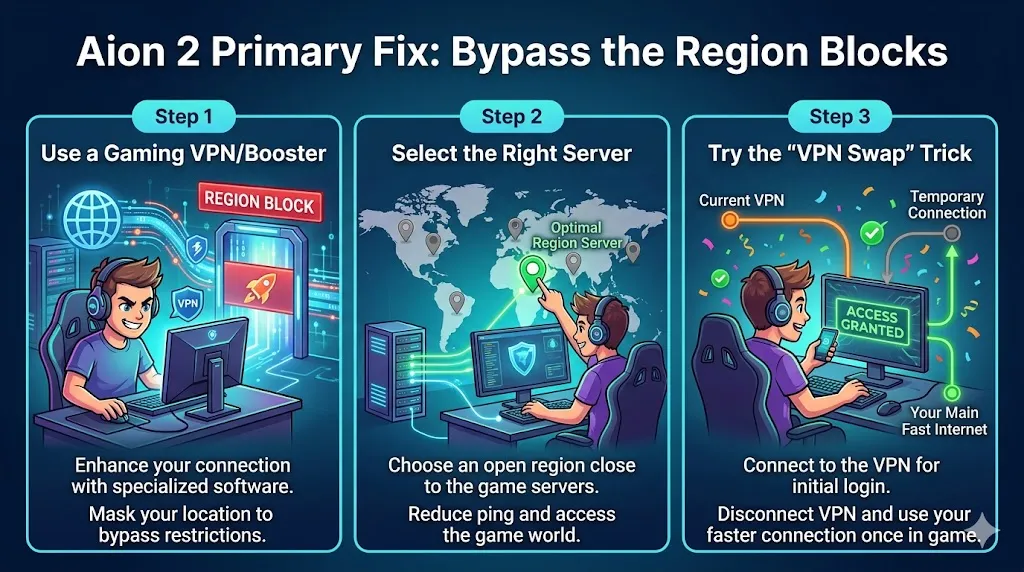
Primary Fix: Bypass the Region Blocks
Since the game restricts connections based on your location, the easiest way around it is to bypass the region blocks. This is where a VPN (Virtual Private Network) or a gaming booster comes in handy.
Step 1: Use a Gaming VPN/Booster
Not all VPNs work with Aion 2. Traditional VPNs like NordVPN are often blocked by NCSoft, the company behind the game. However, specialized gaming boosters are more successful in bypassing the region restrictions.
Here are some popular options:
- ExitLag
- GearUP Booster
- Mudfish
These services are designed to optimize your connection for gaming, which increases the chances of successfully logging in.
Step 2: Select the Right Server
When using a gaming VPN like ExitLag, you'll need to select the appropriate server. Many players have had success by choosing a Taipei server (located in Taiwan) and enabling the "Redirect Login" option in the VPN settings. This helps trick the server into thinking you're logging in from an allowed region.
Step 3: Try the "VPN Swap" Trick
Some players have reported success with a clever trick: VPN swapping. Here's how it works:
- Start by connecting to a Hong Kong server through your gaming VPN.
- Once you've successfully logged into the game, switch your VPN to Taiwan.
This method can sometimes bypass the region blocks and let you enter the game world without issues.

Other Troubleshooting Tips
If you're already using a gaming VPN or booster and still can't connect, try these additional steps:
Step 4: Run the Game as Administrator
Sometimes the error occurs because the game doesn't have the necessary network permissions. To fix this:
- Right-click on the Purple Launcher (the Aion 2 launcher) or the game's .exe file.
- Select "Run as administrator" from the menu.
- This gives the game proper permissions to connect to the internet.
Step 5: Check Your Firewall and Antivirus
Your firewall or antivirus program might be blocking the game's connection to the login server. Make sure the game and the Purple Launcher are added to your exception list:
- Open your Windows Security/Firewall settings.
- Add the game and the launcher to the allowed programs.
- Do the same with any antivirus programs you're using.
Sometimes, antivirus software mistakenly flags the game's connection as suspicious, blocking access.
Step 6: Flush DNS
Another possible fix is clearing your DNS cache. This can help resolve connection issues caused by outdated or corrupt data in your network cache. To do this:
- Open Command Prompt as an administrator.
- Type the command ipconfig /flushdns and press Enter.
- Restart your computer.
This will clear the cache and refresh your network settings.
Step 7: Check Server Status
Lastly, check if the problem is on the game's end. Sometimes, Aion 2's servers might be down for maintenance, or there could be a DDoS attack affecting connectivity. Here's how to check:
- Visit the Aion 2 subreddit.
- Check the game's official social media channels (Twitter, Facebook, etc.) for any announcements about server status or outages.
If there's a known issue with the servers, you'll just need to wait for them to resolve it.