Cart Empty
Continue ShoppingIf you are trying to jump into Diamond Dynasty for some 3v3 co-op action in MLB The Show 26 and find yourself stuck in infinite matchmaking loops, getting booted back to the main menu, or freezing at the lineup screen, you are definitely not alone.
Co-op matchmaking issues have plagued the community since launch, with many players experiencing severe connection drops right before a game starts or enduring 20-to-30-minute queue times.
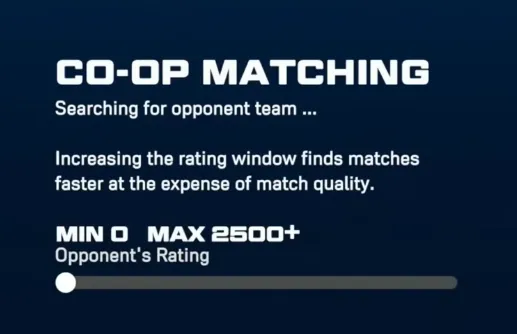
Players report that the 3v3 mode breaks down at specific points in the pre-game loop. The most frequent issues include:
While many of these issues are fundamentally on San Diego Studio's (SDS) server side, there are a few local workarounds that have helped squads successfully get into games.
| Fix Strategy | How to Do It | Success Rate |
|---|---|---|
| Swap the Lobby Host | Have a different friend create the co-op lobby and invite the group. | High (Resolves specific NAT type conflicts) |
| Clear Console Cache | Power down the console completely, unplug the power cord for 30 seconds, and reboot. | Moderate (Clears corrupted temporary files) |
| Toggle Crossplay | Disable crossplay in your profile settings if playing with friends on the same platform. | Moderate (Reduces matchmaking handshaking errors) |
| Re-link MLB The Show Account | Log into the official website and un-link/re-link your PlayStation, Xbox, or Switch account. | Low but Effective (Fixes specific profile synchronization bugs) |
If standard troubleshooting fails, the community has discovered a few specific habits that seem to bypass the current bugs:
If your group gets booted to the Diamond Dynasty main menu after a failed match, do not immediately search again. The lobby often becomes ghosted or bugged. All 3 players should entirely close the MLB The Show 26 application, restart the game, and reform the squad from scratch.
Servers experience heavy strain around content updates (usually mid-afternoon Eastern Time). Trying to run 3v3 co-op right when new programs or packs drop drastically increases the chance of a freeze-off.
Some users have found that using MLB default stadiums (rather than heavy-asset custom created stadiums) and avoiding custom uniforms reduces data synchronization errors during loading screens.
Yes. Co-op infrastructure has historically been a complex feature for the developers to stabilize. SDS regularly deploys server-side updates and patches to address stability. If you continue to experience hard crashes where you lose MLB The Show 26 stubs or rating points unfairly, it is highly recommended to submit a bug report directly through the official MLB The Show website with your console account details.
Authored by elite gamers and industry insiders, the U4N Editorial Team delivers authoritative game updates, patch notes breakdowns, and expert strategies for trending titles including World of Warcraft, Path of Exile 2, MapleStory, Aion 2, and Arc Raiders.
From deep-dive guides to the latest meta shifts, our in-house veterans test every tactic firsthand to keep you ahead of the game.