Adding a created player to your roster in MLB The Show 26 is simple once you know the steps. Whether you're building a superstar from scratch or customizing a unique player for your favorite team, this guide will get them onto the field in no time.
Step 1: Create Your Player
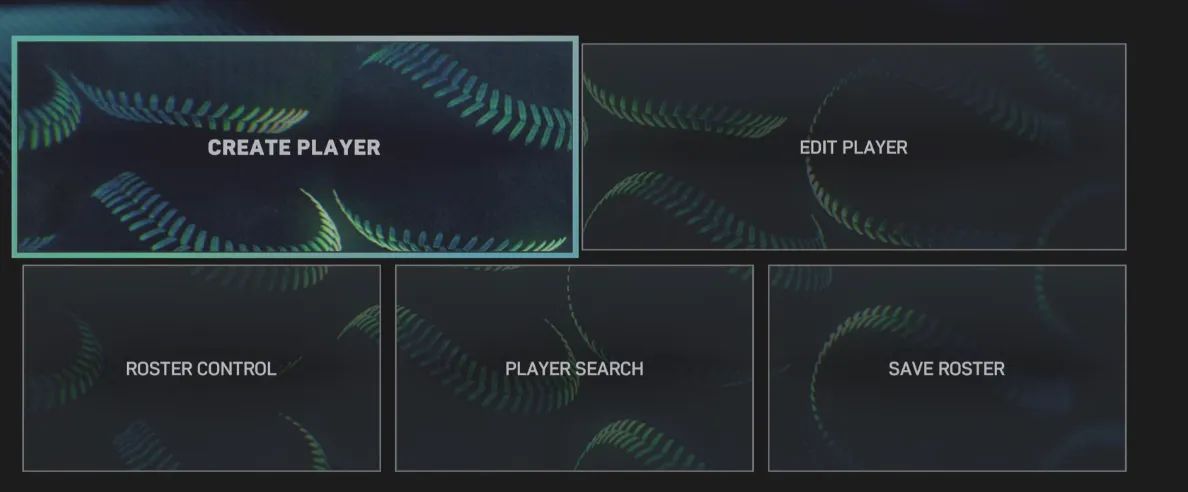
- From the main menu, navigate to Create > Player.
- Customize their appearance, attributes, and equipment.
- Save your creation to lock in your settings.
This is the foundation—you can tweak skills and gear as much as you like before adding them to a roster.
If you want to expand your roster without spending hours in the creation menu, U4N makes it easy to buy MLB 26 Players, giving you instant access to fully customized athletes and letting you jump straight into building your dream team in MLB The Show 26.
Step 2: Access Roster Control
- Go back to the main menu and select Create > Roster Control.
- This is where you manage all created players and modify team lineups.
Step 3: Move the Player to Free Agents
- In Roster Control, find the Created Players section.
- Select your player and assign them to the Free Agent pool.
This step is important because MLB teams can only add players from Free Agency.
Step 4: Assign Your Player to a Team
- Switch to the Free Agents tab in Roster Control.
- Choose your created player and move them to your preferred MLB team.
Now they are officially part of the roster and ready to appear in games.
Step 5: Save the Custom Roster
- Head to Settings > File Management > Save Roster.
- Give it a clear, memorable name like "Custom_Roster_With_Player" so you can easily locate it later.
Saving ensures your changes stick and can be used across modes.
Step 6: Start a Franchise or Play Mode
- Launch New Franchise or your desired game mode.
- When asked for a roster, select Use Custom Roster and pick the file you just saved.
Your created player is now available for drafting, call-ups, or starting lineups.
Getting your custom player into the roster opens up new ways to enjoy MLB The Show 26, letting you experiment with talent, team balance, or even create a dream roster. By following these steps, you can make sure your player hits the field exactly where you want them.
For players looking to accelerate their progress or unlock top-tier players faster, U4N offers a reliable option to get MLB 26 Stubs for Sale, providing a safe and instant way to enhance your roster and fully enjoy all the customization and gameplay opportunities in MLB The Show 26.