


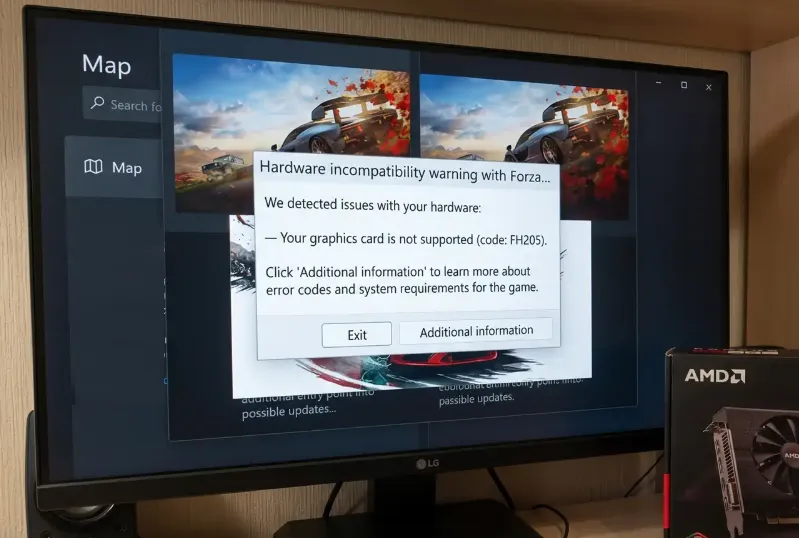
Forza Horizon 6 is an amazing racing experience, but nothing is more frustrating than clicking “Play” and watching nothing happen. If you're stuck at the splash screen, black screen, or the game refuses to open entirely, you're not alone. Here's a detailed guide from a player's perspective on how to get FH6 running again.
1. Disable Overlays and Background Apps
Many launch problems stem from conflicts with third-party overlays or monitoring software. Programs like MSI Afterburner, RivaTuner (RTSS), Discord overlay, and NVIDIA GeForce Experience can interfere with Forza's anti-cheat or startup routines.
What to do:
- Close MSI Afterburner & RTSS completely. If you must leave RTSS open, set “Application Detection Level” to None.
- Disable in-game overlays in Discord and GeForce Experience.
- Make sure no other monitoring tools or performance apps are running in the background.
2. Enable AES-NI in BIOS
Some PCs, especially pre-built systems or Acer machines, might have AES-NI disabled in the BIOS. This CPU instruction set is required for the game's encryption and can prevent it from launching.
Steps:
- Restart your PC and press your BIOS key (F2, Del, or the key your motherboard specifies).
- Go to Advanced Settings → CPU Configuration.
- Enable AES-NI or AES Instructions.
- Save and reboot into Windows.
3. Repair or Reinstall Gaming Services
The Xbox / Gaming Services backend is essential for FH6 on PC. If corrupted, you might see errors like E:0-e9 Load Failed.
Fix it:
- Open PowerShell as Administrator.
- Run:
get-appxpackage Microsoft.GamingServices | remove-AppxPackage -allusers
start ms-windows-store://pdp/?productid=9MWPM2CQNLHN - Install or update Gaming Services from the Microsoft Store.
- Restart your PC and try launching the game.
4. Verify Game Files
Corrupted or missing files from a patch or download can block the game from starting.
Steam:
- Right-click FH6 in your Library → Properties → Installed Files → Verify Integrity of Game Files.
Xbox App:
- Click the three dots next to FH6 → Manage → Files → Verify and Repair.
5. Check Installation Path Length (Steam)
Steam users may run into launch issues if the game's folder path is too long. FH6 can fail if the path exceeds 59 characters.
Solution:
- Move your installation closer to the root of your drive, e.g., C:SteamLibrarysteamappscommonForzaHorizon6.
6. Try the Alt+Tab Trick
If the game launches to a black screen or freezes at logos, switching focus can help.
How:
- Launch FH6.
- When the window opens, press Alt + Tab to go to the desktop.
- Wait 15–30 seconds, then switch back to the game.
7. Run as Administrator
Sometimes Windows blocks the game due to permission issues.
Steps:
- Navigate to your game folder.
- Right-click the FH6 executable → Properties → Compatibility → Check Run this program as an administrator.
- Apply changes and launch.

Getting FH6 to launch can require multiple tweaks depending on your system. Start by disabling overlays, checking Gaming Services, and verifying game files. Many players also find that BIOS settings like AES-NI or simply running the game as Administrator solve the stubborn startup issues. With these fixes, you should be back in the driver's seat without wasting hours troubleshooting.





