


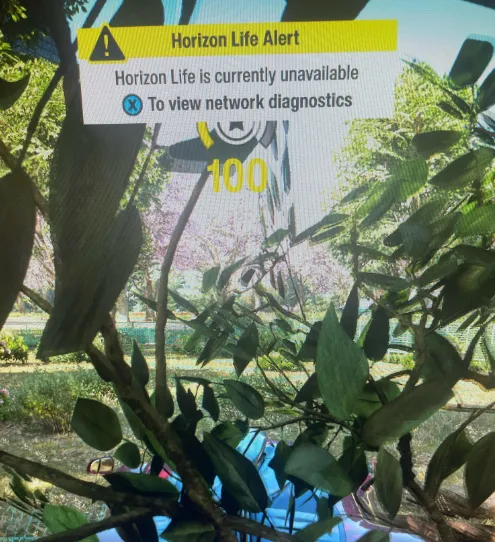
If your Forza Horizon 6 Horizon Life online matchmaking is not working, you are not alone. Many players across both PC and Xbox Series X|S are hitting errors like "Feature Unavailable," "Region: Failed (0x0)," and convoy connection failures, especially after the 2.5GB launch update. While most of these issues are server-side, there are a few steps you can take to improve your chances of reconnecting.
Check Official Server Status
Before troubleshooting your system, confirm if Playground Games' servers are down:
- Visit the Forza subreddit for live player reports.
- Check Downdetector's Forza page for outage spikes.
- Follow the official Forza Support Twitter/X for developer updates.
Server-wide outages mean typical network fixes might not work immediately, so confirming status first can save time.
PC Fixes (Steam & Xbox App)
If you're on Windows, try these solutions:
- Profile Desync Fix – Sign out fully from Xbox App and Microsoft Store, close them via Task Manager, and log back in. Ensure your system clock is set to automatic.
- Deactivate NI Domains – End any NI Domains background processes in Task Manager; this service can block online matchmaking.
- Verify GameInput Service – Open services.msc and ensure GameInput is active. Some peripheral software may conflict, so consider disabling it temporarily if needed.
These steps can resolve local authentication and peripheral conflicts that prevent Horizon Life from connecting.
For players looking to skip the frustration of server issues or simply get ahead in Forza Horizon 6, marketplaces like U4N provide a reliable way to buy FH6 credits online safely and instantly, letting you upgrade your cars, unlock new content, and fully enjoy Horizon Life without waiting for server stability.
Xbox Series X|S Fixes
If your Xbox shows an open NAT but you still can't connect:
- Clear Quick Resume Cache – Remove FH6 from Quick Resume via the menu and launch it fresh.
- Clear Alternate MAC Address – Go to Settings → Network → Advanced → Alternate MAC Address → Clear. This forces a clean network card restart.
These console-specific tweaks often resolve handshake issues with FH6 servers.
Community Insights
Players report:
“Game is launching fully today... Servers will likely be screwed up for the rest of the night and possibly for a few days.”
“It was working fine for everyone, then they pushed a 2.5GB update and now it's broken.”
Community feedback confirms that server instability following updates is a primary cause, and patience is often required while Playground Games addresses the issues.





