


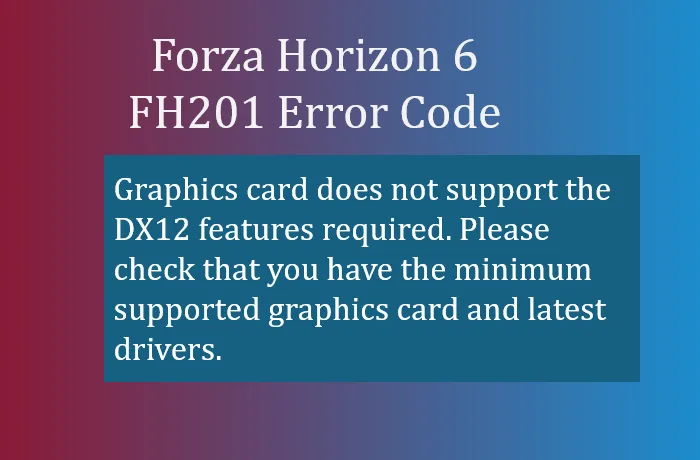
The FH201 error code in Forza Horizon 6 occurs when your graphics card does not support the required DirectX 12 (DX12) features, or when the drivers fail to communicate those features to the game. FH201 is most common on older GPUs or systems with outdated drivers, even if the hardware technically meets the minimum specs.
- Graphics card does not support the DX12 features required. Please check that you have the minimum supported graphics card and latest drivers.
Minimum GPU Requirements
Before troubleshooting, verify that your graphics card meets the minimum supported hardware:
| Brand | Minimum GPU Requirement |
|---|---|
| NVIDIA | GeForce GTX 1650 or newer |
| AMD | Radeon RX 6500 XT or newer |
| Intel | Arc A380 or newer |
If your card is older than these models, FH6 may not run properly without workarounds.
Clean Driver Installation
Outdated or corrupted graphics drivers are the leading cause of FH201. A standard driver update may not clear hidden conflicts. Here's how to perform a clean installation:
- Download Display Driver Uninstaller (DDU) or use your GPU manufacturer's clean install option.
- Boot into Windows Safe Mode and completely remove your existing graphics drivers.
- Download and install the latest drivers directly:
- Restart your PC before launching Forza Horizon 6.
This ensures the game detects the proper DX12 features from your GPU.

Clear Game Cache & Scratch Files
Sometimes FH6 continues to block a GPU because cached files are corrupted. Clearing them forces a re-scan:
- Press Windows Key + R, type %localappdata%, and hit Enter.
- Navigate to the Temp folder and delete ForteTemp.scratch if it exists.
- Back in %localappdata%, clear the ForzaHorizon6 folder.
- Restart the game to let the hardware profiler reassess your GPU.
Workarounds for Older AMD GPUs
If you have an AMD Polaris or Vega card (e.g., RX 580/590), FH201 may trigger a false positive. Community-tested steps to bypass the block:
- Use DDU to remove newer drivers.
- Install the AMD Adrenalin 23.5.2 driver version, which avoids the aggressive DX12 hardware check.
- Disconnect any controllers or steering wheels from USB ports.
- Launch the game, wait until the main menu or legal screen appears, then reconnect your peripherals.
This method has allowed older GPUs to run FH6 successfully, though some graphical features may be limited.
Following these steps resolves FH201 in most cases, whether by updating drivers, clearing cache, or using older driver workarounds. If all else fails, upgrading to a DX12-capable GPU is the ultimate solution for smooth gameplay.
For those looking to quickly boost their FH6 experience, including credits and cars, U4N offers secure, instant delivery options to buy Forza Horizon 6 credits safely online.





