


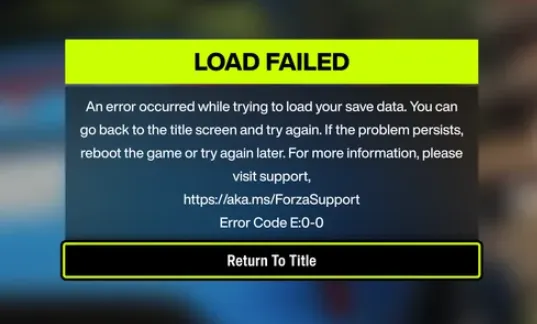
If you've launched Forza Horizon 6 and run into the dreaded Error Code E:0-0, don't panic. This error usually pops up due to a profile or save data sync issue, often caused by a corrupted Xbox App installation path, mismatched account logins, or stalled Windows Gaming Services. Here's a simple, step-by-step guide to fix it and get back to the roads of Japan.
To fix the Forza Horizon 6 "Load Failed" Error Code E:0-0 on PC, you need to resolve a glitch with Windows Gaming Services or correct a duplicated installation path in the Xbox app. This error usually occurs because the game lacks local write privileges or cannot properly sync your save data.
Forza Horizon 6 Error Code E0 / E0-C0: Step-by-Step Fix
Getting the E0 or E0-C0 error in Forza Horizon 6 can be frustrating, but the good news is that it's usually solvable with a series of straightforward steps. Here's how to get back into the game safely and quickly.
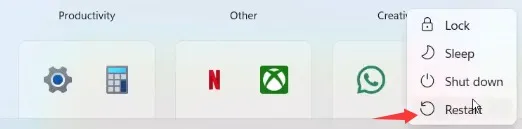
Step 1: Restart Your PC
Before anything else, restart your computer. This simple step resolves many temporary glitches. Once your PC restarts, try launching the game again.
Step 2: Run the Game as Administrator
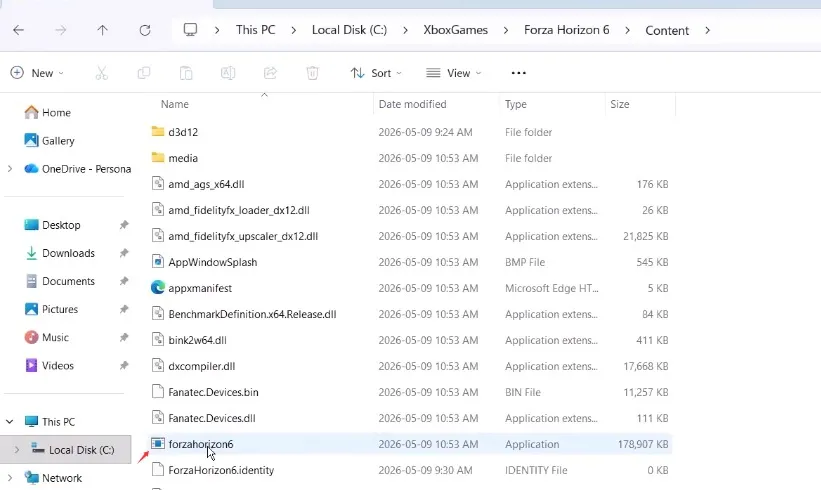
Locate your game installation folder.
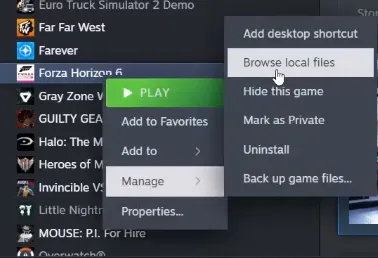
- Right-click the FH6 executable (.exe file) → Properties → Compatibility tab.
Check Run this program as an administrator → Apply → OK.
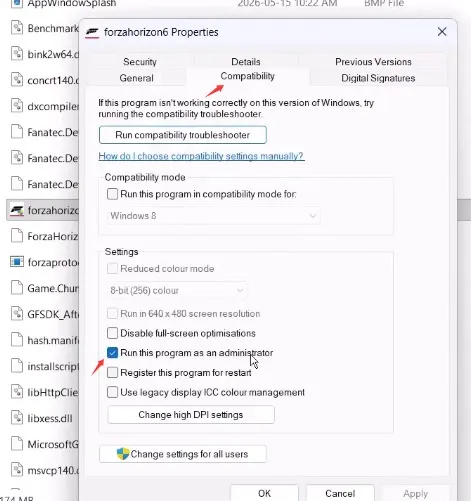
- For Xbox Game Pass users: Right-click FH6 in the Xbox app → Properties → Compatibility → Check Run as administrator.
Step 3: Launch from Installation Folder
Instead of starting FH6 from shortcuts or the Xbox app/Steam library, launch it directly from the installation folder. This can bypass some access issues.
Step 4: Update Microsoft Store
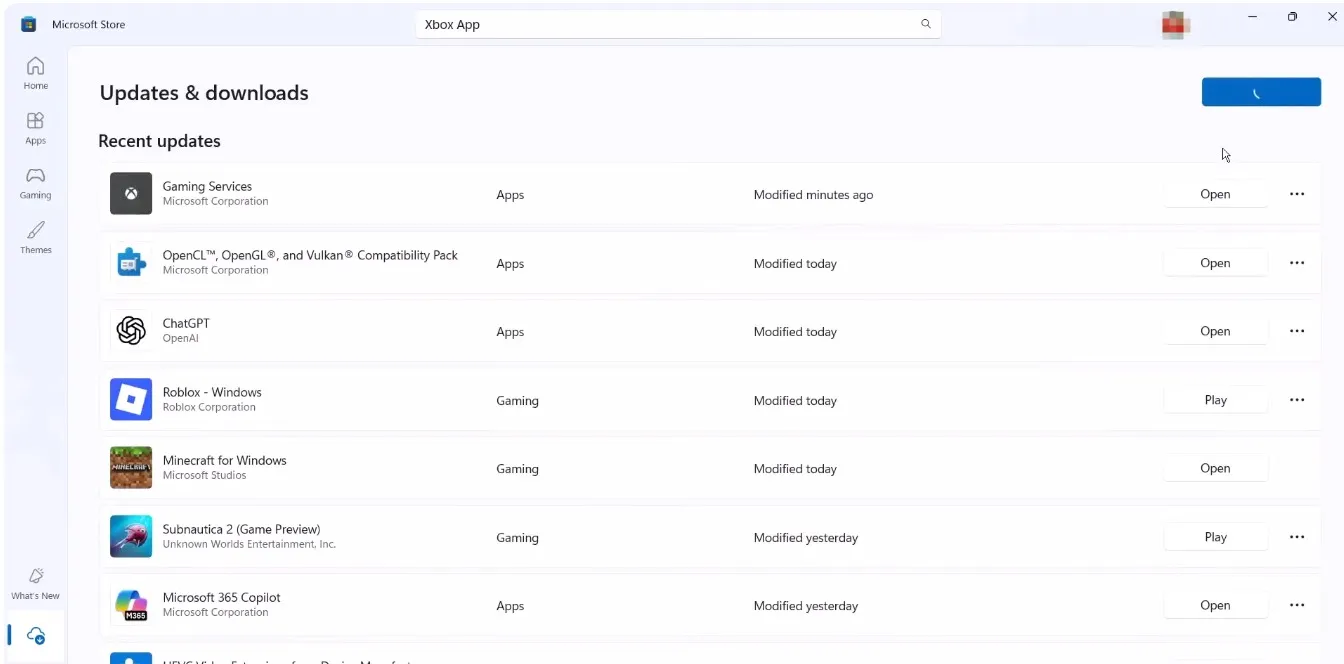
- Open Microsoft Store → bottom-left → Downloads and updates.
- Click Check for updates → then Update all.
- Make sure Gaming Services and the Xbox app are updated.
Step 5: Install/Update Xbox App
If not already installed:
- Go to the Xbox website → download Xbox app.
- Run the installer and complete setup.
- Keep the Xbox app running in the background while playing.
Step 6: Repair Gaming Services
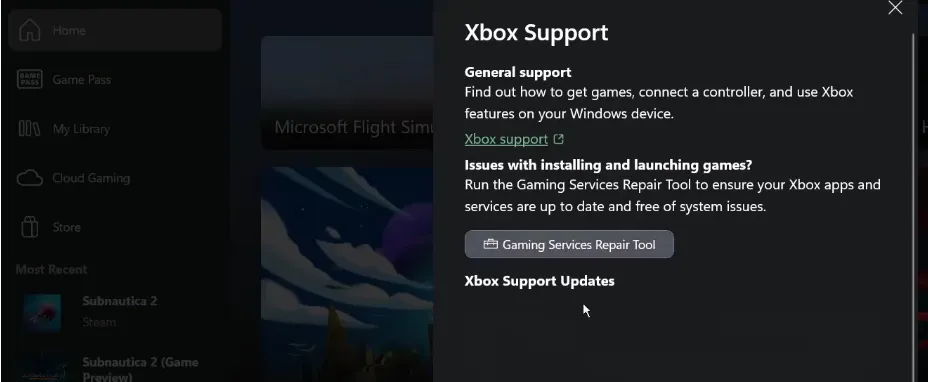
Open Xbox app → Support → Gaming Services Repair Tool.
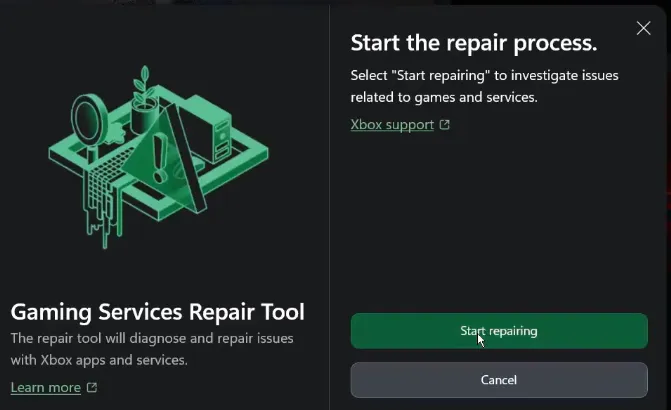
Click Start repairing → Allow the process.
- Alternatively, download the repair tool from the official Xbox website if needed.
Step 7: Set Correct Region & Sync Time
Go to Windows Settings → Time & Language → Language & Region.
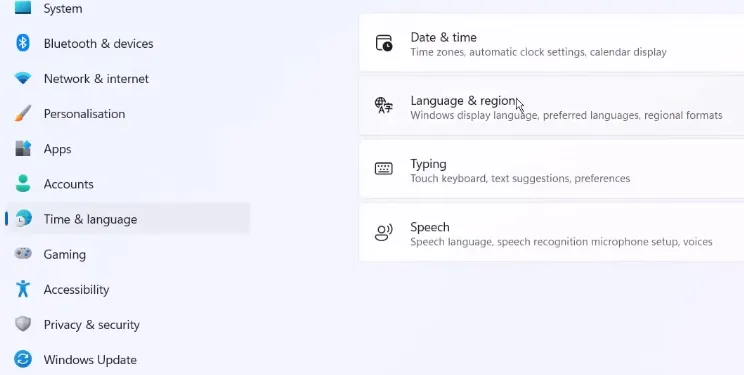
- Select the correct country.
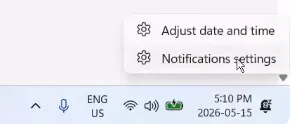
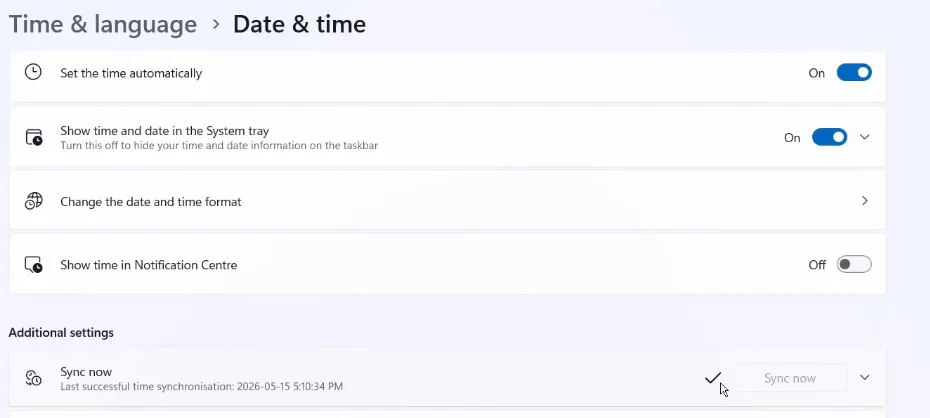
Right-click date & time → Adjust date/time → Enable Set time zone automatically and Set time automatically → Click Sync now.
Pro Tip: If you need extra resources or want to skip grind, you can get cheap Forza Horizon 6 credits safely through U4N, which offers secure instant delivery and verified accounts.

Step 8: Sign in With the Same Account
Ensure that your Microsoft account is consistent across:
- Xbox app
- Microsoft Store
- FH6 game
Sign out and back in on both the Store and Xbox app if needed.
Step 9: Launch via Xbox App (Steam Users)
- Open Xbox app → Profile → Settings → Install → Library & Extensions → Enable Steam.
- Go to Library → Launch FH6 Steam version from Xbox app.
Step 10: Reinstall Gaming Services
- Open PowerShell as Administrator.
- Run the first command to uninstall Gaming Services.
- Run the second command to reinstall Gaming Services via Microsoft Store.
- Restart PC if necessary and repeat commands if install fails.
Step 11: Install Xbox Identity Provider
If not installed:
- Open the Xbox Identity Provider in Microsoft Store → Install/Get/Update.
Step 12: Link Xbox and Steam Accounts
- Open Xbox app → Profile → Settings → Account → Scroll to Steam → Link.
- Follow the browser instructions to complete account linking.
Step 13: Verify Game Files (Steam)
- Open Steam → Right-click FH6 → Properties → Local Files → Verify integrity of game files.
- Wait until verification completes (100%) → Launch the game.
Following these steps usually resolves E0 / E0-C0 errors in Forza Horizon 6. Restarting, running as administrator, repairing or reinstalling Gaming Services, syncing accounts, and ensuring the correct region/time are the most common solutions.
1. Check Your Xbox App Installation Path
A common culprit is the Xbox App pointing to a messed-up folder, like C:C:XboxGames. That duplication breaks permissions and prevents FH6 from reading your save data correctly.
Fix:
- Open the Xbox App on your PC.
- Click your profile icon → Settings → General.
- Check Game install options.
- If the folder path looks wrong or duplicated, click Change folder and set it to something clean like C:XboxGames.
This ensures the game can properly read and write your profile data.
2. Reset Windows Gaming Services
Sometimes the background services that handle game profiles get stuck. Resetting them can force your profile to sync.
Steps:
- Launch FH6 until the E:0-0 screen appears.
- Press the Windows Key and go to Settings → Apps → Installed Apps.
- Search for Gaming Services, click the three dots → Advanced options.
- Scroll down and click Reset.
- Switch back to FH6 and see if it loads past the error screen.
3. Align Microsoft Store and Xbox App Logins
If your Microsoft credentials are mismatched between the Xbox App and Microsoft Store, the game can't authenticate your profile properly.
Steps:
- Open the Microsoft Store → sign out → sign back in with your main account.
- Open the Xbox App → sign out → sign back in using the exact same Microsoft credentials.
- Restart your PC to refresh all profile tokens.
This makes sure FH6 can verify your account seamlessly.
4. Verify Critical Windows Services
Certain Windows services are essential for Xbox profile and save syncing. Make sure they're running.
Check:
- Press Win + R, type services.msc, and press Enter.
- Locate these services:
- Xbox Live Auth Manager
- Xbox Live Game Save
- Xbox Live Networking Service
- Gaming Services
- Right-click → Properties → set Startup type to Automatic, then click Start if any are stopped.
5. Run the Game as Administrator
Sometimes standard permissions block the game from syncing profile data. Running FH6 as administrator can fix this.
Steam Users:
- Library → right-click Forza Horizon 6 → Manage → Browse local files → right-click FH6.exe → Run as administrator.
Game Pass/Xbox App Users:
- Press Win + R, type shell:AppsFolder, hit Enter.
- Find FH6 → right-click → Create desktop shortcut.
- Right-click the shortcut → Run as administrator.
Following these steps resolves most E:0-0 errors and restores access to your FH6 profile. Remember, syncing issues usually relate to folder paths, login mismatches, or background services—not the game itself.





