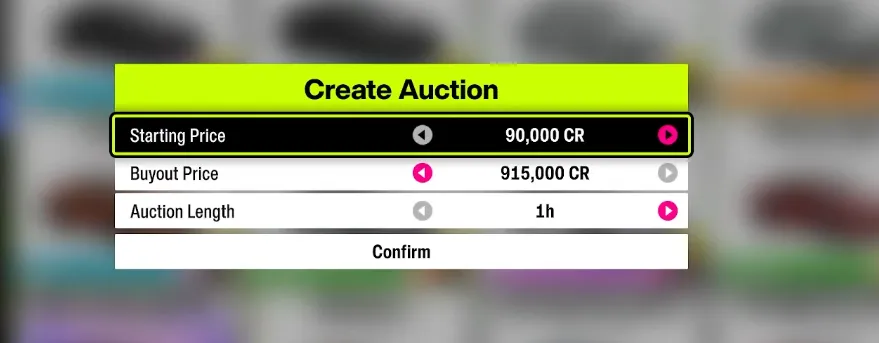
If you're diving into the Auction House in Forza Horizon 6 and hitting walls like black screens, grayed-out menus, or transaction failures, you're not alone. Many players face these issues, and most can be resolved with some simple steps.
1. Black Screen or Infinite Loading Bug
Sometimes, when you try to view a car listing, the game freezes on a black screen or an infinite loading screen. The trick here is not to fully enter the listing:
- Xbox: Highlight the listing → press Y
- PlayStation: Highlight the listing → press Triangle
From the pop-up menu, you can Bid, Buy Out, or Claim Car/Credits directly. This bypasses the bug that crashes or freezes the full auction page.
Tip: Avoid pressing 'A' (Xbox) or 'Cross' (PlayStation) to open the auction page fully until this is resolved.
2. Check Account Privacy Settings
If the Auction House is grayed out, it's often your account blocking online features:
- Log into the Xbox Official Site and check your privacy settings.
- Ensure the following are set to Allow:
- You can join multiplayer games
- You can communicate with others via voice, text, or invites
For younger or child accounts, parental controls may automatically restrict the Auction House. Adjust settings via Xbox Support or an adult account.
3. Early Game Progression
The Auction House isn't available immediately. You must:
- Complete the opening tutorial races
- Reach the main festival site
- Unlock the Festival Playlist
Until these milestones are complete, the Auction House will remain locked. Keep racing through the Horizon Story, and access will open naturally.
4. Transaction Limits
The game enforces a 24-hour transaction limit for bids and sales. If you hit this cap:
- Wait until the next day to continue buying or selling
- Keep track of your daily transaction count if you're flipping cars for profit
5. Server and Connection Errors
Occasionally, error messages like "Auction is closed" or "Feature unavailable" appear due to server issues or unstable connections:
- Restart your console/PC and relaunch the game
- Check your network connection and stability
- Ensure your game is updated to the latest patch
6. Other Known Issues
- DLC Car Restrictions: You cannot bid on DLC cars you don't own.
- Steering Wheel Glitch: If using a racing wheel, pair it with a standard controller to navigate Auction House menus.

Quick Summary Table
| Issue Type | Symptoms | Quick Fix |
|---|---|---|
| Black Screen | Infinite loading when opening listing | Highlight listing → Options → Claim/Bid/Buy Out |
| Grayed Out | Auction option unavailable | Check Xbox privacy, age restrictions, tutorial completion |
| Transaction Limit | Bids/sales fail | Wait 24 hours to reset |
| DLC Restrictions | Cannot buy certain cars | Ensure you own the corresponding DLC |
| Racing Wheel Glitch | Menus unresponsive | Use standard controller alongside wheel |
By following these steps, most players regain full functionality in the Auction House, whether they're claiming rare cars, flipping vehicles for profit, or collecting credits. This covers the most common bugs from black screens to grayed-out menus, and makes your Auction House experience smooth again.
For those looking to skip potential delays or issues, you can also explore options like U4N to buy Forza Horizon 6 Credits, ensuring instant access to cars and upgrades without waiting on auctions or server fixes.