Cart Empty
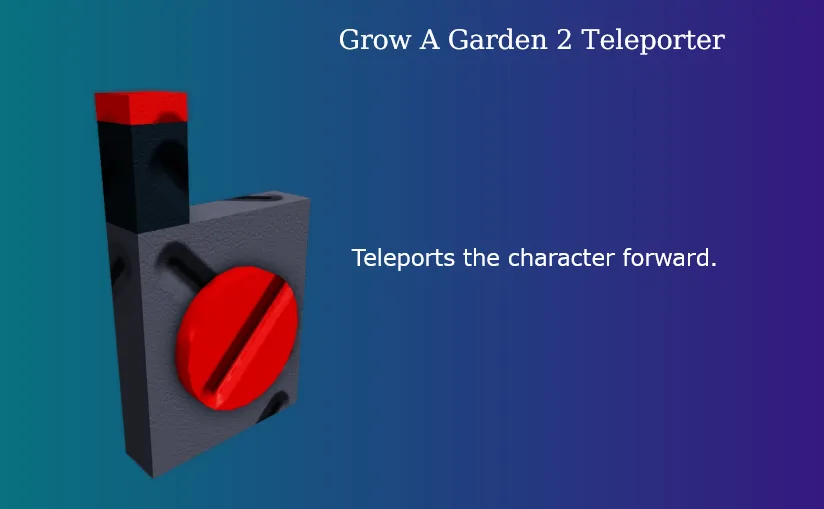
Continue ShoppingThe Teleporter is one of the most sought-after Legendary items in Grow A Garden 2, a popular Roblox farming and survival game released on June 12, 2026. This rare piece of gear is designed to maximize your efficiency and give you an edge over other players.
This guide breaks down exactly how to get your hands on a Teleporter and how to use it effectively to optimize your gameplay.
The Teleporter is a high-tier utility item that allows players to instantly bridge distances.
| Stat | Detail |
|---|---|
| Rarity | Legendary |
| Price (In-Game) | 60,000 Sheckles or 260 Robux |
| Stock Chance | 4% |
| Primary Effect | Teleports the character a short distance forward |
| Release Date | June 12, 2026 |
There are two primary ways to obtain the Teleporter in Grow A Garden 2: through the official in-game store or via third-party trading sites.
To purchase it officially, you need to visit the Gear Shop located at the market center.
Pro Tip: If the Teleporter isn't in stock, you don't have to just wait around. You can hop to a different Roblox server to check a fresh set of shop inventory instantly.
Because gathering 60,000 Sheckles can take hours of grinding and a 4% stock rate requires constant luck, many players opt to buy the Teleporter item directly from online digital item marketplaces. Trusted external platforms stock the item for as low as $0.13 to $1.95, delivering the item directly to your account via the in-game trade system.
Once purchased, the item will be sent to your inventory. To activate it, follow these simple steps:
The Teleporter moves your character straight ahead every few seconds. While it sounds basic, it completely shifts how you play the game in three major ways:
The U4N Editorial Team is made up of dedicated gamers and technical experts. We're not just a trusted marketplace for game assets—we're all about empowering players with top-tier, expert-driven content. Our team produces in-depth guides, strategies, and technical fixes for some of the biggest games out there, like MLB The Show 26, Aion 2, Forza Horizon 6, Arc Raiders, and Path of Exile.
Whether it's mastering market flipping in Diamond Dynasty or optimizing your endgame builds, all of our strategies are tested and proven by in-house experts. At U4N, we don't just follow the meta—we help you stay ahead of it.