The Monkey is a Mythic and useful pet in the Roblox game Grow A Garden 2. It helps players harvest fruit without clicking. This guide will show you how to get the Monkey and how to use it best.
Monkey Overview
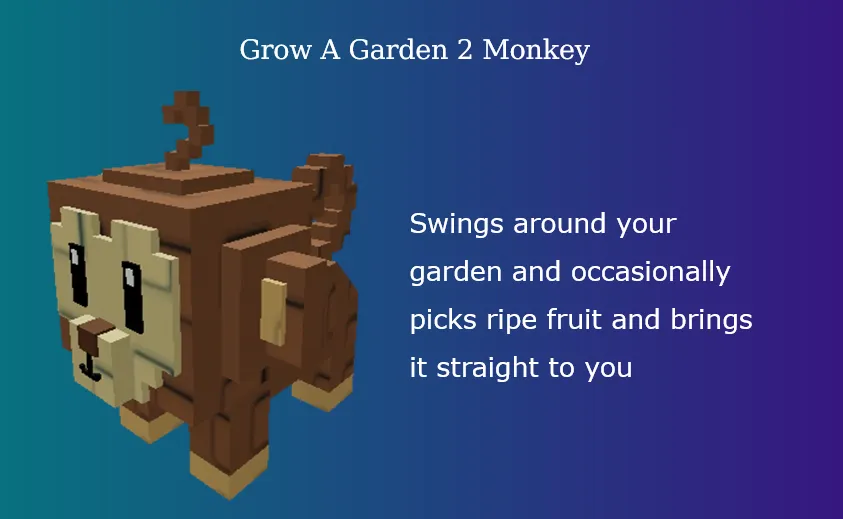
The Monkey is a Mythic rarity pet. It was added to the game when Grow A Garden 2 launched on June 12, 2026. It looks like a normal little monkey that moves around your farm area.
Here is a quick breakdown of its stats:
| Stat / Info | Details |
|---|---|
| Rarity | Mythic |
| Price | 3,000,000 Sheckles |
| Spawn Chance | 0.2% |
| Passive Ability | Swings around and collects ripe fruit |
| Is it Obtainable? | Yes |
How to Get the Monkey Pet
Getting a Mythic pet requires luck and timing. You can get the Monkey in two ways.
Method 1: Buy it in the Game Lobby (Free Method)
Pets in this game spawn randomly inside the main lobby.
- Watch the Map: The Monkey has a tiny 0.2% chance to spawn anywhere on the map.
- Act Fast: When a pet spawns, a timer appears over its head. It will disappear if nobody buys it before time runs out.
- Pay the Price: You must approach the Monkey and pay 3,000,000 Sheckles to buy it.
- Watch Out for Bidders: If another player offers more Sheckles while you are trying to buy it, the pet will turn and follow them instead!
Method 2: Online Purchase
Some players choose to skip the grind. You can buy the Monkey pet online from U4N shops for around $5.56.
What Does the Monkey Do?
The Monkey has a great passive ability for lazy or busy farmers.
- The Ability: It swings around your garden and occasionally picks ripe fruit. It brings that fruit straight to your inventory.
- Why it Helps: You do not have to walk up to every single plant to harvest it. The Monkey does the physical labor for you while you buy seeds or chat.
Real Game Case Study: How to Use the Monkey
Let us look at a real example of how a player can use the Monkey to make money fast.
The Setup
Imagine you are growing multi-harvest plants like Strawberries or Green Beans. These crops stay in your garden and grow new fruit over and over again.
The Strategy
- Equip the Monkey: Open your inventory and equip the Monkey pet.
- Plant in Batches: Fill your garden plots with fast-growing, multi-harvest crops.
- Stand by the Shop: Instead of running around your garden to pick fruits, you can stand right next to the seed shop or the sell station.
- Automatic Income: As you wait, the Monkey swings around and picks the ripe strawberries. The fruits pop directly into your inventory bag.
- Quick Profit: The moment your bag fills up, you can sell the items instantly without wasting time walking back and forth.
Pro Tip
Pair your Monkey with speed pets like Bunnies. Equip bunnies to run fast when you need to buy seeds, then let your Monkey grab the crops while you plan your next layout!