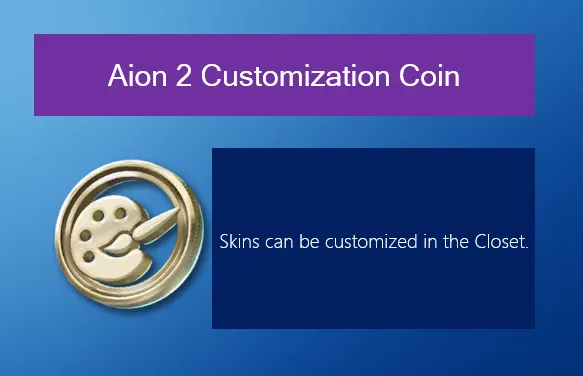
In Aion 2, Customization Coins—sometimes called Customization Vouchers—let you change your character's appearance without paying the usual 600 Quna premium fee. Whether you want a new hairstyle, face, or body look, these coins are your free shortcut.
1. Getting Customization Coins
There are several ways to obtain these coins, both free and paid.
a) Free Promotional Coupon Codes
The developers often release promo codes during seasonal events or milestones. These codes usually grant temporary or permanent appearance changes.
How to redeem:
- Press ESC → Settings → Miscellaneous → Account.
- Enter the coupon code (for example, codes like 2 DAYS 100 have historically granted 7-day customization vouchers).
- Check your in-game mailbox for the voucher.
Pro Tip: Keep an eye on official announcements and social media; codes are sometimes limited-time only.
b) Standard Gameplay Progression & Milestones
You don't need to spend money to get coins. Core gameplay can reward you with them:
- Leveling Rewards: New accounts often get a free starter ticket at Level 2 to try out the customization system.
- In-Game Achievements: Completing milestones, like unlocking the Crimson Lord cosmetic set, can give Heroic Skin Vouchers or standard Customization Coins.
- Regional Quests: At Level 45, check the Duty tab in your Journal. Daily or regional quest rewards sometimes include coins.
c) Events and Pre-Registration Bonuses
Special events—like server launches, anniversaries, or seasonal updates—frequently reward players with vouchers simply for logging in or participating in event challenges.
d) Cash Shop and Mileage Point Purchases
For instant access:
- Quna (Premium Currency): Buy an appearance change directly in the Closet for 600 Gems/Quna.
- Mileage/Points Shop: If you accumulate premium points, spend around 35,000 points in the exchange shop to redeem a coin.
For players looking to save time and avoid waiting for event rewards or grinding for vouchers, U4N offers a reliable way to get cheap Aion 2 Kinah, letting you quickly stock up on Customization Coins and enjoy full character personalization without the hassle.
2. Using Your Customization Coin
Once you have a coin, it's easy to apply it to your character.
Step 1: Open the Closet System
- Log in to your character.
- Press ESC and select the Closet icon from the main menu.
Step 2: Modify Your Character
- Manual Edits: Use sliders to adjust face, hair, body proportions, or height.
- Style Shop Presets: Import designs from the player marketplace through your Download Storage tab.
Step 3: Select the Coin Payment
- Click Apply Changes at the bottom of the customization screen.
- A transaction confirmation window appears showing the fee.
- Instead of paying with Quna, select the checkbox or dropdown labeled "Use Customization Voucher" or "Customization Coin".
- This sets the Quna cost to 0.
Step 4: Confirm and Save
- Press the Confirm button.
- One coin is consumed, and your character instantly updates.
- You return to the game world with your new look.
Pro Tips
- Plan ahead: Use coins for major appearance changes or special event looks to avoid wasting them.
- Stack vouchers: If you have multiple coins, consider saving them for future style updates.
- Mix presets and manual edits: The combination often gives the most unique results.
About the Author
Authored by elite gamers and industry insiders, the U4N Editorial Team delivers authoritative game updates, patch notes breakdowns, and expert strategies for trending titles including World of Warcraft, Path of Exile 2, MapleStory, Aion 2, and Arc Raiders.
From deep-dive guides to the latest meta shifts, our in-house veterans test every tactic firsthand to keep you ahead of the game.