PC players preparing for Call of Duty: Modern Warfare 4 need more than a release date. Hardware compatibility, graphics settings, input responsiveness, and security requirements can all affect how smoothly the game runs. Our team has put together this guide to help players understand the PC features, compare system requirements, and prepare for launch. Players exploring their progression options may also encounter services described as Call of Duty Modern Warfare 4 Boosting, but getting the game configured correctly is the first step toward a better experience.
The PC version offers a wide range of customization options, from upscaling technologies to visibility settings designed for combat. Instead of turning every setting to maximum, we recommend starting with your hardware, deciding whether you prioritize image quality or competitive performance, and testing changes before settling on a setup.
PC Hardware and Launch Preparation
The PC version is being developed with a focus on supporting a broad range of hardware. High-end systems can aim for sharper visuals and advanced effects, while players with more modest computers can adjust settings to find a better balance between performance and image quality.
According to the official Modern Warfare 4 PC feature overview, the game supports multiple display resolutions, ultrawide monitors, extensive customization, and several graphics technologies.
System Requirements at a Glance
The specifications below summarize the requirements in the supplied announcement. Check the current official requirements before upgrading hardware or purchasing the game.
| Component | Minimum | Recommended | Ray Tracing |
|---|---|---|---|
| Operating system | Windows 10 64-bit | Windows 11 64-bit | Windows 11 64-bit |
| CPU | Ryzen 5 1400 / Core i5-6600 | Ryzen 5 3600 / Core i7-8700K | Ryzen 7 3700X / Core i7-10700K |
| RAM | 8 GB | 16 GB | 32 GB |
| Graphics card | Radeon RX 470 / GeForce GTX 970 or 1060 / Intel Arc A580 | Radeon RX 6600 XT / GeForce RTX 3060 Ti / Intel Arc B580 | Radeon RX 9070 XT / GeForce RTX 5070 Ti |
| Video memory | 3 GB | 8 GB | 16 GB |
| Storage | 115 GB, SSD required | 115 GB, SSD required | 115 GB, SSD required |
The recommended tier targets 90 FPS in multiplayer at High graphics settings, while the ray-tracing tier targets an upscaled 4K experience. Actual performance will depend on the final game build, resolution, graphics options, and the rest of your system.
Before launch, our team recommends checking available SSD space, updating your graphics driver, and confirming that your PC meets the required security settings. TPM 2.0 and Secure Boot are listed as requirements, and Intel Arc graphics cards require Resizable BAR according to the supplied specifications.
Visibility and Target Acquisition: Settings That Matter
High image quality is useful, but competitive players also need to identify opponents quickly. Modern Warfare 4 introduces several options intended to improve visibility and give players more control over how the game looks.
Enhanced FOV and Display Clarity
Enhanced FOV is described as a PC-exclusive feature that expands the visible area near the edges of the screen through lens effects while preserving the center field of view. It may appeal to players who prefer a more restrained central view without giving up as much peripheral awareness.
The announcement also describes HDR10+ brightness adjustments intended to improve contrast and clarity. Results can vary with the display, so we recommend testing visibility in actual gameplay rather than judging a setting from a menu preview alone.
Weapon Effects, Depth of Field, and Bloom
Weapon VFX masking is designed to keep targets visible around the point of aim without removing the intensity of muzzle effects. The Depth of Field controls are also separated into World Depth of Field and Weapon Depth of Field, giving players more control over background sharpness and weapon-focused visual effects.
Weapon Bloom receives a separate explanation in the announcement: shots are described as originating from the weapon's barrel position, with an optional laser attachment to help players read shot direction. We recommend testing this behavior with both aimed and hip-fire shots before changing your usual firing habits.
For a competitive setup, start by reducing distracting visual effects where possible, then adjust sharpness, shadows, reflections, and other options one at a time. This makes it easier to identify which changes genuinely improve visibility on your system.
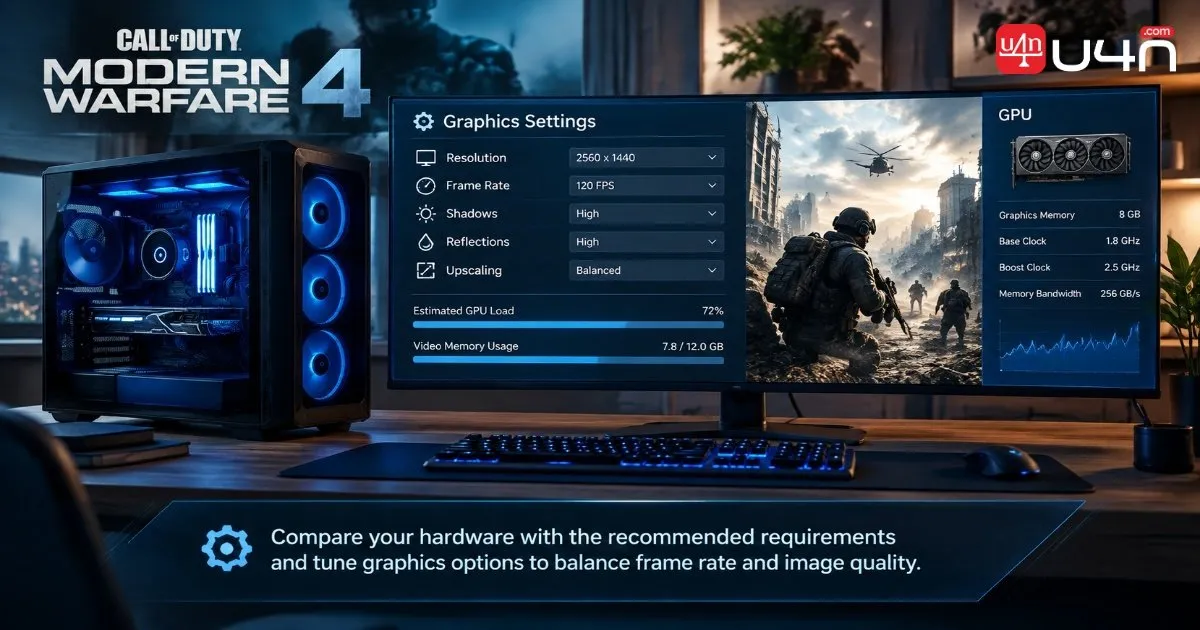
Performance, Upscaling, and the Benchmark Tool
Modern Warfare 4 lists several rendering technologies so players can choose options suited to their graphics hardware. These technologies are not interchangeable, and the best choice depends on your GPU, target resolution, and preference for image quality or frame rate.
| Technology or feature | Main purpose |
|---|---|
| NVIDIA DLSS 4.5 | Upscaling and supported frame-generation features on compatible hardware |
| AMD FSR Redstone | AMD's upscaling and related rendering technologies |
| Intel XeSS 3 | Intel's machine-learning-based upscaling technology |
| Filmic SMAA T2X | An anti-aliasing option intended to reduce visible jagged edges |
| Ray tracing | More advanced lighting, reflections, and shadow effects |
The announcement lists ray tracing support across Campaign, Multiplayer, and DMZ. Keep in mind that advanced lighting can increase GPU demands, so players chasing a stable high frame rate may prefer to test ray tracing separately from their main performance settings.
Use Benchmark Results Instead of Guesswork
The built-in Benchmark Tool runs a simulated multiplayer sequence and reports performance information such as average FPS, CPU and GPU data, ping, and input latency. It also provides a breakdown across different zones, helping players identify where performance drops occur.
Our team's suggested process is straightforward:
- Run the benchmark using the game's initial recommended settings.
- Record average FPS and pay attention to the most demanding scenes.
- Lower expensive options such as reflections or shadows if performance is inconsistent.
- Test an appropriate upscaling option if you need additional performance.
- Run the benchmark again before making further changes.
The goal is not simply to reach the highest FPS number. A consistent experience with clear targets and responsive controls is often more useful than a higher average that comes with distracting fluctuations.
Collateral: A New Mode Built Around Round-to-Round Decisions
Collateral is presented as a multiplayer mode for players who enjoy the tactical pressure of Search and Destroy. Teams alternate between attacking and defending two bomb sites, while each player begins with a pistol and earns in-game cash to purchase upgrades between rounds.
The purchase system covers armor, perks, equipment, pistols, other weapon classes, and a team UAV option. Players lose their loadout when they die, but earned money carries over between rounds. Respawns, Killstreaks, automatic health regeneration, and custom loadouts are disabled.
That combination changes how players should approach each round. Spending everything immediately may leave fewer options later, while surviving with useful equipment can matter as much as securing eliminations. Teams also need to consider whether a purchase helps one player win an individual duel or improves the group's chances of controlling an objective.
Our advice is to treat the cash system as part of the tactical game rather than a simple reward screen. Coordinate purchases with teammates, avoid unnecessary risks when carrying valuable equipment, and prioritize the objective when deciding whether to take a fight.
Get Your PC Ready Before Launch
A few practical steps can reduce the amount of troubleshooting you need to do on launch day. The supplied announcement describes Advanced Shader Delivery as a way to deliver precompiled shaders on supported PC platforms, helping the game start faster. It also notes that the Xbox PC app is required to use this feature on a supported PC platform.
Before launch, use this checklist:
- Check your hardware: Compare your CPU, GPU, RAM, and SSD space with the latest official requirements.
- Update your drivers: Install a compatible graphics driver and verify any game-specific recommendations.
- Check security settings: Confirm that TPM 2.0 and Secure Boot are enabled if required by your system.
- Prepare shader delivery: Install the Xbox PC app if you intend to use Advanced Shader Delivery on a supported platform.
- Review launch timing: Confirm the latest preloading, early-access, and full-release details for your platform.
- Test your settings: Use the benchmark tool after installation instead of assuming automatic settings will be ideal for every situation.
The announcement also says that updates should no longer require a restart during every game boot, although an update released while you are already playing may still require a restart between matches. Checking for updates before a session remains a sensible habit.
Summary
Modern Warfare 4's PC feature set focuses on flexibility, visibility, and performance tuning. Players can choose from several rendering technologies, adjust visual effects for clearer combat, and use the benchmark tool to make more informed settings decisions. Collateral adds another layer of tactical decision-making through its economy and single-life round structure.
Our team recommends starting with the official system requirements, choosing settings that suit your hardware, and testing changes in realistic gameplay. If you are researching ways to reduce progression time, you may also come across buy Call of Duty Modern Warfare 4 Boosting services; review the game's rules and any relevant account risks before deciding whether such services are appropriate for you.
FAQ
What PC specifications does Modern Warfare 4 recommend?
The supplied requirements list a Ryzen 5 3600 or Core i7-8700K, 16 GB of RAM, and a Radeon RX 6600 XT, GeForce RTX 3060 Ti, or Intel Arc B580 for the recommended tier. Verify the current official list before making hardware decisions.
How can I improve FPS without making the game look too blurry?
Start by reducing demanding settings such as reflections and shadows, then test a compatible upscaling option. Adjust sharpness carefully and compare results in the same benchmark scene so you can judge both performance and image clarity.
Does the PC version support ray tracing?
The supplied announcement lists ray tracing for Campaign, Multiplayer, and DMZ. The actual performance cost will depend on your hardware, resolution, and selected settings.
What should I check before launching the game?
Confirm that your PC meets the current requirements, that you have enough SSD space, and that your graphics drivers and required security settings are ready. If you plan to use Advanced Shader Delivery, check its platform requirements as well.