Cart Empty
Continue ShoppingArchitect: Land of Exiles is attracting attention from MMO players ahead of its launch, but its regional availability has created some confusion. Even though some areas were not included among the officially announced launch regions discussed in the source material, players were reportedly able to access the official website, download the PC client, create an account, select servers, and reserve a character without using a VPN.
That does not automatically guarantee unrestricted access after launch. Regional restrictions, server capacity, or IP blocking can still change the situation. For that reason, the safest approach is to prepare your installation and character in advance while avoiding unnecessary spending until access is confirmed.
Below, we break down the key launch information, PC requirements, installation process, server selection, character creation, and what players should know before spending Architect: Land of Exiles Diamonds.
Before downloading the client, make sure your PC has enough performance and storage capacity. The source material lists Windows 10 or Windows 11 64-bit, DirectX 12, 16 GB of RAM, and roughly 30 GB of available storage.
| Requirement | Reported Specification |
|---|---|
| Operating System | Windows 10/11 64-bit |
| DirectX | DirectX 12 |
| Memory | 16 GB RAM |
| Storage | Approximately 30 GB+ |
| Minimum GPU | NVIDIA RTX 2060 or AMD RX 5600 XT |
The practical recommendation is to leave more than 30 GB free. The launcher may download additional patches after the initial installation, so having extra storage available can prevent update problems.
One of the biggest problems highlighted in the source is that the PC download option is not immediately obvious on the English pre-registration page. Players may therefore assume that the client is unavailable when the download option is simply located elsewhere.
Start from the official Architect: Land of Exiles website and navigate through the game's main page. The PC client is accessed through a separate section rather than being prominently displayed on the initial pre-registration page.
If the interface is difficult to understand, translating the page can make the relevant download button easier to identify. The source recommends locating the button first and then using the original interface if automatic translation interferes with the download link.
The download page reportedly provides options for PC, Android, and iOS. However, regional mobile-store restrictions can prevent players from downloading the mobile version even when the PC client remains accessible through the official website.
The PC download provides an official DreamAge installer. After opening the installer, launch the client and sign into your account.
Players can reportedly use supported account options such as Google login or create a new DreamAge account through the registration process.
After logging into the launcher, select Architect: Land of Exiles and begin the installation. The source reports an initial download of approximately 26 GB, although the final storage requirement can be higher after additional updates are installed.
According to the experience described in the source, the entire PC download and character-registration process worked without a VPN. The website was accessible, the launcher installed correctly, the account was created, and the server list appeared normally.
However, this should not be interpreted as a guarantee that every player in every unsupported region will receive the same result. More importantly, successfully installing the game does not prove that the servers will remain accessible after launch.
Regional policies can change, and an IP restriction could potentially be introduced later. Players should therefore test actual login and gameplay access before making any significant investment.
Once the game is installed, the server selection screen becomes one of the most important parts of your preparation.
The source reports that 10 servers were visible during the pre-launch setup. Server indicators show different population conditions, allowing players to identify quieter, normally populated, crowded, full, or maintenance servers.
There was also an example of a server displaying a character-creation restriction. This does not necessarily indicate a regional IP block. It may simply mean that the server has reached a particular capacity threshold or that new character creation has temporarily been restricted.
If you are planning to play with friends or join a guild, coordinate your server choice before creating your main character. Joining different servers can make group play significantly more complicated later.
At the same time, avoid assuming that one specific server will remain the ideal destination. Population can change quickly after launch, and previously available character creation may become restricted if a server fills up.
The source recommends opening the settings menu before committing to extended gameplay. This gives you an opportunity to check performance and avoid unnecessary stuttering during your first sessions.
If your PC is struggling, start with low graphics settings and gradually increase individual options. This is generally more useful than immediately attempting to run every setting at maximum quality.
Players with stronger hardware can experiment with higher graphics quality and frame-rate settings. Because performance requirements vary depending on resolution and individual hardware, there is no single configuration that works perfectly for everyone.
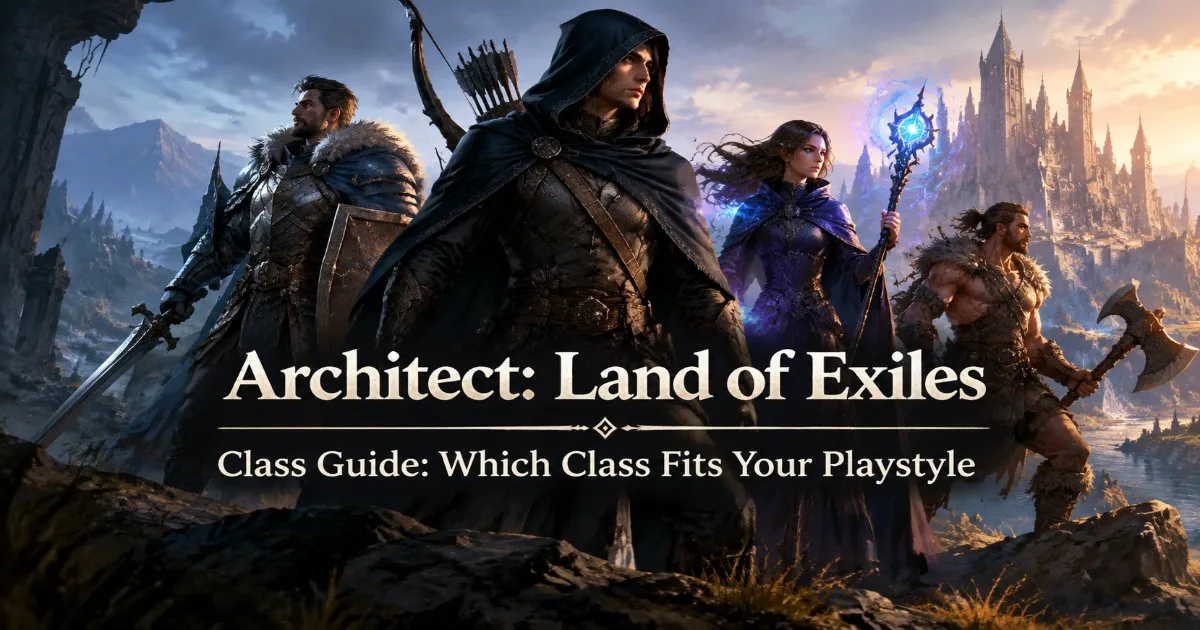
Character creation allows players to select between five classes: Warrior, Battle Priest, Mage, Assassin, and Hunter.
The system also provides considerable character customization. Depending on the available options, players can adjust appearance elements such as hairstyle, facial features, body proportions, skin tone, clothing, character pose, and voice.
| Class | General Playstyle | What to Expect |
|---|---|---|
| Warrior | Frontline | Durability and close-range combat |
| Battle Priest | Support | Healing and group utility |
| Mage | Magic DPS | Ranged attacks and magical abilities |
| Assassin | Burst DPS | Stealth, mobility, and back attacks |
| Hunter | Ranged DPS | Long-range attacks and sustained damage |
Battle Priest is particularly interesting for group-focused players because its role extends beyond simple damage dealing. Assassin, meanwhile, stands out for its stealth mechanics and potential to attack vulnerable targets from the backline.
Warrior remains a natural choice for players who prefer a durable melee character, while Hunter offers a more traditional ranged combat experience. Mage rounds out the roster with magical damage and defensive options.
One confusing message described in the source appears after successfully creating a character. The game indicates that character pre-registration has been completed and that the player should return when the official launch begins.
This is not an error message. It simply means the character has been successfully registered and saved while the server is still waiting for its scheduled opening.
According to the source material, the planned opening was September 16 at 11:00 UTC+8, which corresponds to midnight on September 16 in Brasília. Players should always verify the final launch schedule through official announcements because launch times and regional availability can change.
This is where players should exercise some caution.
If you are accessing Architect: Land of Exiles from a region that has not been officially confirmed for service, successful installation does not necessarily mean that long-term access is guaranteed. A publisher can change regional restrictions after launch, including possible IP restrictions or other access limitations.
For that reason, it makes sense to wait until you can successfully log in and play before committing significant money to the game.
If the game becomes officially available in your region and you decide to buy Architect: Land of Exiles Diamonds, first determine what your character actually needs. Premium currency is more useful when it supports a clear progression plan rather than being spent immediately on items that may later become unnecessary.
Keeping your Architect: Land of Exiles Diamonds for confirmed upgrades, useful progression materials, or class-specific priorities can give you more flexibility during the early stages of the game.
The launch situation surrounding Architect: Land of Exiles is unusual for players outside the officially announced regions. The source demonstrates that the PC client could reportedly be downloaded and installed without a VPN, while account creation, server selection, and character pre-registration were also possible.
That is useful preparation, but it should not be confused with a guarantee of permanent regional access. Server capacity and regional policies can change once thousands of players enter the game.
For now, the sensible launch strategy is straightforward: get the official client ready, check your hardware, coordinate your server, reserve your character, and test the game before spending heavily. Once access is stable and you understand your class and progression route, you can decide whether Architect: Land of Exiles Diamonds are worth adding to your progression plan.
The reported requirement is around 30 GB, while the initial download was described as approximately 26 GB. Keeping additional free space is recommended because the launcher may download further updates.
There are five classes discussed in the source: Warrior, Battle Priest, Mage, Assassin, and Hunter.
The source reports that character pre-registration was possible before the official server opening. A confirmation message indicates that the character was successfully saved for launch.
Players accessing the game from an unsupported or uncertain region should first confirm that they can reliably log in and play. Regional restrictions can change, so waiting before making substantial purchases reduces the risk of spending on access that may later become unavailable.
The U4N Editorial Team is made up of dedicated gamers and technical experts. We're not just a trusted marketplace for game assets—we're all about empowering players with top-tier, expert-driven content. Our team produces in-depth guides, strategies, and technical fixes for some of the biggest games out there, like MLB The Show 26, Aion 2, Forza Horizon 6, Arc Raiders, and Path of Exile.
Whether it's mastering market flipping in Diamond Dynasty or optimizing your endgame builds, all of our strategies are tested and proven by in-house experts. At U4N, we don't just follow the meta—we help you stay ahead of it.