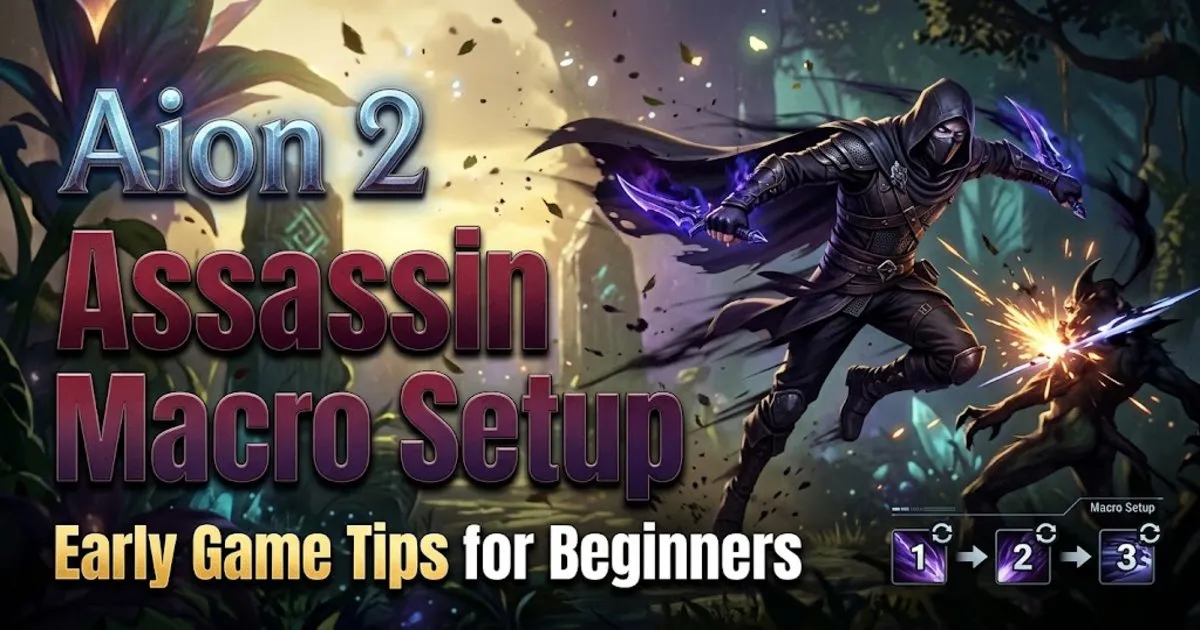
If you are starting an Assassin in Aion 2, the early game can feel very different from the later stages. Limited mastery points, fewer stigma options, and longer cooldowns all affect how effectively you can build your rotation. If you are also trying to manage your Aion 2 Kinah while leveling, having a reliable macro setup can make your early progression much smoother. This guide focuses on a practical beginner setup designed around the limitations of a fresh Assassin rather than a fully developed endgame character.

Why the Early Assassin Needs a Different Macro
The main reason to avoid copying a late-game Assassin macro is simple: your character does not have access to the same tools yet. Early on, you cannot unlock every specialization for your active skills, and your level 12 and level 16 options are still limited. Your stigma points are also insufficient for the higher-level skill stigmas that significantly change the class's rotation.
Combat spin and cooldown reduction are limited as well. Because of this, an early Assassin cannot maintain the same skill sequence as a highly developed character. A beginner macro needs to work with what is actually available rather than assuming you already have every upgrade.
That is why this setup focuses on creating a simple repeating pattern that handles buffs, damage skills, and available resets while leaving some actions for manual input.
How to Set Up the Macro
First, open the Settings menu and go to the key settings. Scroll down until you find the gameplay section, where you can locate the macro settings.
After assigning a key to the macro function, create the macro and add the necessary skill lines. You can select the skill bar that contains the abilities you want the macro to activate. Once everything is saved, pressing the assigned key repeatedly will activate the sequence.
One important decision is whether to include a normal auto attack. For most players using tab-target mode, there is no need to place an auto attack directly into the macro. The game can automatically perform basic attacks between skills when the target is marked.
Action Combat vs Tab Target
Your combat mode changes how the macro should be built. In action combat, using skills can interrupt your character's normal movement and does not necessarily cause automatic attacks to continue between abilities. Because of this, including at least one auto attack in the macro can help maintain your resource generation.
Tab-target mode behaves differently. Once you select a target, the character can continue using normal attacks during gaps between skills. This makes it possible to focus the macro on your abilities rather than spending a macro slot on an auto attack.
For this early Assassin setup, tab-target mode is the preferred option. If you prefer action combat, however, add one auto attack to the sequence so your character can continue generating mana during the rotation.
Build Around Your Buffs First
The first part of the macro should focus on your important buffs. These abilities are especially valuable because they help establish the conditions for the rest of the Assassin rotation.
Your buff sequence works together with the illusion clone mechanics. Once the relevant buff is active, it can reset an important part of your rotation and allow you to repeatedly use certain abilities with much less downtime. This is one of the key reasons the buff section should come before your main damage sequence.
Macro timing also matters. Your delay should be adjusted according to your connection. If your ping is relatively high, a delay around 40–50 ms can be more appropriate. Players with very low ping can experiment with a shorter delay, such as around 10 ms.
The purpose is not simply to make the macro faster. A suitable delay helps the game register the sequence correctly and can also reduce unnecessary animation downtime.
Build the Main Damage Sequence
After the buffs, move into your damage pattern. Start with the abilities that provide your damage and critical damage increases. These effects are particularly important because they improve the strength of the attacks that follow.
Next, use your illusion clone-related buff and begin building your rune stacks. The basic idea is to reach five stacks before using the corresponding explosion ability for its higher damage.
After that, continue through the remaining available Assassin skills and return to the beginning of the sequence when the relevant abilities become available again. The macro is therefore less about creating one huge uninterrupted chain and more about establishing a repeating priority system.
One important part of the early-game setup is that some actions still need to be handled manually. Your cooldowns and stigma options are not developed enough to automate every part of the Assassin's gameplay.
Manual Input Still Matters
When you first activate the macro and have your illusion clone available, manually pressing the key assigned to your important damage or reset skill can give that ability priority. This is especially useful when you want to make sure the buff-related skill is used at the right moment.
Once the initial buff sequence has been established, the rest of the rotation becomes much easier to manage. You can allow the macro to continue cycling through the available abilities while keeping an eye on your resources and cooldowns.
If you are playing action combat, you can also manually manage your mana-related action during the appropriate point in the sequence. With tab targeting, much of this can happen automatically, so there is less reason to interfere.
Why This Setup Changes Later
Do not treat this early macro as the final Assassin rotation. As your character progresses, your specialization options, stigma levels, cooldowns, and other combat improvements will change the way your skills interact.
In the later stages, stronger skills and better cooldown management can allow you to activate certain resets under different conditions. That means an endgame macro can be considerably more complicated and efficient than what a new Assassin can use.
The important lesson is to build your macro around your current character progression. Trying to force an advanced rotation onto a fresh character can actually make the gameplay less consistent because the required skills and cooldown interactions simply are not available yet.
Test and Adjust Your Rotation
After setting everything up, test the macro against actual targets instead of assuming the sequence will work perfectly. Watch which skill receives priority when you manually press it, how the buffs are applied, and whether the macro continues correctly when cooldowns finish.
Pay particular attention to your mana management. The Assassin's resource usage should remain under control throughout the sequence. If you notice that your character frequently runs out of mana or misses an important buff window, adjust the macro rather than simply adding more skills.
For beginners, a simple and reliable rotation is more valuable than a complicated macro that only works under perfect conditions. As you gain levels and unlock more options, you can gradually replace parts of this setup instead of rebuilding everything from scratch.
Ultimately, this early Assassin macro is designed to make the leveling stage easier while teaching you how the class's priorities work. Aion 2 Items can also become increasingly important as your character develops, but your priority should be learning the class mechanics and adapting the macro to your available skills.
As your Assassin moves toward the later stages of progression, revisit the rotation whenever you unlock major abilities, stigmas, or cooldown improvements. The early setup is only a foundation, while the more advanced version will require a different approach to fully take advantage of your developed character and Aion 2 Items.