


小***猪
很好
Purchased: Delta Force · Global · 1M
Buy a Delta Force account without the risk. U4N escrows funds, checks seller history and protects every handover.
 Steam Delta Force Account All Details Changeable Fresh Account | PC/PS/Xbox
from $0.06
1 Offers
Steam Delta Force Account All Details Changeable Fresh Account | PC/PS/Xbox
from $0.06
1 Offers
 Fresh Steam 2000+ Idled Hours NO GAME ACCOUNTS LINKED | PC/PS/Xbox
from $0.33
1 Offers
Fresh Steam 2000+ Idled Hours NO GAME ACCOUNTS LINKED | PC/PS/Xbox
from $0.33
1 Offers
 3000+ Hours Steam Fresh | PC/PS/Xbox
from $0.54
1 Offers
3000+ Hours Steam Fresh | PC/PS/Xbox
from $0.54
1 Offers
 Steam LV 16 500K Coins | PC/PS/Xbox
from $1.64
1 Offers
Steam LV 16 500K Coins | PC/PS/Xbox
from $1.64
1 Offers
 Global Steam Acc Lvl.8 Tekniq Alloy 2.8M+ | PC/PS/Xbox
from $2.86
1 Offers
Global Steam Acc Lvl.8 Tekniq Alloy 2.8M+ | PC/PS/Xbox
from $2.86
1 Offers
 Global STEAM LVL 18+ 13M+ Half Coins Full access Automatic delivery | PC/PS/Xbox
from $3.85
1 Offers
Global STEAM LVL 18+ 13M+ Half Coins Full access Automatic delivery | PC/PS/Xbox
from $3.85
1 Offers
 Steam LVL 18+ 13M+ Half Coins Full access Automatic delivery | PC/PS/Xbox
from $3.85
1 Offers
Steam LVL 18+ 13M+ Half Coins Full access Automatic delivery | PC/PS/Xbox
from $3.85
1 Offers
 Mobile steamLevel 30 26,000,000 + cash Automatic withdrawal | PC/PS/Xbox
from $4.94
1 Offers
Mobile steamLevel 30 26,000,000 + cash Automatic withdrawal | PC/PS/Xbox
from $4.94
1 Offers
 Steam LV 30 25M Coins | PC/PS/Xbox
from $5.39
1 Offers
Steam LV 30 25M Coins | PC/PS/Xbox
from $5.39
1 Offers
 Steam LV 30 30M Coins | PC/PS/Xbox
from $6.23
1 Offers
Steam LV 30 30M Coins | PC/PS/Xbox
from $6.23
1 Offers
 Steam LV 33 25M Coins | PC/PS/Xbox
from $6.47
1 Offers
Steam LV 33 25M Coins | PC/PS/Xbox
from $6.47
1 Offers
 STEAM1+ Level Training Completed Native Mail 60451119 | PC/PS/Xbox
from $6.59
1 Offers
STEAM1+ Level Training Completed Native Mail 60451119 | PC/PS/Xbox
from $6.59
1 Offers
 Global STEAM Level 30+50 60 Million Harvard Currency Automatic delivery | PC/PS/Xbox
from $7.69
1 Offers
Global STEAM Level 30+50 60 Million Harvard Currency Automatic delivery | PC/PS/Xbox
from $7.69
1 Offers
 Mobile PC Level 33 50 Million Harvard Currency Steam Available | PC/PS/Xbox
from $7.70
1 Offers
Mobile PC Level 33 50 Million Harvard Currency Steam Available | PC/PS/Xbox
from $7.70
1 Offers
 Global Steam Acc Lvl.33 Tekniq Alloy 19M | PC/PS/Xbox
from $8.36
1 Offers
Global Steam Acc Lvl.33 Tekniq Alloy 19M | PC/PS/Xbox
from $8.36
1 Offers
 Level 30 account Worth over 16M+ Steam/mobile/PC Hand-leveled by completing tasks Original email not linked | PC/PS/Xbox
from $8.80
1 Offers
Level 30 account Worth over 16M+ Steam/mobile/PC Hand-leveled by completing tasks Original email not linked | PC/PS/Xbox
from $8.80
1 Offers
 STEAM+ US Mobile Account Delta Force Around Level 33 + 40 M Harvard Currency + Full Access + Instant Delivery - CG59926-DF113 | PC/PS/Xbox
from $9.89
1 Offers
STEAM+ US Mobile Account Delta Force Around Level 33 + 40 M Harvard Currency + Full Access + Instant Delivery - CG59926-DF113 | PC/PS/Xbox
from $9.89
1 Offers
 Steam Lvl 60 + 200M Coins | PC/PS/Xbox
from $39.59
1 Offers
Steam Lvl 60 + 200M Coins | PC/PS/Xbox
from $39.59
1 Offers
 jDF-23FGlobal Server Level60 +300 M Harvard currency, Full Access, Steam/Mobile/PC/PS5 | PC/PS/Xbox
from $58.19
1 Offers
jDF-23FGlobal Server Level60 +300 M Harvard currency, Full Access, Steam/Mobile/PC/PS5 | PC/PS/Xbox
from $58.19
1 Offers
 Lv 60 300M | PC/PS/Xbox
from $60.39
1 Offers
Lv 60 300M | PC/PS/Xbox
from $60.39
1 Offers
 Steam Lvl 60 300M Coins | PC/PS/Xbox
from $65.89
1 Offers
Steam Lvl 60 300M Coins | PC/PS/Xbox
from $65.89
1 Offers
 500M | PC/PS/Xbox
from $98.89
1 Offers
500M | PC/PS/Xbox
from $98.89
1 Offers
 DELTA FORCE 103M+ALLOY COINS TOTAL ASSETS 115M STEAM/MOBILE LEVEL 45+ 3 BUNDLE SKINS | PC/PS/Xbox
from $108.90
1 Offers
DELTA FORCE 103M+ALLOY COINS TOTAL ASSETS 115M STEAM/MOBILE LEVEL 45+ 3 BUNDLE SKINS | PC/PS/Xbox
from $108.90
1 Offers
No items match these filters.
Looking for an affordable Delta Force account? At U4N, we offer high-quality Delta Force accounts for Xbox, PS5, PS4, and PC at competitive prices. Whether you're a seasoned player or just starting out, purchasing an account can save you time and effort. With our secure transactions and fast delivery, you can jump straight into the action without worrying about the grind.
Our Delta Force accounts are fully reliable and are offered with full support, ensuring you a smooth gaming experience. We take extra care to make sure each account is in top condition, ready for immediate use. By buying from U4N, you get peace of mind knowing that you're getting a genuine product, backed by excellent customer service.
Do you have a Delta Force account to sell? U4N offers a straightforward way for players to turn their accounts into cash. Becoming a U4N seller is simple—list your Delta Force account for sale and start earning. U4N provides a trusted platform with secure payment methods, ensuring a seamless selling experience. Whether you have a high-level account or just want to sell one you no longer use, U4N makes it easy to reach potential buyers and get paid quickly.
Selling on U4N is safe, and we take all necessary steps to protect both buyers and sellers. With our growing community of gamers, you'll have access to a wide audience of potential customers, increasing the chances of a quick and profitable sale.
Buying a Delta Force account online can be convenient, but it's important to take steps to avoid scams and protect your personal information. Here's how to safely purchase an account:
When buying a Delta Force account, make sure to use a reliable, well-known platform. Trusted marketplaces typically verify sellers, handle payments securely, and offer some buyer protection. Avoid purchasing from unfamiliar websites or individuals you haven't verified.
Before making a purchase, check the seller's reputation. Look for reviews or ratings from other buyers. A seller with a solid reputation is more likely to deliver what they promise. If the seller has little to no feedback, proceed with caution.
Always confirm the details of the account you're buying. Ask for proof of the account's status, such as screenshots, login information, and confirmation that the account has not been banned or flagged. This helps ensure that you're buying a legitimate account.
Use a payment method that provides buyer protection, like PayPal or a credit card. These methods help you get your money back if something goes wrong. Avoid using wire transfers or other payment methods that offer no protection or refund options.
Many games, including Delta Force, may prohibit the buying and selling of accounts. If the game detects an account transfer, it could lead to the account being banned. Before buying, check the game's terms of service to ensure you're not violating any rules.
Once you've received the account, immediately change the password, email, and any recovery details. Enabling two-factor authentication (2FA) adds an extra layer of security and helps protect your account from unauthorized access.
Buying or selling a Delta Force account can come with risks if you're not careful. Scammers often target buyers and sellers, so it's essential to take some precautions to protect yourself during the transaction.
Don't rely on informal social media or chat groups to buy or sell a Delta Force account. Scammers often approach buyers or sellers privately with too-good-to-be-true offers, and then disappear once the transaction is made. Stick to trusted marketplaces that verify sellers and offer buyer protection to reduce the chance of being scammed.
Before buying or selling an account, check the reputation of the other party. If they don't have any reviews or seem unfamiliar, be cautious. Sellers or buyers with solid ratings and a history of successful transactions are less likely to be scams.
Avoid sharing your account details too soon. Some scammers ask for temporary access to “verify” an account, but once they have access, they might lock you out or misuse your information. Always complete the trade securely before handing over sensitive information.
When trading accounts, use payment methods that offer protection, such as PayPal or escrow services. These methods help ensure that the payment is only released when both parties are satisfied with the transaction. Avoid using wire transfers or direct payments, as they offer little to no protection if things go wrong.
Delta Force, like many games, has rules about account transfers and sales. Breaking these rules can lead to your account being banned. Make sure you're aware of what's allowed before you start buying or selling an account.
Before finalizing the trade, confirm all the details in writing — including the price, account details, delivery method, and any refund terms. This helps ensure clarity for both parties and serves as evidence if any issues arise after the transaction.
After purchasing a Delta Force account, it's crucial to take steps to protect it from unauthorized access and potential security threats. Here's how you can secure your account and ensure it remains safe:
As soon as you receive the account, change the password and email address associated with it. This ensures that the previous owner no longer has access to your account and prevents anyone from accessing your information.
Enable two-factor authentication (2FA) on the account if possible. This adds an extra layer of protection by requiring a second form of verification (like a code sent to your phone) before logging in, making it much harder for someone to access your account without permission.
Choose a strong, unique password that is hard to guess. Avoid using easily identifiable information like your name, birthdate, or common words. A mix of uppercase, lowercase, numbers, and symbols will make your password more secure.
Don't share your account details with anyone you don't trust. Even if someone seems trustworthy, sharing your account information puts you at risk. Always keep your login credentials confidential.
Keep an eye on your account for any unusual activity. If you notice anything suspicious, change your password and contact support immediately. Regular monitoring helps you catch potential threats early.
By following these steps, you can effectively protect your Delta Force account after purchase and enjoy a safer gaming experience.
A Delta Force account is a user profile that provides access to the Delta Force game, typically with progress, in-game currency, and other valuable assets. Purchasing an account can save time and allow players to skip the initial grind.
Buying a Delta Force account gives you immediate access to high-level gameplay and resources without needing to start from scratch. It can be a great option if you want to skip the grind, jump into advanced levels, or simply enjoy a more competitive experience.
Yes, buying a Delta Force account can be safe if you use trusted platforms like U4N, which verify sellers and offer secure transactions. Always ensure the account is genuine, not flagged or banned, and take steps to secure it after purchase (e.g., changing login details and enabling two-factor authentication).
To ensure an account is legitimate, verify the seller's reputation, ask for proof of the account's status (such as screenshots or login info), and ensure it's not banned or flagged. Using a trusted marketplace with seller reviews and guarantees can also provide peace of mind.
Yes, you can sell your Delta Force account through trusted platforms like U4N. Selling is straightforward: simply list your account, and once it's sold, you'll receive payment. Just make sure to follow the platform's guidelines to ensure a safe and secure transaction.
While buying and selling accounts may not be allowed by the game's terms of service, many players do engage in the practice. Be aware of the risks: account bans are possible if the game detects the transfer. Always read the game's terms to understand the potential consequences.
To secure your account, change the login details immediately, enable two-factor authentication, and use a strong, unique password. Avoid sharing your account details with others, and regularly monitor for unusual activity to keep your account safe.
It's recommended to use secure payment methods like PayPal or credit cards that offer buyer protection. These methods ensure that you can get a refund if the transaction doesn't go as planned, unlike wire transfers, which provide no protection.
Typically, accounts are tied to a specific platform (e.g., Xbox, PS5, PS4, or PC). Transferring an account between platforms is generally not allowed due to platform-specific restrictions. Always check with the game's support or platform guidelines before attempting a transfer.
If your account is compromised, immediately change your password and contact customer support. Enable two-factor authentication and review your account's recent activity to identify any unauthorized access. If you suspect fraud, report it to the platform or marketplace where you purchased the account.
4.8 4,021 total customer reviews · Showing 12 recent reviews
Shop digital gaming products and services with confidence. U4N protects your payment, personal information and order from checkout through successful delivery.
Share products and services from across U4N with your audience and earn recurring commission from every qualified purchase made through your link.
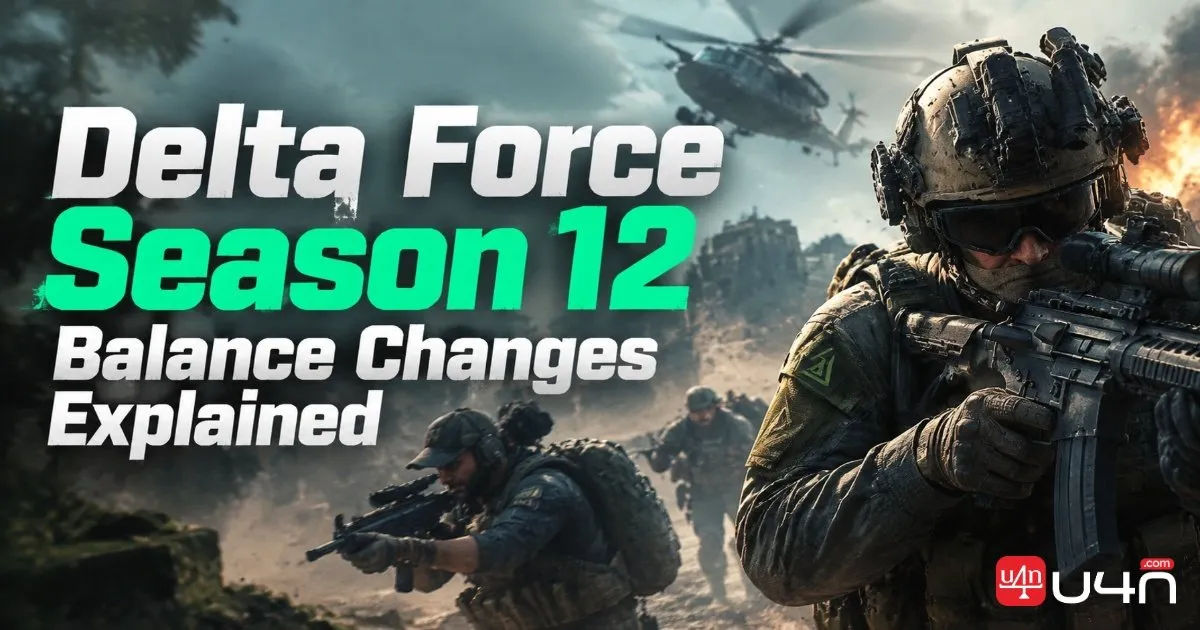
Delta Force Season 12 test-server changes adjust weapon damage, range, handling, and operator abilities ahead of the global release.
Oct 29, 2026


