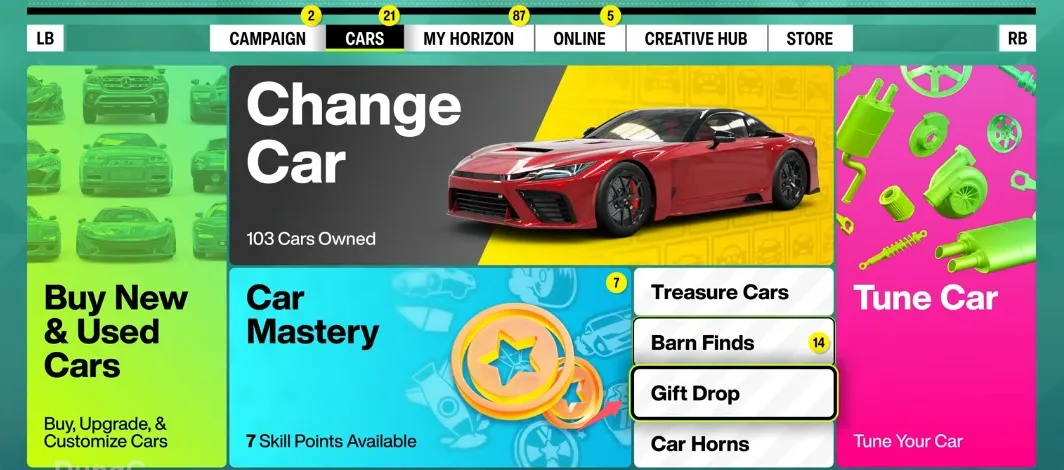
In Forza Horizon 6, players can send a Gift Drop by selecting the option under the My Horizon or Cars tab while in the open world. Users choose a vehicle from their garage, select a recipient group, and add a message before confirming the delivery to a random player.
Step 1: Open the Menu
- While driving in the open world, press the Menu / Pause button on your Xbox controller.
Step 2: Go to the "My Horizon" or "Cars" Tab
- Use the RB button on your controller to scroll right across the top menu bar.
- Look for the tab labeled My Horizon or Cars. Both tabs contain the shortcut to send a gift.
Step 3: Select the "Gift Drop" Option
- Look at the menu tiles on your screen.
- Select the tile named Gift Drop and press A. This opens your full car garage list immediately, saving you a trip to a physical Barn Find.
Step 4: Pick a Car
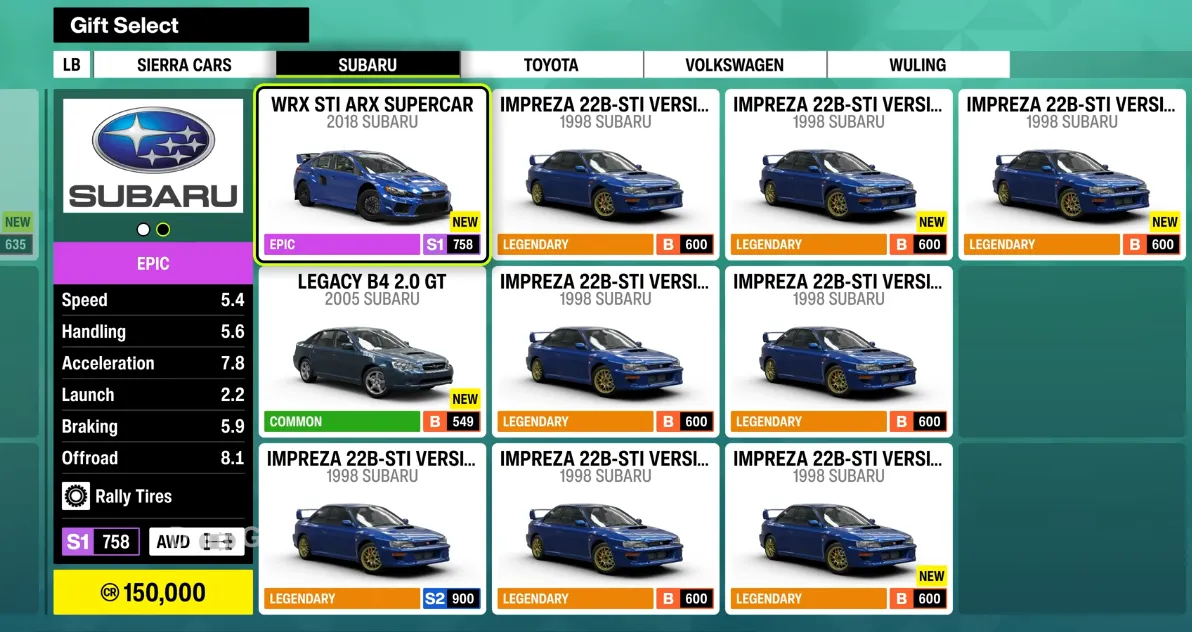
- Your full car list will open up on the screen.
- Scroll through and select the car you want to give away.
- Press the A button to confirm your choice.
- Note: You cannot gift Barn Finds or special Treasure Cars. The car will be permanently removed from your garage once sent.
Step 5: Select the Recipient
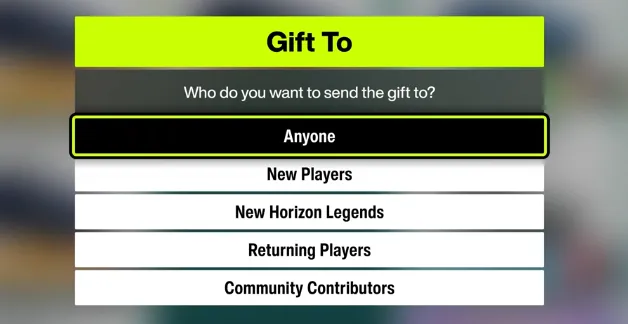
A list of player groups will pop up. You cannot type in a specific friend's name, so you must choose one of these groups:
- Anyone: Sends the car to any random player in the game.
- New Players: Sends it to someone who just started playing the game.
- Returning Players: Sends it to someone logging back in after a break.
- New Hall of Fame Members: Sends it to a player who recently reached the endgame status.
- Community Contributors: Sends it to players who make popular liveries, tunes, or blueprints.
Step 6: Add a Message
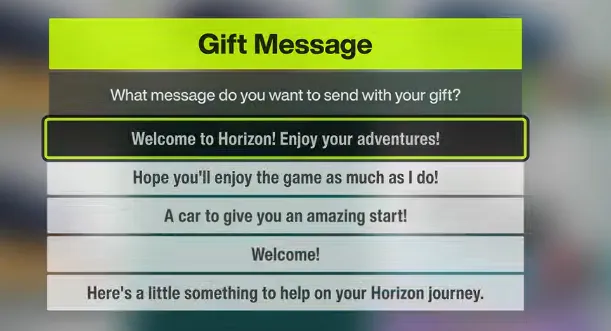
- A menu of pre-made messages will appear on your screen.
- Scroll through the categories (like "Greetings" or "Congratulations") and select a phrase.
- Examples include "Enjoy your new ride!" or "Happy racing!".
Step 7: Sign and Send
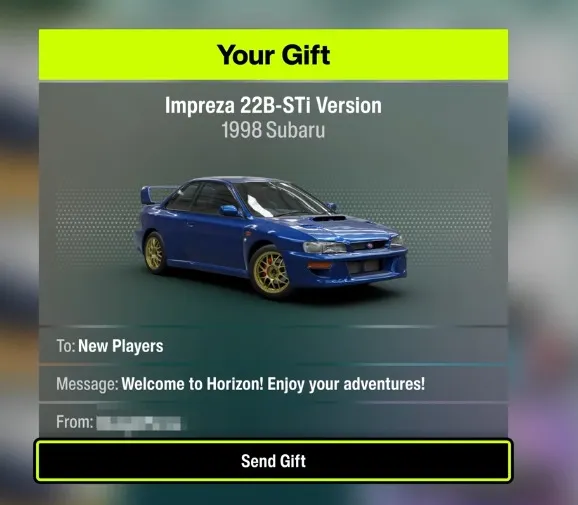
- Choose how you want to sign the gift package.
- You can sign it with your Gamertag / In-Game Name, or you can choose to send it Anonymously if you want to be a mystery giver.
- Review the final summary screen showing your car, message, and recipient.
- Press A to confirm. A short animation will play showing the gift package box being sent out into the world!
Want to surprise your fellow racers with rare or high-tier vehicles using this method, but short on impressive rides in your garage? You can easily buy Forza Horizon 6 cars online directly from our website to stock up on the absolute best vehicles in the game. Once you grab your favorites from us, just follow the quick steps above to share the joy and drop premium gifts to other players instantly!