Cart Empty
Continue ShoppingForza Horizon 6 offers one of the most immersive open-world racing experiences available, but few things halt your momentum faster than a sudden technical roadblock. Among the most frustrating issues PC and console players face is Error Code E:8f-f, which flags an "Invalid Profile" condition.
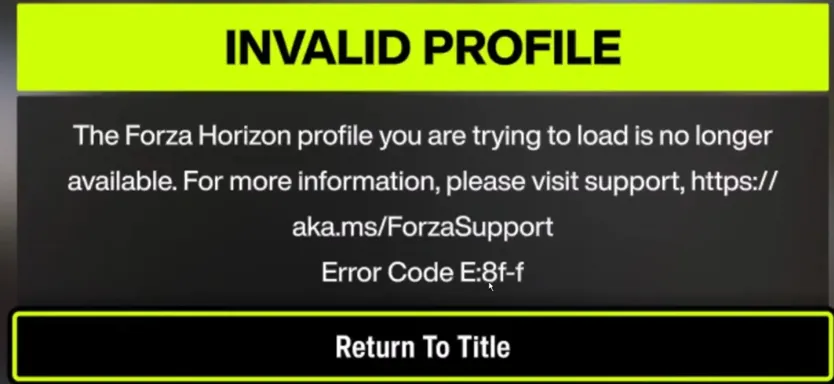
This error typically triggers when your local or cloud save data becomes corrupted. The breakdown usually stems from a sudden PC crash, an unexpected power outage while saving, or a synchronization failure between your hardware and the Xbox network cloud servers.
If you are currently locked out of your garage, follow this comprehensive troubleshooting guide to clear the corrupted data loop and restore your profile access.
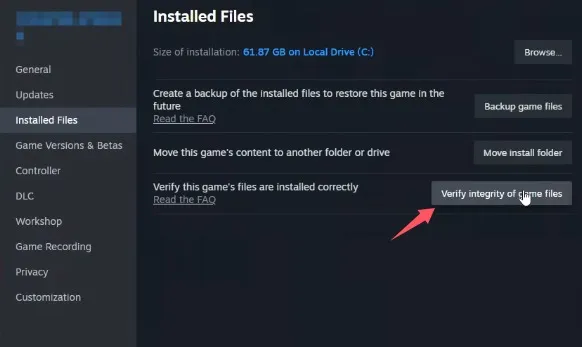
Before altering any save directories, you need to ensure that the core installation files of Forza Horizon 6 aren't damaged. A corrupted executable or background asset can easily cause profile reading errors.
To break out of the "Invalid Profile" error loop, you must temporarily trick the game into launching a completely clean, uncorrupted save state.
Backup Your Profile: Inside the pgs folder, you will see a folder designated by a long string of unique numbers and letters (e.g., u_25XXXXXXXX...). Copy this entire folder and paste it into a safe location on your Desktop as a temporary safety net.
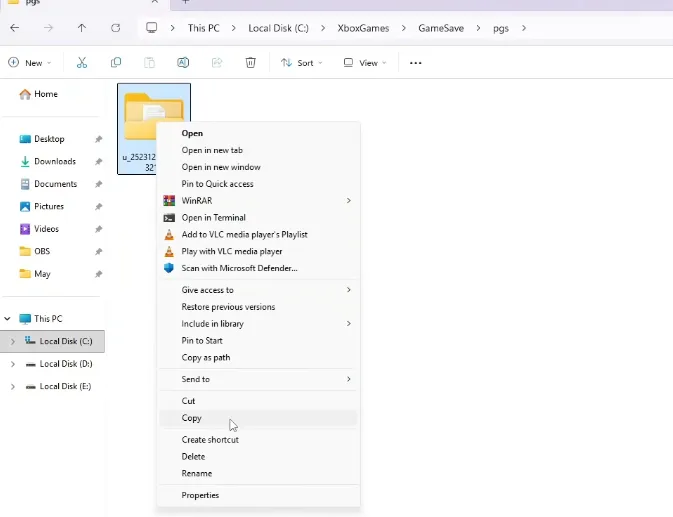
Rename the Directory: Go back to the original game directory, right-click the specific profile folder, and rename it by adding .old to the very end of its name.
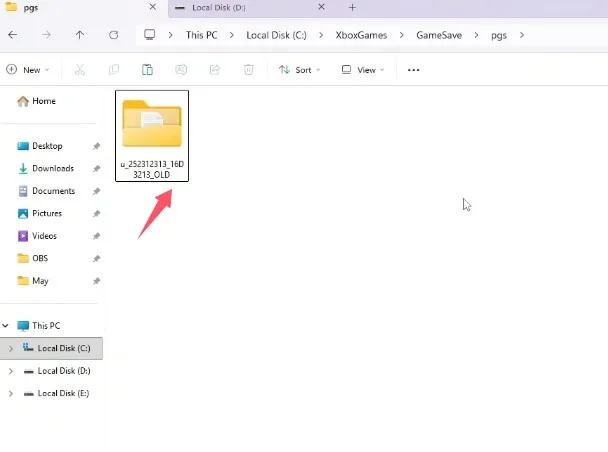
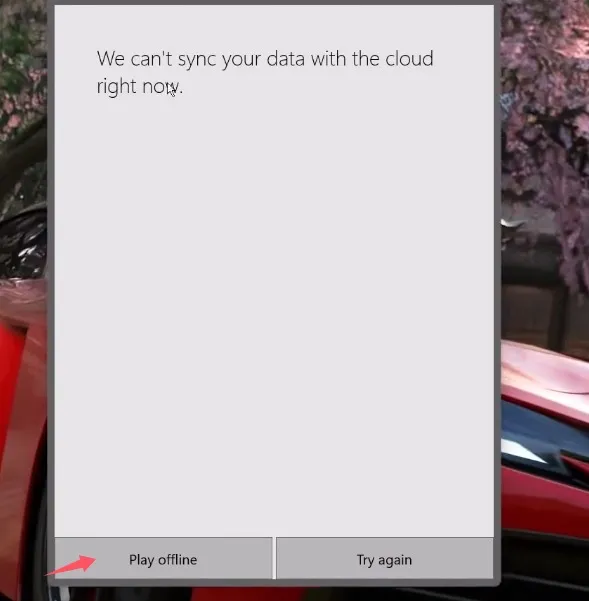
With the original directory renamed, the game will treat your next startup as a brand-new installation.
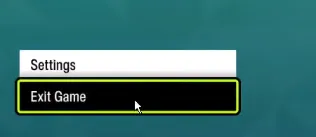
Exit the game completely using the in-game menus.
Now that you have established a functional local profile, you need to use it to replace the corrupted profile stored in the cloud.
If the worst-case scenario happens and your original progression is permanently gone, starting from scratch doesn't mean you have to grind for weeks just to rebuild your garage. To get back into the race quickly without wasting time, you can visit U4N to buy cheap fh6 cars and replenish your collection of rare rides instantly. Whether you are looking to recover a lost dream car or simply want an edge on the track after a frustrating profile reset, having a reliable marketplace handy ensures that a sudden data corruption issue won't keep you away from the festival for long.
If rewriting the save file does not immediately clear the error, the problem may lie within Windows credential caching or network sync mismatches. Try these secondary fixes:
Ensure that the exact same Microsoft account is logged into both the Microsoft Store and the Xbox App. Open both applications, sign out of your profile at the top right, and sign back in using the identical credentials tied to your Forza progression.
An inaccurate system clock breaks modern encryption handshakes. Right-click the date and time display on your Windows taskbar and select Adjust date and time. Toggle both Set time automatically and Set time zone automatically to On, then click the Sync now button. Under the Language & Region settings, ensure your country matches your account region.
Because Error Code E:8f-f is inherently tied to file corruption, resetting your profile to bypass the loop can occasionally result in losing your progression, returning you to the game's starting line.
If your original garage and progression do not sync back naturally after clearing the error, you will need to submit a formal support ticket on the Official Forza Support Platform.
When drafting your ticket, clearly state that you encountered the E:8f-f profile corruption error. While the development support staff cannot directly reconstruct or patch broken individual save codes, they have an established track record of reviewing your account history. In most verified corruption cases, the support team will manually push a compensation inventory to your new profile. This roll-back package typically grants you all of your previously unlocked cars, your approximate lifetime credits, and a large bundle of wheelspins to help you instantly rebuild your empire.
The U4N Editorial Team is made up of dedicated gamers and technical experts. We're not just a trusted marketplace for game assets—we're all about empowering players with top-tier, expert-driven content. Our team produces in-depth guides, strategies, and technical fixes for some of the biggest games out there, like MLB The Show 26, Aion 2, Forza Horizon 6, Arc Raiders, and Path of Exile.
Whether it's mastering market flipping in Diamond Dynasty or optimizing your endgame builds, all of our strategies are tested and proven by in-house experts. At U4N, we don't just follow the meta—we help you stay ahead of it.