Cart Empty
Continue ShoppingIn College Football 27, player creation is built around control, customization, and discovery. You are not simply selecting a preset archetype and being locked into a fixed identity. Instead, your player begins to take shape thro ugh the choices you make, the body you build, and the way you allocate your potential across each attribute.
There are two ways to begin building your athlete: creating your own player from the ground up, or starting from a Legend Template inspired by some of college football's most iconic players (such as Reggie Bush, Vince Young, or Tim Tebow).
No matter which path you choose, the goal is the same: you are defining your player's long-term potential and discovering what kind of athlete they can ultimately become. If you choose to build your own player, this step-by-step guide walks you through shapping your athlete's developmental ceiling from the very beginning.
Before touching any physical metrics, select where your athlete lines up on the field. College Football 27 expands your options this year by introducing three highly requested additions to the Road to Glory selection menu:
Your selected position is critical because it acts as the foundation for the entire creation engine, determining your baseline physical parameters and attribute categories.
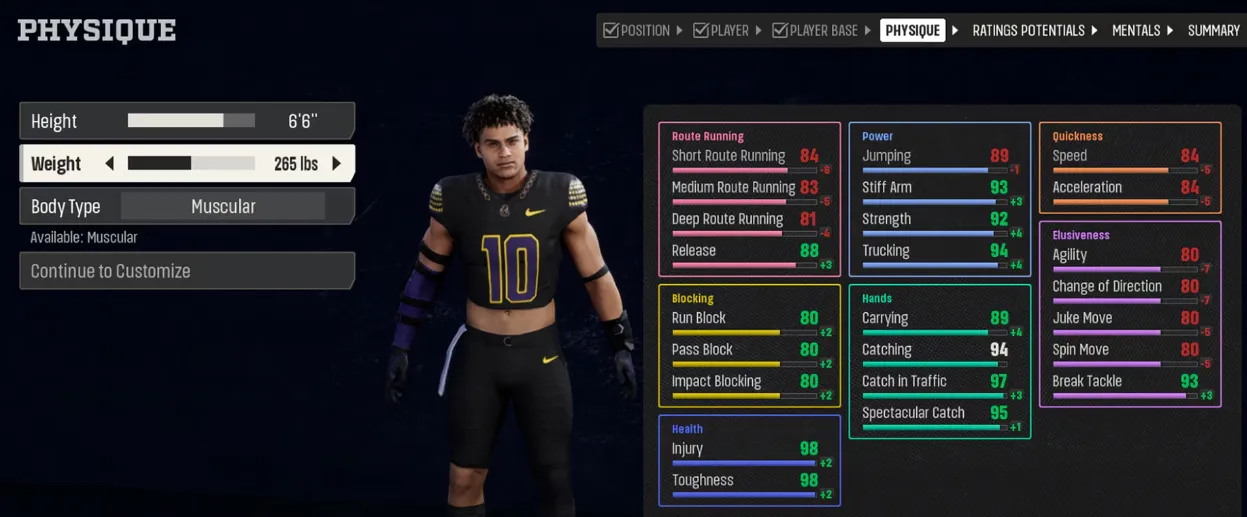
Physique Customization allows you to define your athlete's physical makeup and establish the physical strengths and limitations tied to your build. During this step, you will customize your height, weight, and body type.
All physique options are dynamically connected base d on your selected positio n:
As you adjust your height, weight, and body type, you will see real-time updates to your physique-driven attribute caps. These caps represent the physical limits tied directly to your build and define the highest range your player could potentially reach in each attribute category.
| Physical Build | Attribute Advantages | Tradeoffs & Limitations |
|---|---|---|
| Taller / Heavier | Higher caps in strength, power, and physical dominance. | Reduced baseline movement ability, lower maximum speed caps. |
| Smaller / Lighter | Higher caps in speed, acceleration, agility, and quickness. | Sacrificed raw power and functional strength; lower blocking/tackling caps. |
Your physique defines what is physically possible for your athlete, but it does not define who your player can or will become. That comes next with Max Potential.
No matter how perfect your physique setup is, fully maximizing your athlete's potential on the field requires strategic resources. To get a head start on upgrading your player's ultimate build and dominating the competition right from kickoff, you can securely buy College Football 27 coins directly through our website. Skip the endless grind today and unlock the absolute best version of your custom player instantly.
After completing your Physique Customization, it is time to determine your player's Max Potential. While your physique sets the absolute physical boundary (e.g., a maximum possible 95 Speed), Max Potential is where you decide how much of that ceiling your player can realistically achieve throughout their career.
If you create your own custom player, every attribute begins at a base value of 25. You receive a pool of Max Potential points to allocate across the attributes tied to your position.
In College Football 27, you do not manually select a style like "Pocket Passer" or "Scrambler." Your archetype is organically determined by your attribute allocation and updates dynamically as your build changes.
As you allocate your Max Potential points, your athlete's true identity reveals itself. Look at the top of your screen to track changes to your Overall Rating (OVR), remaining potential points, and current designation.
[ Attribute Allocation ] ──> Updates Dynamics ──> [ Recalculated Archetype ]
Your player's Max Potential does not determine your starting ratings; it defines the ceiling of what your player can eventually become. Actually reaching that ceiling through training, games, and offseason preparation is the journey.
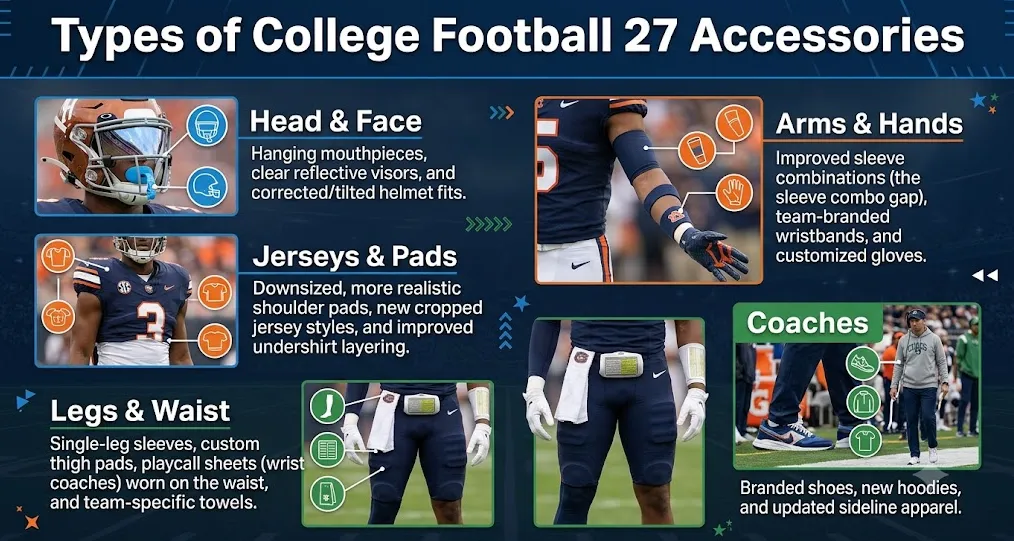
Once your physical caps and developmental limits are locked in, finish your build by tailoring your player's look. This year includes several highly requested community gear variations to distinguish your athlete on the field:
Once your appearance is set, save your custom athlete to officialize your build and begin your freshman campaign.
Authored by elite gamers and industry insiders, the U4N Editorial Team delivers authoritative game updates, patch notes breakdowns, and expert strategies for trending titles including World of Warcraft, Path of Exile 2, MapleStory, Aion 2, and Arc Raiders.
From deep-dive guides to the latest meta shifts, our in-house veterans test every tactic firsthand to keep you ahead of the game.