Cart Empty
Continue ShoppingThe massive launch of Grow a Garden 2 on Roblox has brought revamped weather events, intense nighttime looting mechanics, and high-tier crop mutations. However, with millions of players flooding the servers, a handful of physics bugs, AFK loopholes, and mechanical oversights have been discovered.
Knowing how these glitches function lets you maximize your Sheckle farming speed while safeguarding your valuable mutations from server-side exploits.
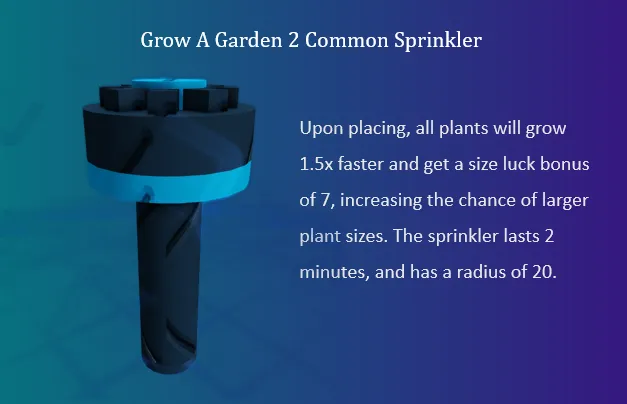
The most talked-about glitch in the community involves a structural breakdown of the plant-scaling system triggered by server desyncs and overlapping sprinkler systems.
The center market features a Prop Shop where players purchase tools to optimize farming or defense. However, the Wheelbarrow (purchasable at the gear shop) has a mechanical oversight that bypasses standard anti-theft safety rules.
| Element | Normal Function | The Glitch / Exploit |
|---|---|---|
| AFK Protection | Players standing inside their own garden are safe from having their fruits stolen by intruders. | Intruders use the physical hitbox of the Wheelbarrow to displace the host player. |
| The Result | Host players remain safely on their plot while harvesting or managing timers. | The AFK player is physically pushed and thrown completely out of their garden boundaries, lifting their anti-theft shield and leaving their high-value crops entirely exposed to looters. |
Defense Tip: To counter the Wheelbarrow exploit, never stay completely AFK in a public server. If you must step away, equip a defensive pet like the Black Dragon or Ice Serpent to actively attack or freeze encroaching players, or place high-rarity Gnomes to guard entry points.
Because high-tier seeds like Dragon's Breath, Moon Bloom, and Poison Apple feature strict stock limitations and fast sell-out timers, players have turned to external macros to exploit the shop UI.
Using background recording tools like TinyTask, players lock their preferences to "Continuous Playback" and set up automated mouse loops targeting the confirmation window. When a rare seed drops into stock, the automated script instantly purchases it before human players can manually click. While not a code exploit inside Roblox itself, it takes advantage of static shop UI placement to bypass fair inventory distribution.
While not strictly a visual glitch, there is an intended mechanical limitation that behaves like a progressive bug for uninformed players.
Once a plant receives an environmental mutation (such as an Electric mutation from a Lightning event or a Bloodlit mutation during a Blood Moon), it becomes permanently locked from receiving further mutations. Attempting to stack weather events or pet buffs on an already mutated plant will do nothing. If you are aiming for peak efficiency, always harvest your mutated crops immediately to open up your plots for the next weather cycle.
The intense nighttime looting phase introduces unique mechanics that can occasionally break down under heavy server load, leading to a duplication glitch.
Tired of dealing with unstable server desyncs, missing duplicate items, or grinding all night just to lose your rare Shadow Seeds? Skip the stress of unpredictable bugs and secure your farm right here—you can safely buy cheap Grow A Garden 2 items directly from our secure marketplace to guarantee your inventory always stays packed with top-tier mutations and high-value gear.
Building and customizing your garden layout is a core mechanic, but certain structural combinations completely break Roblox's physics engine.
Upgrading to the Golden Watering Can drastically cuts down your hydration times, but a UI animation bug can freeze your character completely.
High-tier mutations require specific weather events like Rainstorms or Solar Flares. However, server-hopping right before an event concludes can trigger a progress glitch.
If you change servers within 30 seconds of a weather event ending on your current plot, the global saving system occasionally fails to log the environmental state change. When you load into the next server, your plot may act as if the event is still active, but without any visual cues. This causes newly planted seeds to mutate instantly without the required weather visuals on screen.
Authored by elite gamers and industry insiders, the U4N Editorial Team delivers authoritative game updates, patch notes breakdowns, and expert strategies for trending titles including World of Warcraft, Path of Exile 2, MapleStory, Aion 2, and Arc Raiders.
From deep-dive guides to the latest meta shifts, our in-house veterans test every tactic firsthand to keep you ahead of the game.