If you're facing the "temporary error occurred" message, often accompanied by error code 40309:500, it's usually linked to server overloads or regional restrictions during device registration or phone verification. Here are a few solutions you can try to get back into the game quickly.
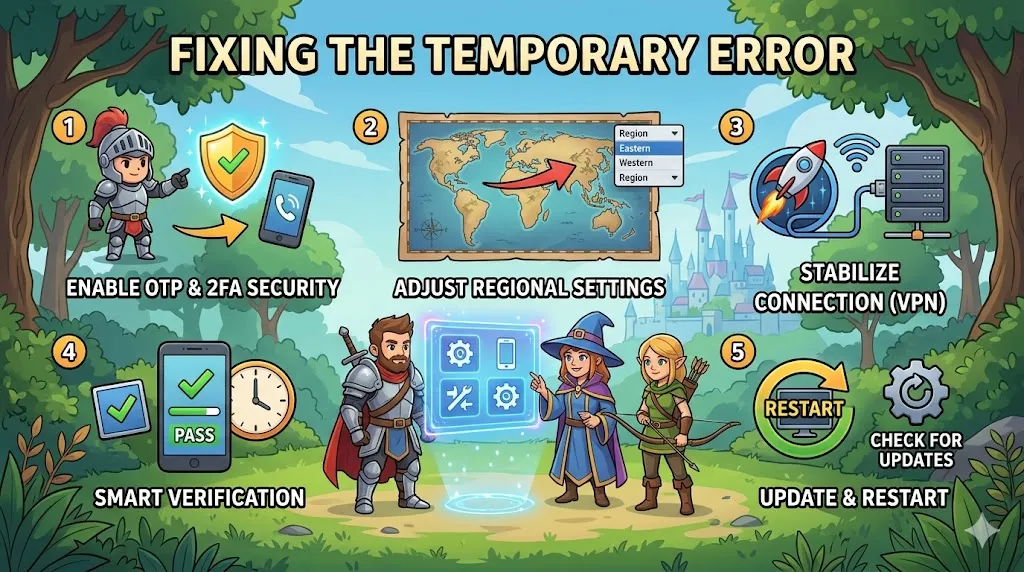
1. Enable Security Features
One of the first things to check is your NCSoft account settings. Enabling extra security features can help resolve the error:
- Log into your NCSoft account.
- Turn on One-Time Password (OTP) and Two-Factor Authentication (2FA) in the account settings.
These features help with account verification and might fix the issue caused by missing security layers.
2. Adjust Launcher Regional Settings
If the error persists, changing your launcher region may help:
- Open the NC Purple app (the Aion 2 launcher).
- Change your region setting from "U.S." to "TW" (Taiwan).
Some players found that switching to the Taiwan region bypassed regional restrictions and helped clear the error.
3. Use a VPN and Adjust Connection Routing
Connection issues can sometimes cause this error. To improve your connection:
- Add NCPurple (the launcher) to your ExitLag connections.
This can help stabilize the connection to regional servers and fix any server routing issues.
4. Phone Verification Workarounds
If the error occurs during the phone verification process, consider the following solutions:
- Use a Hong Kong virtual number if your local number (e.g., from Germany or the Philippines) is being blocked.
- Try phone verification during off-peak hours. Players have reported better success rates between 3:30 AM and 4:30 AM UTC-3, when server load is lower.
5. Update and Restart
The error might pop up after a Windows update or game patch. Here's how to fix it:
- Ensure your game files are verified and updated.
- Restart your computer and try launching the game again.
A fresh login or file verification can help clear up any issues caused by outdated files.
If you're dealing with the "temporary error occurred" message in Aion 2, these solutions should help you resolve it and get back to enjoying the game. However, while troubleshooting, you may want to enhance your Aion 2 experience by grabbing the best gear and items to boost your progress. If you’re looking for a reliable place to buy Aion 2 items, check out U4N. They offer a wide range of items that can help you level up faster and focus more on gameplay. Whether you need weapons, armor, or other in-game items, U4N is the trusted platform for gamers to buy Aion 2 items quickly and safely.