購物車空
繼續購物The FH201 error code in Forza Horizon 6 occurs when your graphics card does not support the required DirectX 12 (DX12) features, or when the drivers fail to communicate those features to the game. FH201 is most common on older GPUs or systems with outdated drivers, even if the hardware technically meets the minimum specs.
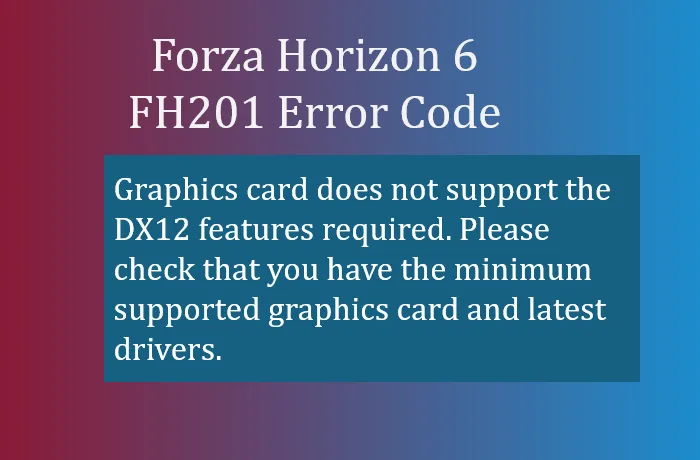
Before troubleshooting, verify that your graphics card meets the minimum supported hardware:
| Brand | Minimum GPU Requirement |
|---|---|
| NVIDIA | GeForce GTX 1650 or newer |
| AMD | Radeon RX 6500 XT or newer |
| Intel | Arc A380 or newer |
If your card is older than these models, FH6 may not run properly without workarounds.
Outdated or corrupted graphics drivers are the leading cause of FH201. A standard driver update may not clear hidden conflicts. Here's how to perform a clean installation:
This ensures the game detects the proper DX12 features from your GPU.

Sometimes FH6 continues to block a GPU because cached files are corrupted. Clearing them forces a re-scan:
If you have an AMD Polaris or Vega card (e.g., RX 580/590), FH201 may trigger a false positive. Community-tested steps to bypass the block:
This method has allowed older GPUs to run FH6 successfully, though some graphical features may be limited.
Following these steps resolves FH201 in most cases, whether by updating drivers, clearing cache, or using older driver workarounds. If all else fails, upgrading to a DX12-capable GPU is the ultimate solution for smooth gameplay.
For those looking to quickly boost their FH6 experience, including credits and cars, U4N offers secure, instant delivery options to buy Forza Horizon 6 credits safely online.
U4N編輯團隊由一群熱愛遊戲的分析師和技術專家組成。我們不僅是一個可靠的遊戲資產市場——我們的核心目標是通過專業內容幫助玩家。我們的團隊為一些大熱門遊戲製作詳細的攻略、經濟策略和技術問題解決方案,包括《MLB The Show 26》、《Aion 2》、《Forza Horizon 6》、《Arc Raiders》和《Path of Exile》等。
無論是掌握遊戲市場的買賣技巧,還是幫助你打造最強的遊戲角色或策略,我們發布的每一份內容都經過我們團隊的實際測試。在 U4N,我們不僅跟隨遊戲的趨勢,我們還幫助你領先一步