Few things match the thrill of a high-speed sprint along the open water, and Forza Horizon 6 delivers exactly that with the Coastline Sprint. This Road Racing event challenges drivers with sweeping asphalt curves, stunning ocean views, and a layout that rewards both precise braking and raw horsepower.
However, many players looking to check this event off their list are finding themselves staring at an empty map or getting trapped in seasonal loops. Whether you are hunting for the race icon, trying to bypass a seasonal event, or fixing a completion log bug, this guide has you covered.
Where to Find the Coastline Sprint
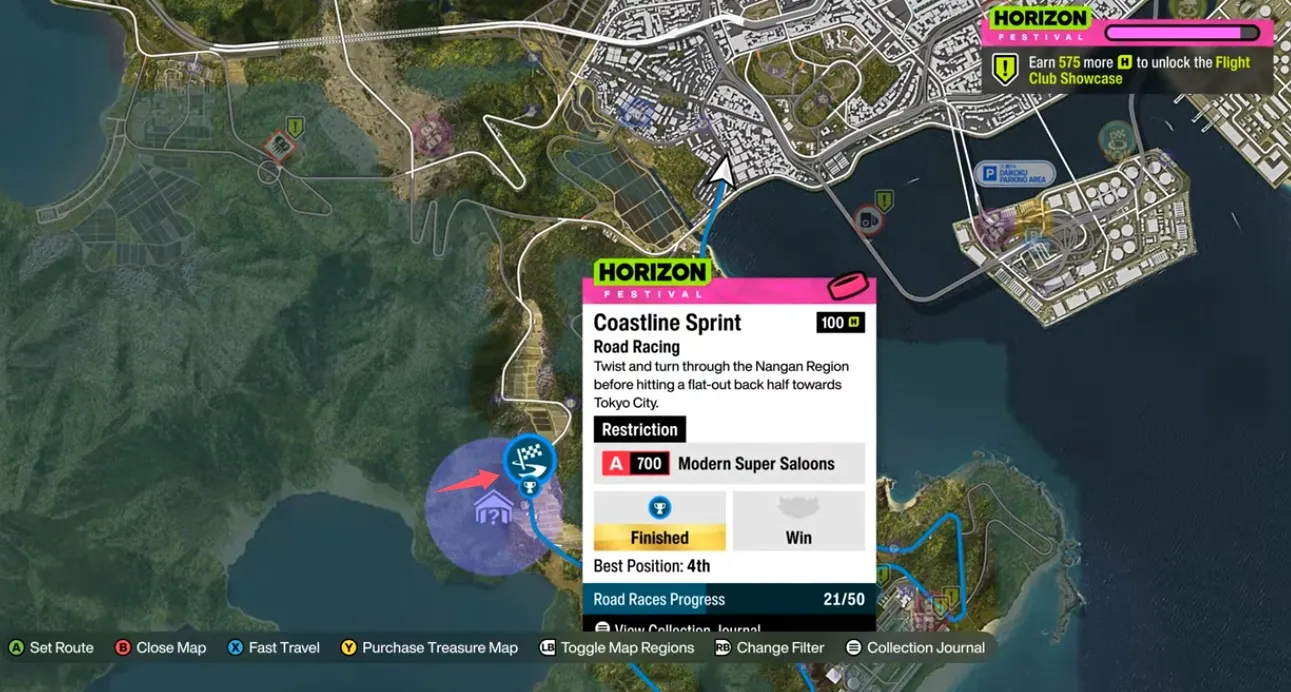
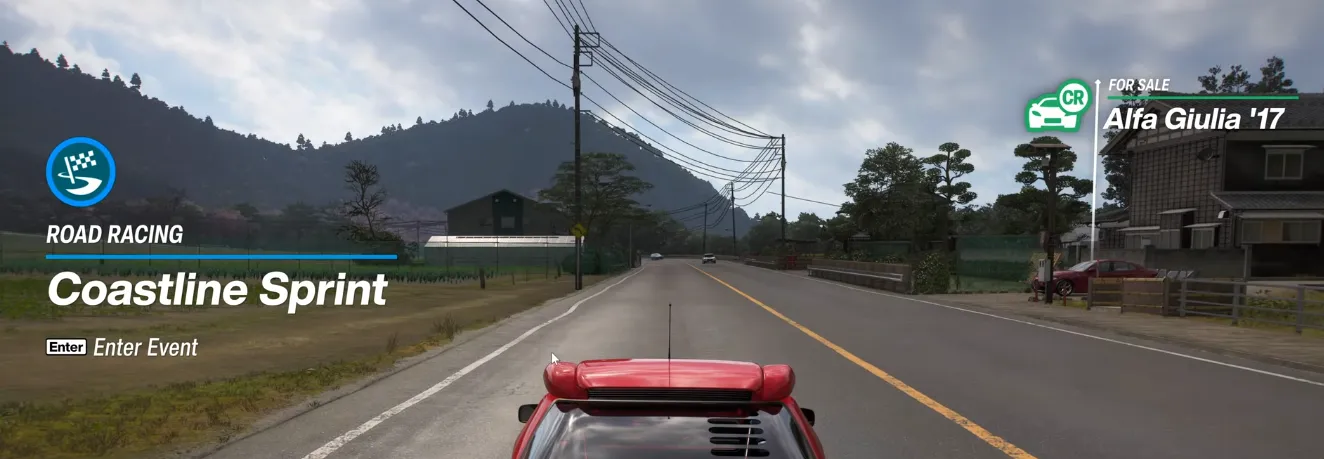
If you open your map and cannot find the race icon, you are not alone. The event is tucked away, and the game's dynamic UI can easily hide it from view.
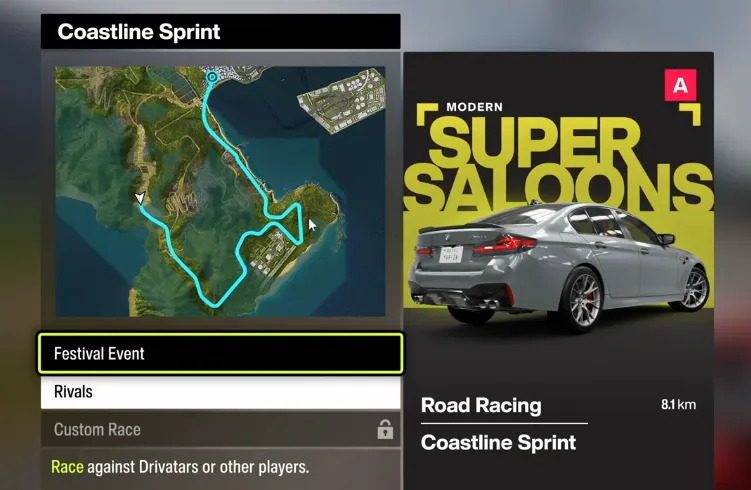
- The Map Location: Head to the very southwest corner of the world map. The starting grid sits right along the coastal edge.
- The Map Filter Trap: If you manually filter your world map to show only "Road Racing" events, the Coastline Sprint will often vanish entirely. This happens because the game dynamically overrides the standard icon whenever the race is tied to an active seasonal Championship. Leave your map filters on default or search the southwest coastline manually to spot it.
Coastline Sprint Festival Event
How to Bypass Seasonal Championships and Play the Normal Race
Because Horizon's Festival Playlist frequently utilizes the best strips of tarmac for weekly challenges, the Coastline Sprint is often hijacked by a multi-race seasonal Championship. If you just want to run the standard, baseline single race to test a new tune or clear your map, you can easily switch it back.
To force the game into the standard race configuration, follow these steps:
- Drive directly up to the physical race activation point in the southwest corner of the map.
- Press X on your Xbox controller (or the corresponding keyboard prompt) to open the event menu.
- Look at the action prompts lined up along the bottom of your screen and press Y to "Switch to normal event."
This swaps the seasonal layout for the baseline single-race configuration, letting you tackle the sprint on your own terms.

Tackling the Coastline Sprint is the perfect way to test your driving skills and secure some solid in-game rewards, but it isn't the only way to quickly build your ultimate garage. If you want to skip the grind entirely and instantly stock up on rare hypercars, valuable credits, and exclusive modifications, you can head over to U4N to buy FH6 super wheelspin bundles. Pairing the rewards from your coastal racing victories with a few lucky spins is the fastest way to dominate the festival leaderboard and ensure you always have the perfect car tuned and ready for any seasonal event.
Fixing Completion and Map Tracking Bugs
The Coastline Sprint has been a minor headache for completionists due to a couple of known tracking quirks. If your stats aren't updating correctly, try these community-tested fixes:
The Collection Journal Bug
A common issue occurs when players complete the seasonal Championship, unlock the weekly reward car, but notice the Coastline Sprint still isn't logged as "Finished" or "Won" in their permanent collection log.
- The Fix: The game treats seasonal variants and baseline variants as separate entities for tracking. Use the steps outlined above to "Switch to normal event" and win the baseline race in its standard configuration. This will officially trigger the completion flag in your journal.
The Missing Road Percentage Error
If you are hovering at 99.9% of roads discovered and can't find that last microscopic grey sliver, check the asphalt immediately surrounding this event.
- The Fix: The map UI for the coastal roads right next to the water edges can be incredibly strict. The game often refuses to mark them as "discovered" during a high-speed race. To force the UI to recognize the road, take a break from racing, drive down to the absolute edge of the tarmac near the water at a slow pace, and watch the map fill in.