


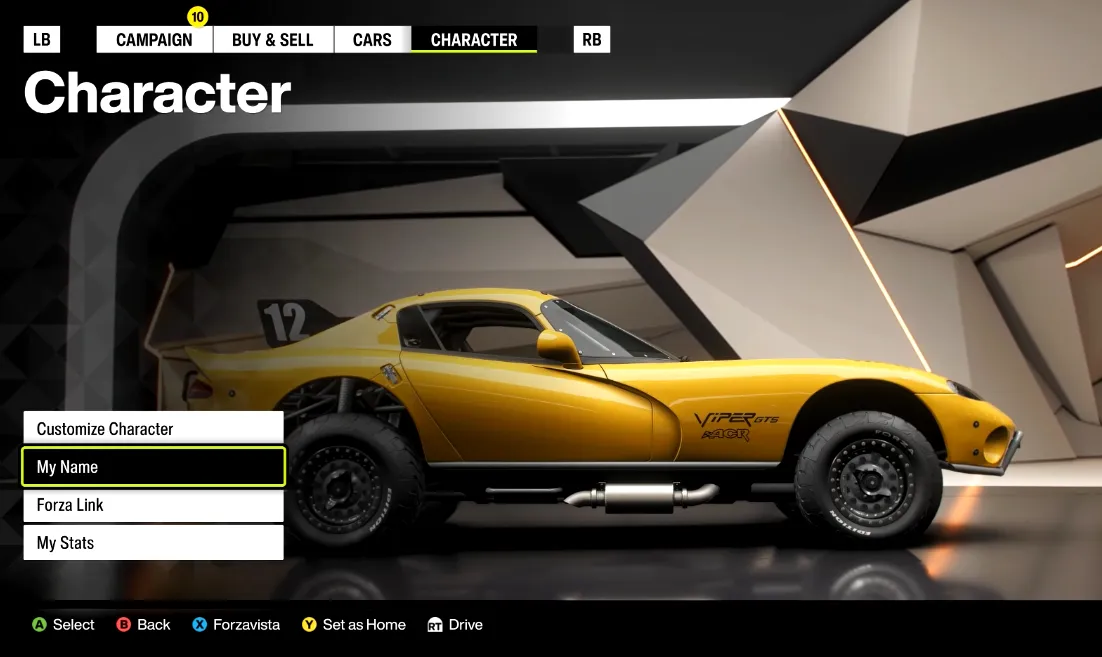
In Forza Horizon 6, you have two main types of names: your in-game character nickname (what NPCs like ANNA call you) and your online display name (your Xbox or platform gamertag).
Change Your In-Game Character Nickname
Changing your driver name in Forza Horizon 6 is a simple process, but it's not immediately obvious if you haven't explored the menus. Your name is what other players see in online races, car meets, and leaderboards, so personalizing it can make your experience feel more unique. Here's a straightforward guide from a player's perspective.
Step 1: Go to One of Your Garages
- Start by entering any garage you own in the game. This could be one of your starting houses or any purchased property with a garage.
- The garage serves as the hub for personal customization, including your driver and car settings.
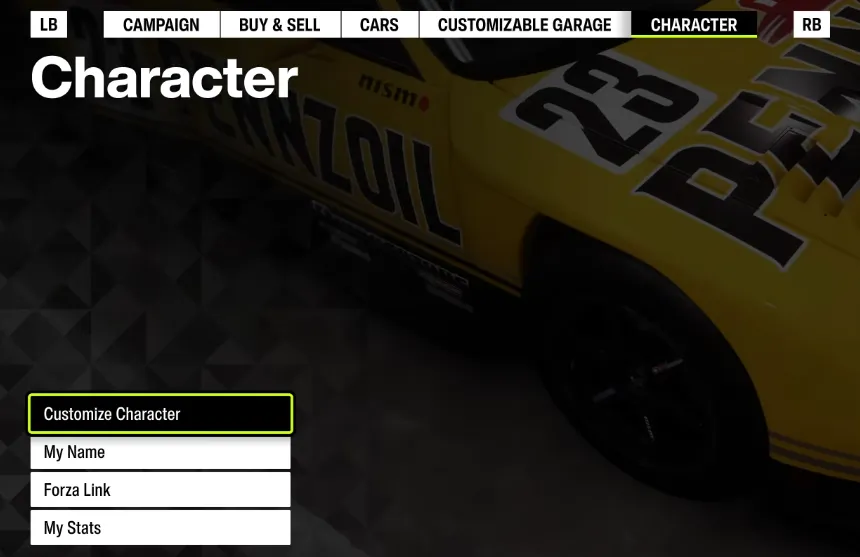
Step 2: Access the Character Menu
- Inside the garage, look for the Character or Driver option.
- This menu contains all settings related to your in-game avatar, including clothing, accessories, and name.
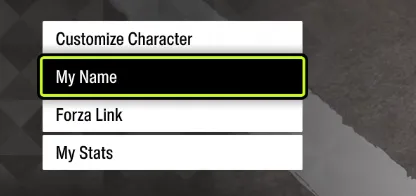
Step 3: Select “My Name”
- Within the character menu, you will find an option labeled My Name.
- Click on it to open the name customization panel.
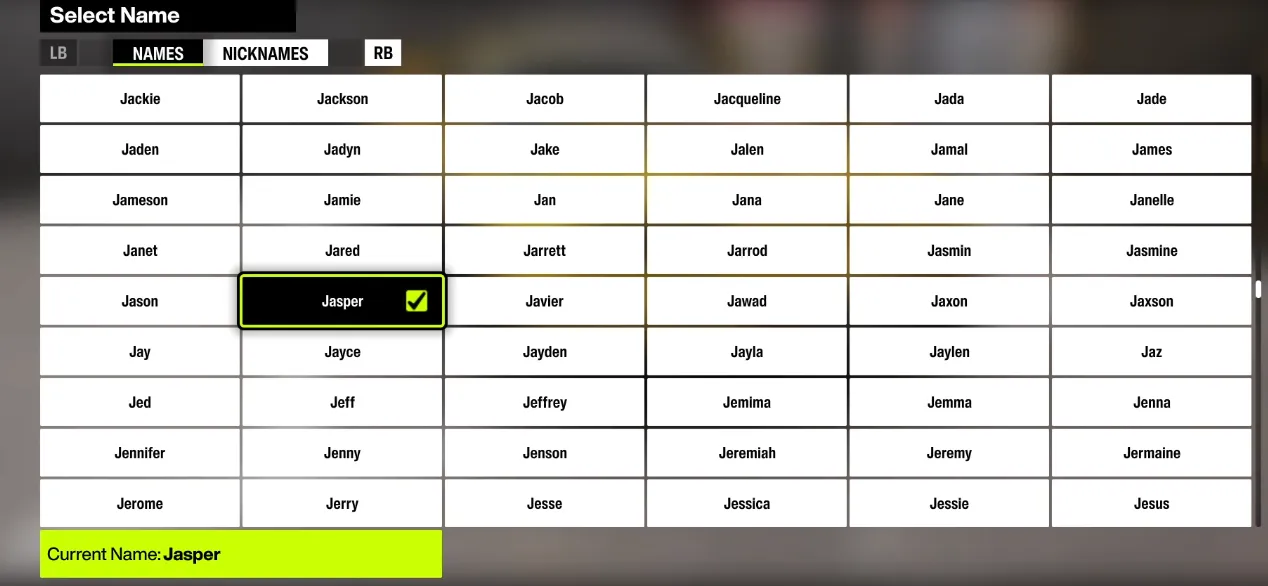
Step 4: Choose Your Name or Nickname
- The game allows you to select from a list of available names or toggle between names and nicknames.
- Scroll through the list to find the one you like.
- Once selected, your driver's name will instantly update in all multiplayer and leaderboard contexts.
Step 5: Confirm and Enjoy
- After selecting your preferred name or nickname, simply confirm your choice.
- There's no need to restart the game—your new identity will reflect immediately.

Tips
- If you're part of Horizon Play online sessions, your updated name will automatically show to friends and other players.
- Changing your name frequently can sometimes confuse friends in Convoys, so pick something memorable.
- There's no extra cost for changing names, unlike cosmetics or VIP perks.
Change Your Online Display Name (Gamertag)
Your display name is visible to other players above your car and in multiplayer lobbies. To update this, you need to modify your Xbox or platform account gamertag:
On Mobile:
- Download and open the Xbox App.
- Log in with your Microsoft account linked to FH6.
- Tap your profile icon and select your gamertag to edit it.
On Web Browser:
- Visit the Xbox Gamertag Change Page.
- Log in with your Microsoft account and follow the instructions to update your name.
Note: Microsoft provides one free gamertag change. Any additional changes will require a small fee.
On PC / Xbox:
- Your FH6 display name mirrors your Xbox gamertag.
- First change is free; subsequent changes cost extra.
- After updating your gamertag, restart FH6 to see the change reflected in multiplayer.
On PlayStation or Steam:
- Your in-game display name is linked to your network account.
- Updating your PSN or Steam name will automatically update what other players see in-game.
For players looking to expand their collection and resources while enjoying FH6, you can check out U4N, the trusted place to buy FH6 credits online, ensuring fast and safe delivery so you can fully enjoy customizing your experience.
Quick Access via Pause Menu
For a fast in-game name change:
- Press Pause during gameplay.
- Navigate to Settings or Campaign.
- Select Name Select to adjust your in-game nickname.
You can also do this at festival sites under My Festival / My Horizon → Select Your Name.
Changing your name in Forza Horizon 6 is straightforward once you know where to go. Whether you want a fresh in-game persona or a new online identity, these steps make the process quick and hassle-free.





