


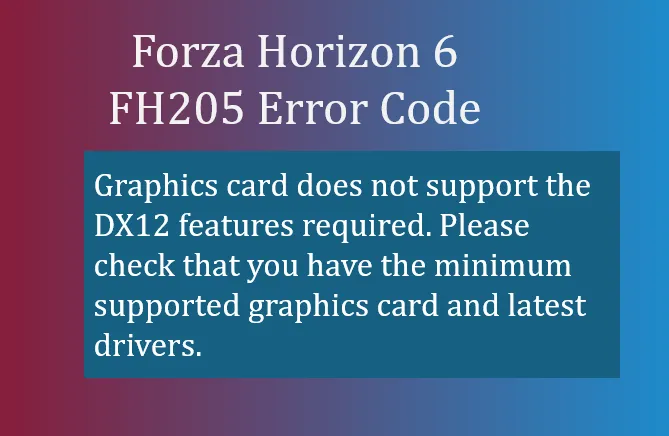
Trying to launch Forza Horizon 6 and immediately getting hit with the FH205 error is frustrating, especially if your PC can still run a lot of modern games without problems. The message usually appears before the game even reaches the main menu:
- Graphics card does not support the DX12 features required. Please check that you have the minimum supported graphics card and latest drivers.
In most cases, FH205 means the game thinks your GPU does not support the required DirectX 12 feature level. Sometimes that is true. Other times, the game is blocking older hardware through a strict compatibility check, even if the card still has enough raw performance to run the game at lower settings.
From what many PC players have reported, this error is especially common on older AMD GPUs like the RX 470, RX 480, RX 570, RX 580, RX 590, and Vega cards.
What Causes the FH205 Error?
The FH205 error is tied to DirectX 12 Ultimate compatibility checks and GPU architecture support.
Even though some older graphics cards technically support DX12, the game may still reject them because they lack newer DX12 feature sets or because the driver is flagged as unsupported.
The most common causes are:
| Cause | Explanation |
|---|---|
| Old GPU architecture | Legacy AMD and older NVIDIA cards may fail the hardware check |
| Unsupported DX12 feature level | The game requires newer DX12 functions |
| Outdated graphics driver | Old or corrupted drivers can trigger FH205 |
| New AMD driver blocklist | Some newer AMD drivers actively block older GPUs from launching |
| Windows driver conflicts | Windows Update may overwrite stable GPU drivers |
Step 1: Check Your GPU Against Minimum Requirements
Before trying complicated fixes, confirm whether your hardware is realistically supported.
Current minimum GPU recommendations reported by players are:
| Brand | Minimum Recommended GPU |
|---|---|
| NVIDIA | GTX 1650 or newer |
| AMD | RX 6500 XT or newer |
| Intel | Arc A380 or newer |
If you are running something older like a GTX 970, RX 580, or Vega 56, the game may refuse to launch even if the card still performs reasonably well in other titles.
Step 2: Update Your Graphics Drivers
This is the simplest fix, and sometimes it works immediately.
NVIDIA Users
Download the newest Game Ready Driver from the official NVIDIA website.
A clean install is recommended instead of upgrading over old drivers.
AMD Users
Install the latest Adrenalin package from AMD.
However, if you own an older RX 400/500 or Vega card, newer AMD drivers may actually cause FH205 due to the game's hardware blacklist.
In that situation, continue to the rollback method below.
Step 3: Roll Back AMD Drivers (RX 580 / Vega Fix)
This is currently the most common workaround used by players with legacy AMD GPUs.
A lot of users report that AMD Adrenalin 23.5.2 avoids the aggressive hardware block found in newer driver releases.
How to Do It
1. Remove Existing Drivers Completely
Use Display Driver Uninstaller (DDU) to wipe your current AMD drivers.
Boot into Safe Mode before running DDU for the cleanest uninstall.
This prevents leftover driver files from causing conflicts.
2. Install AMD Adrenalin 23.5.2
After rebooting, install the older 23.5.2 driver package.
Many RX 580 and Vega owners report this version bypasses the FH205 hardware gate.
3. Disable Automatic Driver Updates
Windows Update sometimes silently replaces old drivers with newer blocked versions.
Inside AMD Adrenalin:
- Open Settings
- Go to Preferences
- Disable automatic updates
You may also want to pause Windows driver updates temporarily.
Step 4: Check DirectX 12 Support Manually
Some users assume they have DX12 support because Windows says “DirectX 12,” but feature levels matter more than the version number itself.
To Check:
- Press Windows + R
- Type: dxdiag
- Press Enter
- Open the Display tab
- Look for “Feature Levels”
If your GPU lacks modern DX12 feature levels, FH205 may be unavoidable without upgrading hardware.
Step 5: Try Community GitHub Fixes
Some players use community-made patches that modify how the game reads hardware information.
One popular community project often mentioned online is the:
Megadroidgames Forza-Horizon-6-RX-580-FH201-FH205-Fix repository
These tools generally spoof or bypass the GPU capability check.
Important Warning
Community fixes are unofficial.
Use them carefully and only download files from trusted sources. There is always some risk when modifying game files or using third-party scripts.
Step 6: Linux / Steam Deck Workaround
If you play on Linux or Steam Deck using Proton, the hardware check can sometimes fail incorrectly.
Some users bypass FH205 by adding a custom launch option in Steam.
Launch Option
WINE_CPU_TOPOLOGY=6:0,1,2,3,0,1 %command%
How to Add It
- Open Steam
- Right-click Forza Horizon 6
- Select Properties
- Paste the command into Launch Options
This changes how Proton presents hardware information to the game.

Additional Things Worth Trying
Sometimes FH205 is triggered by multiple small issues at once.
Here are a few extra fixes that have helped some players:
| Fix | Why It Helps |
|---|---|
| Update Windows fully | Missing system components can break DX12 detection |
| Disable integrated graphics | Prevents the game from selecting the wrong GPU |
| Reseat GPU and power cables | Fixes hardware detection issues |
| Verify game files | Repairs corrupted startup files |
| Reinstall DirectX runtime | Restores damaged DX libraries |
| Disable overlays | MSI Afterburner and RTSS can interfere with launch |
Is FH205 Fixable Without Buying a New GPU?
Honestly, it depends on your hardware.
If you are using a card like an RX 580 or Vega 56, there is a decent chance the rollback workaround will let the game launch.
But if your GPU lacks the required DX12 feature support entirely, there may not be a stable long-term solution. The game's hardware checks are much stricter than previous Horizon titles.
For some older systems, upgrading the graphics card is ultimately the cleanest fix.
FH205 is one of the most annoying launch errors in Forza Horizon 6 because it can block perfectly playable hardware from even starting the game. The good news is that many RX 580 and Vega owners have already found temporary workarounds through driver rollbacks and community fixes.
Start with the simple solutions first: update drivers, check DX12 feature levels, and verify your hardware. If you are using an older AMD card, the Adrenalin 23.5.2 rollback is currently the workaround with the highest success rate among the community.
If you finally get the game running and want to build your dream garage faster, many players also use services like U4N to buy FH6 credits safely for unlocking expensive hypercars, rare seasonal vehicles, and custom upgrade builds without spending hundreds of hours grinding races.





