購物車

購物車空

繼續購物
總計 $0.00
結算
首頁 / 博客 / 永恆之塔2

How to Fix the "Unable to Connect to Login Server" Error in Aion 2

作者: U4N
發佈日期: Apr 13, 2026
1589

If you've been trying to log into Aion 2 but get stuck on the "Unable to Connect to Login Server" error, you're not alone. This issue is most common among players outside of Korea and Taiwan, and it's usually caused by regional IP blocks. But don't worry, there are ways around this problem. Here's a simple guide on how to fix it and get back into the game.

Why Is This Happening?

Aion 2 is currently only available in Korea and Taiwan, so players from other regions (like North America and Europe) often face this issue. The game uses regional IP blocks that prevent players from accessing the login servers if they're outside these areas.

When you try to connect from another region, the server rejects your connection because it's not recognizing your IP as being from one of the supported countries. But with a few workarounds, you can bypass these restrictions and play the game.

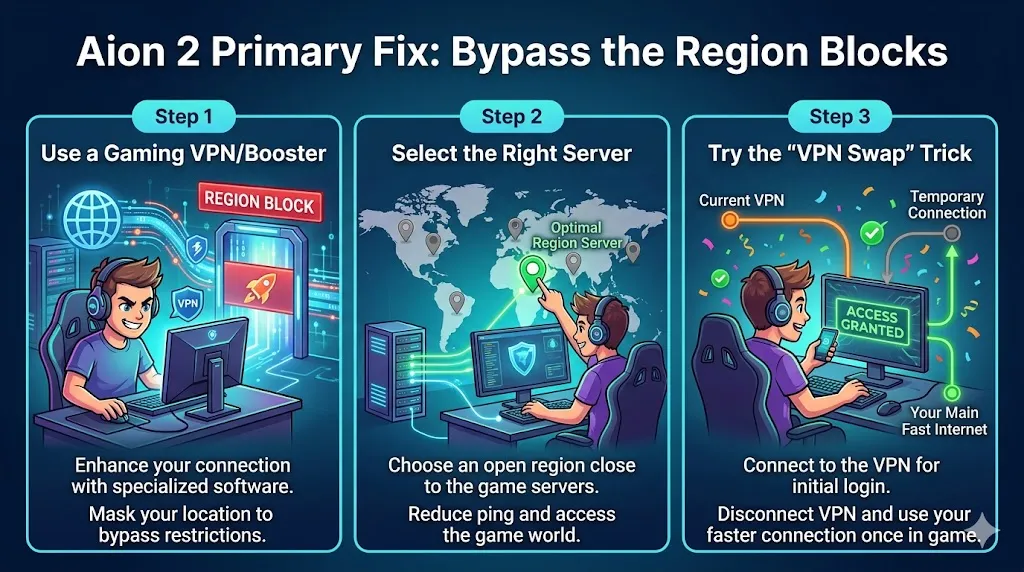
Aion 2 Primary Fix: Bypass the Region Blocks

Primary Fix: Bypass the Region Blocks

Since the game restricts connections based on your location, the easiest way around it is to bypass the region blocks. This is where a VPN (Virtual Private Network) or a gaming booster comes in handy.

Step 1: Use a Gaming VPN/Booster

Not all VPNs work with Aion 2. Traditional VPNs like NordVPN are often blocked by NCSoft, the company behind the game. However, specialized gaming boosters are more successful in bypassing the region restrictions.

Here are some popular options:

  • ExitLag
  • GearUP Booster
  • Mudfish

These services are designed to optimize your connection for gaming, which increases the chances of successfully logging in.

Step 2: Select the Right Server

When using a gaming VPN like ExitLag, you'll need to select the appropriate server. Many players have had success by choosing a Taipei server (located in Taiwan) and enabling the "Redirect Login" option in the VPN settings. This helps trick the server into thinking you're logging in from an allowed region.

Step 3: Try the "VPN Swap" Trick

Some players have reported success with a clever trick: VPN swapping. Here's how it works:

  1. Start by connecting to a Hong Kong server through your gaming VPN.
  2. Once you've successfully logged into the game, switch your VPN to Taiwan.

This method can sometimes bypass the region blocks and let you enter the game world without issues.

Buy Aion 2 Kinah - Cheap Prices & Fast Delivery | U4N

Other Troubleshooting Tips

If you're already using a gaming VPN or booster and still can't connect, try these additional steps:

Step 4: Run the Game as Administrator

Sometimes the error occurs because the game doesn't have the necessary network permissions. To fix this:

  • Right-click on the Purple Launcher (the Aion 2 launcher) or the game's .exe file.
  • Select "Run as administrator" from the menu.
  • This gives the game proper permissions to connect to the internet.

Step 5: Check Your Firewall and Antivirus

Your firewall or antivirus program might be blocking the game's connection to the login server. Make sure the game and the Purple Launcher are added to your exception list:

  1. Open your Windows Security/Firewall settings.
  2. Add the game and the launcher to the allowed programs.
  3. Do the same with any antivirus programs you're using.

Sometimes, antivirus software mistakenly flags the game's connection as suspicious, blocking access.

Step 6: Flush DNS

Another possible fix is clearing your DNS cache. This can help resolve connection issues caused by outdated or corrupt data in your network cache. To do this:

  1. Open Command Prompt as an administrator.
  2. Type the command ipconfig /flushdns and press Enter.
  3. Restart your computer.

This will clear the cache and refresh your network settings.

Step 7: Check Server Status

Lastly, check if the problem is on the game's end. Sometimes, Aion 2's servers might be down for maintenance, or there could be a DDoS attack affecting connectivity. Here's how to check:

  • Visit the Aion 2 subreddit.
  • Check the game's official social media channels (Twitter, Facebook, etc.) for any announcements about server status or outages.

If there's a known issue with the servers, you'll just need to wait for them to resolve it.

上一個 下一個
作者簡介

U4N編輯團隊由一群熱愛遊戲的分析師和技術專家組成。我們不僅是一個可靠的遊戲資產市場——我們的核心目標是通過專業內容幫助玩家。我們的團隊為一些大熱門遊戲製作詳細的攻略、經濟策略和技術問題解決方案,包括《MLB The Show 26》、《Aion 2》、《Forza Horizon 6》、《Arc Raiders》和《Path of Exile》等。

無論是掌握遊戲市場的買賣技巧,還是幫助你打造最強的遊戲角色或策略,我們發布的每一份內容都經過我們團隊的實際測試。在 U4N,我們不僅跟隨遊戲的趨勢,我們還幫助你領先一步

相關文章