購物車空
繼續購物If you've been playing Forza Horizon 6 on PC and suddenly see the FHF01 error, you're not alone. This crash is tied to the game running out of system memory, causing it to abruptly close. While frustrating, the error is usually caused by conflicts with background apps, overclocking settings, or peripheral issues.
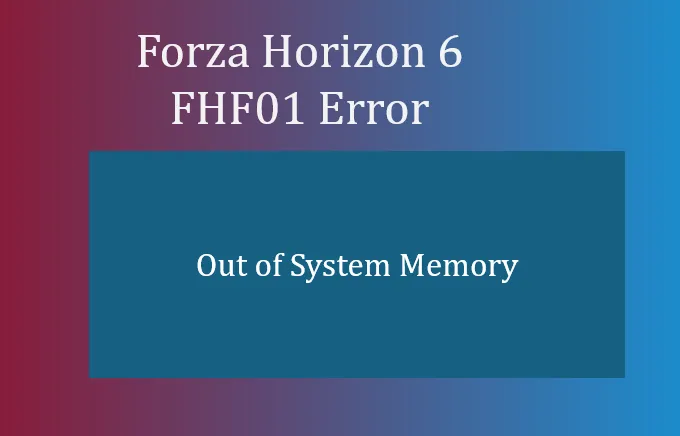
One of the main culprits behind FHF01 is the Citrix Workspace app. Even if it's not actively running, it can interfere with Forza Horizon 6's memory allocation.
Steps to remove Citrix Workspace:
Tip: Simply disabling Citrix in Task Manager won't work—full uninstallation is required.
The game is sensitive to system instability. Aggressive RAM or CPU overclocks can trigger "out of memory" crashes.
Steps to stabilize your system:
Even minor overclocks can cause the game to fail during initialization.
Tools like MSI Afterburner, RivaTuner Statistics Server (RTSS), Steam Overlay, and Discord Overlay often conflict with Forza's memory management.
Recommended actions:
Extra peripherals can sometimes crash the game at the Gamertag sign-in phase.
Racing wheels, pedals, and other input devices have been known to trigger memory allocation issues if connected too early.
Corrupted files from the initial download or patch can also lead to FHF01.
This ensures all game assets are intact and memory allocations work correctly.

FHF01 errors are almost always linked to background apps, overclocking, and peripheral conflicts rather than the game itself. Following these steps—removing Citrix Workspace, stabilizing hardware, disabling overlays, unplugging extra devices, and verifying files—will solve most occurrences. After implementing these fixes, Forza Horizon 6 should launch smoothly without crashing to desktop.
If you want to skip troubleshooting or instantly boost your experience, consider using U4N to purchase Forza Horizon 6 credits safely. It's a fast, secure way to get the cars and upgrades you want without risking system crashes or corrupted saves.
U4N編輯團隊由一群熱愛遊戲的分析師和技術專家組成。我們不僅是一個可靠的遊戲資產市場——我們的核心目標是通過專業內容幫助玩家。我們的團隊為一些大熱門遊戲製作詳細的攻略、經濟策略和技術問題解決方案,包括《MLB The Show 26》、《Aion 2》、《Forza Horizon 6》、《Arc Raiders》和《Path of Exile》等。
無論是掌握遊戲市場的買賣技巧,還是幫助你打造最強的遊戲角色或策略,我們發布的每一份內容都經過我們團隊的實際測試。在 U4N,我們不僅跟隨遊戲的趨勢,我們還幫助你領先一步