購物車空
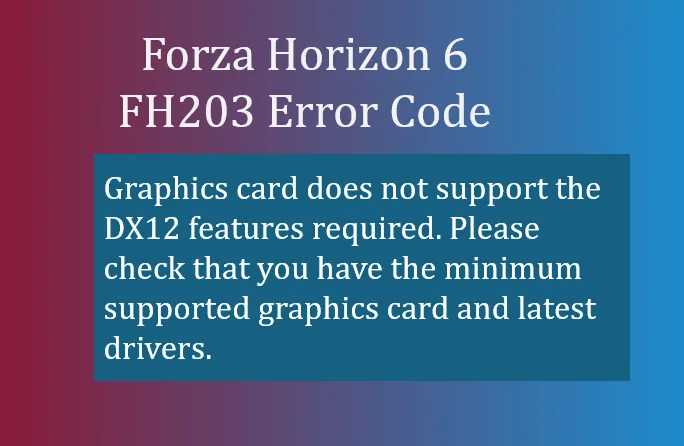
繼續購物If you've recently tried to launch Forza Horizon 6), and received the FH203 error code, it generally means your system's graphics card isn't supporting the DirectX 12 features the game needs.
FH203 is essentially a compatibility block. Forza Horizon 6 relies on modern DirectX 12 features, including advanced feature levels like 12_1, which allow for ray tracing, dynamic lighting, and other next-gen graphical effects. If your GPU can't handle these, the game refuses to launch, throwing FH203.
This happens most often on:
Here are the steps to resolve the issue:
Even if your card supports DX12, outdated drivers can cause FH203. Make sure you have the latest drivers:
A driver update often restores the reported DX12 features.
Verify your GPU supports the required feature level:
Sometimes remnants of old drivers cause misreporting:
For laptops with integrated graphics:
Failing to do this may let the game run on “potato” integrated graphics, which will trigger FH203.
If your GPU is older than roughly NVIDIA GTX 970 / AMD RX 470 / Intel Iris Xe, it may simply not be capable of supporting DX12 features required for FH6. In this case, a hardware upgrade is necessary.

FH203 is your PC telling you: “I'm not ready for Forza Horizon 6.” Most of the time, the fix is driver-related or switching to your dedicated GPU. If your card is simply too old, there's no software fix, and upgrading your graphics card will be the only solution.
Getting this right means you can enjoy Forza Horizon 6's dense Japanese map, vibrant city racing, and high-fidelity Alpine and coastal tracks without crashes or errors.
U4N編輯團隊由一群熱愛遊戲的分析師和技術專家組成。我們不僅是一個可靠的遊戲資產市場——我們的核心目標是通過專業內容幫助玩家。我們的團隊為一些大熱門遊戲製作詳細的攻略、經濟策略和技術問題解決方案,包括《MLB The Show 26》、《Aion 2》、《Forza Horizon 6》、《Arc Raiders》和《Path of Exile》等。
無論是掌握遊戲市場的買賣技巧,還是幫助你打造最強的遊戲角色或策略,我們發布的每一份內容都經過我們團隊的實際測試。在 U4N,我們不僅跟隨遊戲的趨勢,我們還幫助你領先一步