購物車空
繼續購物If you're facing the "temporary error occurred" message, often accompanied by error code 40309:500, it's usually linked to server overloads or regional restrictions during device registration or phone verification. Here are a few solutions you can try to get back into the game quickly.
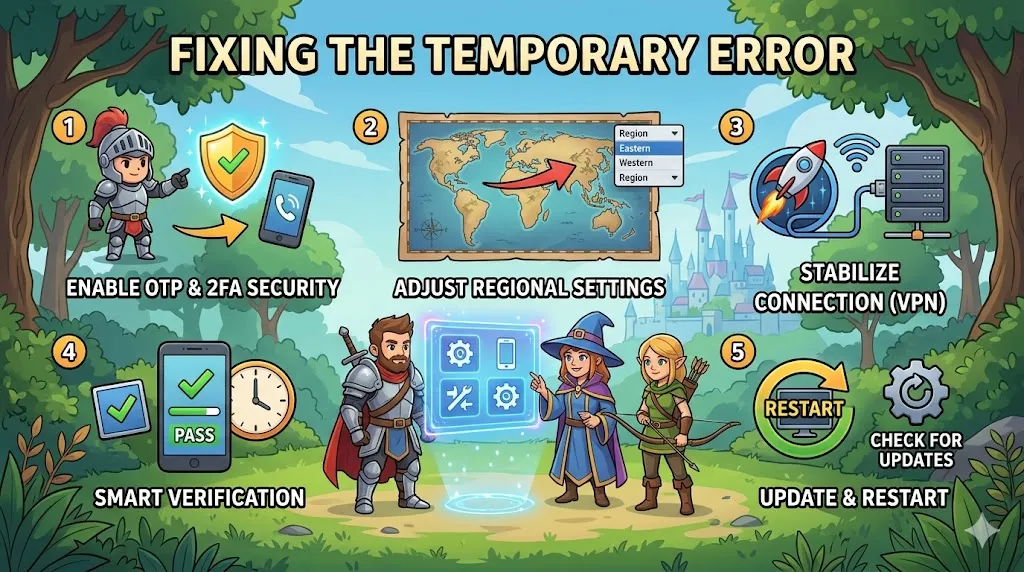
One of the first things to check is your NCSoft account settings. Enabling extra security features can help resolve the error:
These features help with account verification and might fix the issue caused by missing security layers.
If the error persists, changing your launcher region may help:
Some players found that switching to the Taiwan region bypassed regional restrictions and helped clear the error.
Connection issues can sometimes cause this error. To improve your connection:
This can help stabilize the connection to regional servers and fix any server routing issues.
If the error occurs during the phone verification process, consider the following solutions:
The error might pop up after a Windows update or game patch. Here's how to fix it:
A fresh login or file verification can help clear up any issues caused by outdated files.
If you're dealing with the "temporary error occurred" message in Aion 2, these solutions should help you resolve it and get back to enjoying the game. However, while troubleshooting, you may want to enhance your Aion 2 experience by grabbing the best gear and items to boost your progress. If you’re looking for a reliable place to buy Aion 2 items, check out U4N. They offer a wide range of items that can help you level up faster and focus more on gameplay. Whether you need weapons, armor, or other in-game items, U4N is the trusted platform for gamers to buy Aion 2 items quickly and safely.
U4N編輯團隊由一群熱愛遊戲的分析師和技術專家組成。我們不僅是一個可靠的遊戲資產市場——我們的核心目標是通過專業內容幫助玩家。我們的團隊為一些大熱門遊戲製作詳細的攻略、經濟策略和技術問題解決方案,包括《MLB The Show 26》、《Aion 2》、《Forza Horizon 6》、《Arc Raiders》和《Path of Exile》等。
無論是掌握遊戲市場的買賣技巧,還是幫助你打造最強的遊戲角色或策略,我們發布的每一份內容都經過我們團隊的實際測試。在 U4N,我們不僅跟隨遊戲的趨勢,我們還幫助你領先一步