購物車空
繼續購物
CoD MW4 Redeem Codes can provide players with extra in-game rewards, promotional bonuses, and limited-time content. Depending on the code, rewards may include cosmetics, XP boosts, operator items, weapon blueprints, calling cards, emblems, Battle Pass rewards, or other promotional content.
For players preparing for Call of Duty: Modern Warfare 4, redeem codes can be a convenient way to access additional content and customize their accounts. U4N provides a place to browse available MW4 Redeem codes and check their reward details, platform requirements, region restrictions, and delivery information.
Note: MW4 code availability and rewards can change based on official promotions, events, platform requirements, and release information. Always check the latest product details before purchasing or redeeming a code.
Redeem codes can give players access to bonus content that may otherwise be available only through specific promotions, events, pre-orders, or limited-time campaigns.
Here are some common reasons players look for CoD MW4 Redeem Codes:
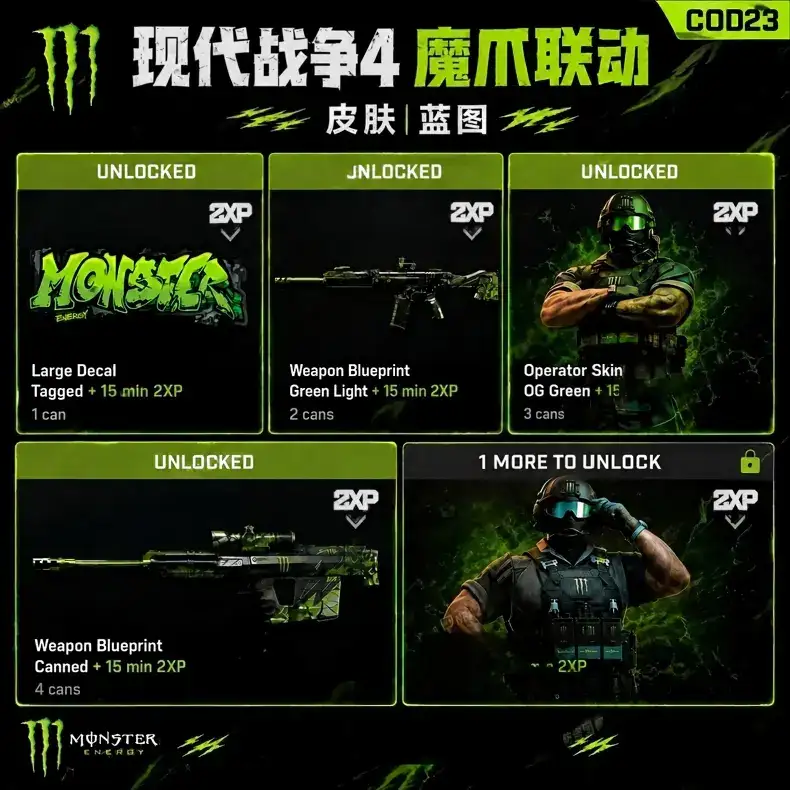
Some codes may provide cosmetic items, XP tokens, calling cards, emblems, charms, or other promotional rewards.
XP-related rewards, when available, can help players progress more efficiently and spend less time working toward certain unlocks.
Promotional codes may include exclusive cosmetics or event rewards that are available for a limited period.
Depending on official promotions, CoD MW4 Open Beta Early Access Codes or related promotional codes may provide access to beta periods, early-access content, or other launch bonuses.
Operator skins, weapon blueprints, camos, charms, stickers, calling cards, and emblems can give players more ways to personalize their Call of Duty profile.
Some promotional codes may be connected to seasonal events, Battle Pass promotions, or special campaigns.
CoD MW4 Redeem Codes are digital codes that can be exchanged for specific rewards associated with Call of Duty: Modern Warfare 4.
Depending on the promotion, codes may come from official Call of Duty campaigns, retailers, platform promotions, brand partnerships, esports events, livestream campaigns, pre-orders, or other authorized promotions.
The reward depends on the individual code. Before purchasing, check the product description to confirm exactly what is included.
Available rewards may include:
· Operator skins
· Weapon blueprints
· Calling cards
· Emblems
· Weapon charms
· Stickers
· Weapon camos
· XP tokens
· Double Weapon XP tokens
· Battle Pass-related rewards
· COD Points codes
· Beta access codes
· Pre-order bonuses
· Promotional bundles
· Event-exclusive cosmetics
Not every code provides the same type of reward, and some codes may have platform, region, or expiration restrictions.
Buying a CoD MW4 code is straightforward. Before completing your purchase, carefully review the product information to make sure the code matches your account and platform.
1. Visit the CoD MW4 items page: https://www.u4n.com/call-of-duty-modern-warfare-4/items
2. Browse the available MW4 redeem codes.
3. Read the product description.
4. Check the reward type and included content.
5. Confirm the supported platform and region.
6. Review the delivery method and any expiration information.
7. Select the code you want.
8. Add it to your cart and complete checkout.
9. Receive the code according to the listed delivery method.
10. Redeem it through the appropriate official platform or redemption page.
The exact redemption process depends on the type of code. Some codes may be redeemed through an official Call of Duty redemption page, while others may need to be activated through PlayStation, Xbox, Steam, Battle.net, or another supported platform.
1. Sign in to the correct Activision or platform account.
2. Open the official redemption page or supported platform store.
3. Enter the code exactly as provided.
4. Confirm the redemption.
5. Restart Modern Warfare 4 if the reward does not appear immediately.
6. Check your inventory, operators, weapons, bundles, or in-game messages.
If a reward is missing, verify that you redeemed the code on the correct account and that the code is compatible with your platform and region.
Keep these points in mind before buying or redeeming a code:
· Check the platform: Some codes are limited to specific platforms.
· Confirm the region: A code may only work in certain countries or regions.
· Check expiration dates: Promotional codes may expire.
· Enter the code carefully: Avoid adding spaces or changing characters.
· Use the correct account: Make sure the Activision or platform account is the one you want to receive the reward on.
· Read the product description: Confirm the exact reward before purchasing.
· Keep your order information: Save your order details and code information until the reward has been successfully received.
CoD MW4 Redeem Codes can be useful for players who want additional cosmetics, promotional rewards, XP bonuses, or limited-time content. Before purchasing, always verify the reward, platform, region, expiration information, and redemption method.
By checking these details in advance, you can choose the appropriate CoD MW4 Items and redeem your code with fewer issues.