FC 27 Release Date,New Features, Coins & Economy
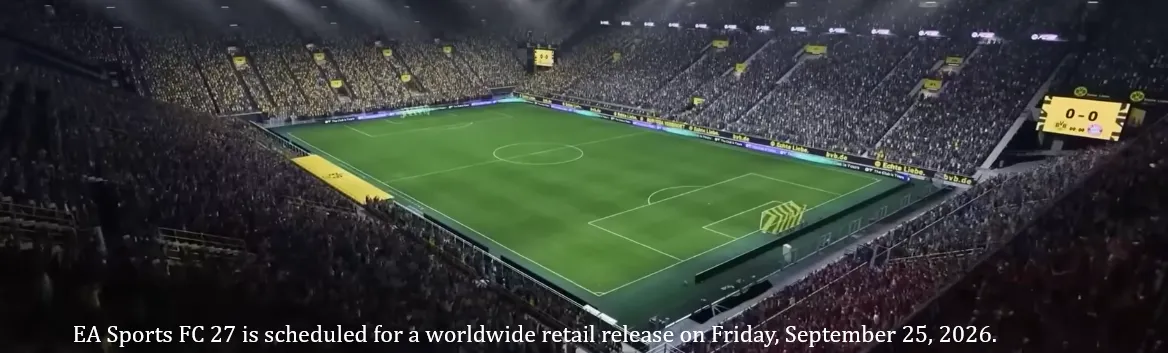
EA Sports FC 27 is scheduled for a worldwide retail release on Friday, September 25, 2026.
Oct 13, 2026


Progress faster in FC 27. U4N lists items from vetted sellers, with clear prices, escrow and tracked delivery.
 Intro to SBCs | PS
from $2.600000
1 offers
Intro to SBCs | PS
from $2.600000
1 offers
 Intro to SBCs | Xbox
from $2.600000
1 offers
Intro to SBCs | Xbox
from $2.600000
1 offers
 Intro to SBCs | PC
from $2.600000
1 offers
Intro to SBCs | PC
from $2.600000
1 offers
 EA SPORTS FIFA 27 Red Bull Exclusive Rewards GLOBAL | Xbox
from $3.000000
1 offers
EA SPORTS FIFA 27 Red Bull Exclusive Rewards GLOBAL | Xbox
from $3.000000
1 offers
 EA SPORTS FIFA 27 Red Bull Exclusive Rewards GLOBAL | PS
from $3.000000
1 offers
EA SPORTS FIFA 27 Red Bull Exclusive Rewards GLOBAL | PS
from $3.000000
1 offers
 EA SPORTS FIFA 27 Red Bull Exclusive Rewards GLOBAL | PC
from $3.000000
1 offers
EA SPORTS FIFA 27 Red Bull Exclusive Rewards GLOBAL | PC
from $3.000000
1 offers
 XBOX FC27 - 500 Points | Xbox
from $4.480000
1 offers
XBOX FC27 - 500 Points | Xbox
from $4.480000
1 offers
 League & Nation Advanced | Xbox
from $8.400000
1 offers
League & Nation Advanced | Xbox
from $8.400000
1 offers
 League & Nation Advanced | PS
from $8.400000
1 offers
League & Nation Advanced | PS
from $8.400000
1 offers
 League & Nation Advanced | PC
from $8.400000
1 offers
League & Nation Advanced | PC
from $8.400000
1 offers
 XBOX FC27 - 1050 Points | Xbox
from $8.960000
1 offers
XBOX FC27 - 1050 Points | Xbox
from $8.960000
1 offers
 Rare Gold Pack | Xbox
from $11.000000
1 offers
Rare Gold Pack | Xbox
from $11.000000
1 offers
 Rare Gold Pack | PS
from $11.000000
1 offers
Rare Gold Pack | PS
from $11.000000
1 offers
 Rare Gold Pack | PC
from $11.000000
1 offers
Rare Gold Pack | PC
from $11.000000
1 offers
 XBOX FC27 - 1600 Points | Xbox
from $13.150000
1 offers
XBOX FC27 - 1600 Points | Xbox
from $13.150000
1 offers
 XBOX FC27 - 2800 Points | Xbox
from $22.380000
1 offers
XBOX FC27 - 2800 Points | Xbox
from $22.380000
1 offers
 XBOX FC27 - 5900 Points | Xbox
from $43.500000
1 offers
XBOX FC27 - 5900 Points | Xbox
from $43.500000
1 offers
 XBOX FC27 - 12000 Points | Xbox
from $82.800000
1 offers
XBOX FC27 - 12000 Points | Xbox
from $82.800000
1 offers
 XBOX FC27 - 18500 Points | Xbox
from $119.980000
1 offers
XBOX FC27 - 18500 Points | Xbox
from $119.980000
1 offers
No items match these filters.
Buying FC 27 players can help you build a stronger squad without spending hours grinding. To do it safely on PC, PS5, or Xbox, it's important to follow a few basic rules.
Start by choosing a trusted marketplace with clear reviews, clear rules, and active customer support. Avoid sellers who offer prices that seem unrealistic or who cannot clearly explain how delivery works. A safe seller will always use in-game transfer methods and guide you through the process step by step.
Never share your account login details. Legitimate player delivery does not require your password. Before buying, make sure your account security settings are up to date, and after delivery, double-check your club and coins.
Prices and availability can differ between PC, PS5, and Xbox, so always select the correct platform before ordering. Planning your purchases in advance also helps reduce risk.
U4N provides a straightforward and secure way to buy FC 27 players, helping you improve your team while keeping your account protected.
Selling FC 27 players can be a practical way to earn from the time you spend playing the game. U4N offers a marketplace where sellers can list players and reach buyers across PC, PS5, and Xbox.
To become a U4N seller, you first create a seller account and complete the basic verification steps. This helps keep the marketplace organized and safe for both buyers and sellers. Once approved, you can list the FC 27 players you want to sell and set your own prices based on the current market.
Selling works through in-game transfer methods that follow the game's trading system. Clear communication is important. Buyers usually expect simple instructions and timely delivery, so staying active and responsive helps transactions go smoothly.
Pricing matters. Checking similar listings on your platform can help you set fair prices and move players faster. PC, PS5, and Xbox markets can differ, so always list players under the correct platform.
After a sale is completed, funds are added to your U4N balance according to the platform's payment process. Keeping good ratings and following marketplace rules helps build trust and attract more buyers over time.
U4N provides a structured place to sell FC 27 players with clear rules, making it easier for sellers to manage trades and reach a wider audience.
Player Items in FC 27 are the cards that represent real football players in EA Sports FC 27, mainly used in Ultimate Team mode.
A player item is a digital card you add to your club. Each card shows a player's name, overall rating, position, and main stats such as pace, shooting, passing, dribbling, defending, and physical strength. These items are what you use to build your squad and play matches.
There are different types of player items. Base player items are the standard versions of players and are the most common. Special player items are upgraded versions released during events or promotions, usually with better stats than the base card. Icons and Heroes represent legendary or retired players and have unique chemistry rules.
Player items also include important details like preferred position, weak foot rating, skill moves, and chemistry links. These factors affect how well a player performs and how well they fit into your team.
You can get player items by opening packs, earning rewards from matches and objectives, completing Squad Building Challenges, or buying them on the in-game transfer market.
In simple terms, player items are the core of Ultimate Team in FC 27. They are the players you collect, manage, trade, and use to compete in the game.
Here’s a simple step-by-step guide on how to buy players in FC 27 Career Mode:
In EA Sports FC 27 Manager Mode (Career Mode), selling players is done through the squad and transfer menus.
First, open your Career Mode save and go to the Squad Hub or Squad screen. Find the player you want to sell and select them.
Next, choose the option to Add to Transfer List. This tells other clubs that the player is available for sale. Once the player is listed, you need to wait for transfer offers from other teams.
When an offer arrives, you will see it in the Transfers section or your Inbox. You can accept the offer, reject it, or try to negotiate for a higher fee.
If you accept the offer, the transfer will be completed and the money will be added to your club's transfer budget. The player will then leave your squad.
You can also choose to loan a player instead of selling them, or release a player to remove their wages if they are no longer needed.
Tips:
This is the standard way to sell players in FC 27 Manager Mode.
Buying players through in-game transfer methods is how Ultimate Team normally works. When using third-party marketplaces, the key is that transfers must follow normal in-game mechanics and rules. Anything that involves account sharing or glitches should be avoided.
Delivery time depends on platform, market activity, and the specific player. Popular players may take longer because of market limits, while less common cards can be delivered faster. Delays are normal during busy hours or promotions.
Player prices move based on supply and demand. Events, promotions, weekend competitions, and pack releases can all cause prices to rise or fall quickly. Platform differences also affect pricing.
Make sure your club has enough space, your platform is selected correctly, and your account security is up to date. Knowing the exact player version you want helps avoid mistakes.
This depends on the marketplace rules and whether delivery has already started. Once a player transfer is in progress, cancellation is usually not possible.
Reliable sellers communicate clearly, follow in-game transfer rules, deliver on time, and keep good ratings. Staying active and pricing fairly also helps build long-term trust.
Some players attract fewer offers due to age, rating, wages, or market demand. Adjusting the price, waiting longer, or selling during transfer windows can improve results.
No. Meta players, high-potential players, and popular leagues usually sell faster. Lower-rated or high-wage players may take longer to move.
After a successful sale, your balance updates according to the marketplace process. Keeping good feedback and following rules helps future sales go more smoothly.
It depends. Prices often drop when many packs are opened, which can be good for buyers. Sellers may benefit when demand increases after events end.
EA Sports FC 27 is scheduled for a worldwide retail release on Friday, September 25, 2026.
Oct 13, 2026
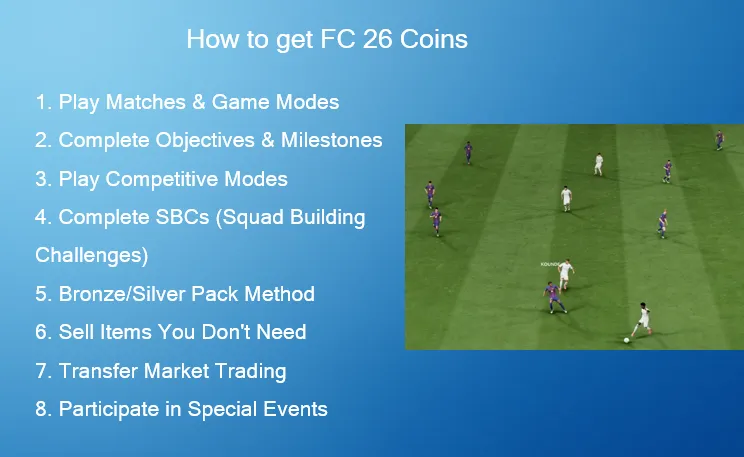
Earning FC 26 Coins is essential for building your ultimate team in EA Sports FC 26. Whether you're looking to improve your squad, buy valuable players, or participate in events, earning coins efficiently can make the game much more enjoyable. Fortunately, there are several ways to earn FC 26 Coins without spending money, from playing competitive modes to completing objectives and using the Transfer Market. For players who prefer a quicker solution, you can buy FC 26 Coins cheap from U4N—a trusted platform that offers secure transactions to help you save time and enhance your gaming experience.
Oct 13, 2026
In EA Sports FC 26, mastering different shot types can be the difference between hitting the post and finding the back of the net. Among these, the low driven shot is one of the most reliable and controlled finishing techniques — perfect for one-on-one situations, quick finishes inside the box, or sneaking the ball under the keeper's dive. Here's everything you need to know about performing it effectively.
Oct 13, 2026
Building a strong squad in FC 26 Ultimate Team doesn't require paying real money — but it does require smart planning. The fastest way to grow your coin balance is to mix efficient gameplay rewards with smart trading habits. Below are 10 practical and realistic methods, explained clearly and from the perspective of someone who actually plays the mode.
Oct 13, 2026


