Cart

Cart Empty

Continue Shopping
Total $0.00
Checkout
Home / News

Why MLB The Show 26 Year-To-Year Save Support Removed

Written by:  U4N
Published: Mar 12, 2026
35

The landscape of sports gaming has undergone significant technical shifts over the last several years, and one of the most persistent points of discussion within the MLB The Show community is the status of Year-to-Year (Y2Y) saves. As we look at MLB The Show 26, the reality remains unchanged: Year-to-Year saves are not supported.

If you are coming from MLB The Show 25, you will be starting your journey from scratch in terms of your specific career files and franchise progress. To help you manage your expectations and plan your transition to the new title, here is a detailed breakdown of what this means for your gameplay, what actually does carry over, and the technical reasons behind this design choice.

Why MLB The Show 26 Year-To-Year Save Support Removed

The Core Limitation: Franchise and RTTS

For many long-term players, the heart of the game lies in the deep simulation of Franchise mode or the personal journey of Road to the Show (RTTS). In older iterations of the franchise (specifically prior to 2021), players could carry their progress forward indefinitely. You could draft a rookie in MLB The Show 16 and see him retire in MLB The Show 20.

In MLB The Show 26, this is not possible.

  • Franchise Mode: Any custom rosters, scouting progress, or multi-season dynasties built in the '25 edition stay in the '25 edition. When you boot up '26, you will start with the updated Opening Day rosters provided by San Diego Studio.
  • Road to the Show: Your ballplayer's specific career path—their stats, their place in the big leagues, and their team history—cannot be imported. While you can often recreate your player's physical appearance using the customization tools, their professional "life" begins anew.

What Does Carry Over?

While the actual save files are locked to their original game, MLB The Show utilizes a unified account system that allows for certain "legacy" rewards and account-level progression. Understanding these exceptions can help you maximize your value when switching games.

1. Now & Later Content

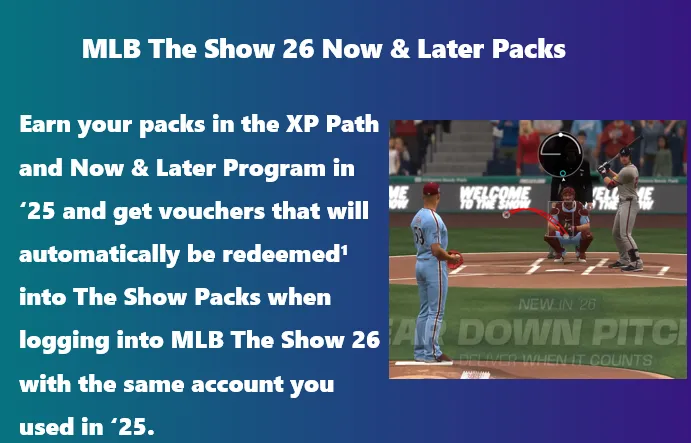
The most tangible bridge between the two games is the "Now & Later" program. Usually introduced toward the end of the previous game's life cycle (late in the MLB The Show 25 calendar), these programs allow you to earn rewards that serve a dual purpose.

  • The "Now" part: Provides immediate high-tier cards or packs for your current '25 Diamond Dynasty squad.
  • The "Later" part: Grants you vouchers or tokens linked to your MLB The Show account. When you log into MLB The Show 26 for the first time using that same account, these vouchers automatically trigger rewards—typically choice packs or MLB The Show 26 stubs—to give your new team a head start.

2. Cross-Progression (Not to be confused with Y2Y)

It is important to distinguish between "Year-to-Year" saves and "Cross-Progression." While you cannot move a save from 2025 to 2026, you can move your 2026 save between different consoles.

  • If you play MLB The Show 26 on a PlayStation 5 but decide to play a few games on an Xbox Series X or Nintendo Switch, your progress carries over seamlessly.
  • This is handled through the MLB The Show Account link on the game's official website. This ensures that your Diamond Dynasty team, XP progress, and program unlocks are available regardless of which current-gen platform you are using.

3. The Vault System

The Vault is the community's library of user-generated content. While your personal save file doesn't transfer, the community often bridges the gap.

  • Logos: If you spent hours designing a custom logo for your Diamond Dynasty team, you don't necessarily have to start over. Historically, many popular logos are re-uploaded or migrated to the new game's Vault by the community.
  • Stadiums: Created stadiums are a major part of the current-gen experience. While there is no direct "import" button for your personal library, the developers frequently transition high-quality community assets into the new game's database.

What Stays Behind?

There are two major areas where players often hope for a transfer, but the answer remains a firm no: Stubs and Marketplace items.

  • Stubs: The in-game currency is tied strictly to the year it was purchased or earned. Stubs from MLB The Show 25 cannot be moved to MLB The Show 26. This is an industry-standard practice in sports titles to maintain a fresh economy and prevent "inflation" from veteran players dominating the market on day one.
  • Card Collections: Your Diamond Dynasty roster is reset every year. Every player starts the "power curve" from the beginning. This ensures a level playing field for the new competitive season.

Why was Year-to-Year Save support removed?

The removal of this feature is not a matter of developer "laziness," but rather a consequence of the game's expansion. For many years, MLB The Show was a PlayStation exclusive. Developing for a single architecture allowed the team to use a specific save-file structure that remained consistent year after year.

The Multi-Platform Shift

When the series expanded to Xbox in 2021 and Nintendo Switch shortly after, the underlying code had to be completely overhauled to support cross-play and cross-progression.

  • Legacy Code: The old Y2Y system was built on "legacy code" that functioned exclusively within the PlayStation ecosystem.
  • Database Complexity: Carrying a save forward requires the new game to perfectly interpret data from the old game. With changes to player attributes, new logic for logic-based AI, and updated physics engines, the risk of "corrupting" a save file during transfer became significantly higher.
  • Development Resources: To implement Y2Y saves across four different platforms (PS4, PS5, Xbox One, Xbox Series X/S, and Switch) would require a massive amount of testing and troubleshooting. The developers have chosen to prioritize gameplay features and graphical fidelity over maintaining this specific backward compatibility.

Managing the Transition: A Pragmatic Approach

Since we know that MLB The Show 26 represents a clean slate, how should a dedicated player approach the move?

  1. Don't "Hoard" in '25: Once you know you are moving to '26, there is no reason to hold onto Stubs or unopened packs in the previous game. Use them to enjoy the final months of that cycle.
  2. Focus on "Now & Later": Keep an eye on the final programs in MLB The Show 25. These are the only tasks that provide a literal "return on investment" for the new game.
  3. Document Your Created Players: If you have a physical appearance for an RTTS character that you love, take screenshots of the slider settings (nose shape, chin length, etc.). Since you can't import the file, you'll need those "blueprints" to rebuild them in the '26 editor.
  4. Embrace the "Fresh Start": One of the highlights of a new sports release is the "Bronze and Silver" era—those first few weeks where every pack pull matters and your team isn't yet filled with 99-rated superstars. The lack of Y2Y saves ensures that everyone experiences this phase together.

Summary Table of Carry-Over Status

FeatureCarries to MLB 26?Notes
RTTS Career ProgressNoCareer stats and team placement reset.
Franchise SavesNoMust start a new franchise with '26 rosters.
StubsNoCurrency is locked to the game version.
Diamond Dynasty CardsNoEveryone starts with a starter squad.
Now & Later RewardsYesEarned in '25, redeemed in '26 via account link.
Cross-Platform ProgressYesAccess '26 saves on PS5, Xbox, or Switch.
User Logos/StadiumsPartialDepends on Vault migrations and manual re-uploads.

While the absence of Year-to-Year saves remains a disappointment for those who enjoy decade-long simulations, the focus of MLB The Show 26 is on providing a stable, cross-platform experience that starts everyone on the same first base. The game's infrastructure is now built for the future of multi-platform play, even if it means leaving some of the past behind.

PREVIOUS Next

About the Author: U4N

U4N is a leading online marketplace offering secure, fast transactions for in-game items, currencies, accounts and boosting services. Covering a wide range of popular games, U4N provides players with reliable services, including fast delivery and verified sellers, ensuring a smooth and safe gaming experience.

Related Articles