購物車空
繼續購物In MLB The Show 26, perfecting your batting setup can be the difference between a successful season and a frustrating one. Whether you're aiming for competitive play or just improving your casual game, the settings you choose can have a huge impact on how you hit. Here's a breakdown of the best settings to help you get the most out of your batting in MLB The Show 26.
To start, the key to improving your batting is maximizing control over the Plate Coverage Indicator (PCI) and ensuring the clearest view of the pitch. Here's how to fine-tune your hitting settings:
| Setting | Recommended Value | Why It Matters |
|---|---|---|
| Hitting Interface | Zone | Offers full control over PCI; preferred by competitive players |
| Input Type | Buttons | Most consistent for timing, compared to analog flicking |
| PCI Sensitivity | 75%-Max | Allows for faster reaction to pitches (start at 60-70% if new) |
| PCI Anchor | On | Helps track pitches by presetting PCI in a quadrant |
| Guess Pitch | Off | Avoids shrinking your PCI if you guess wrong |
Visual clarity is crucial to recognizing pitches early, so the right camera and PCI style are essential.
| Setting | Recommended Value | Why It Matters |
|---|---|---|
| Hitting View | Strike Zone/High | Offers the best view of the pitch and recognition of ball movement |
| PCI Style (Center) | Bat/Diamond | Clean visuals that don't obstruct the ball |
| PCI Inner/Outer | None/Off | Turns off inner and outer circles to minimize clutter |
| PCI Opacity | 50%-70% | Visible but translucent to maintain focus on the pitch |
| Hitting Depth of Field | Off | Reduces background noise and lag during gameplay |
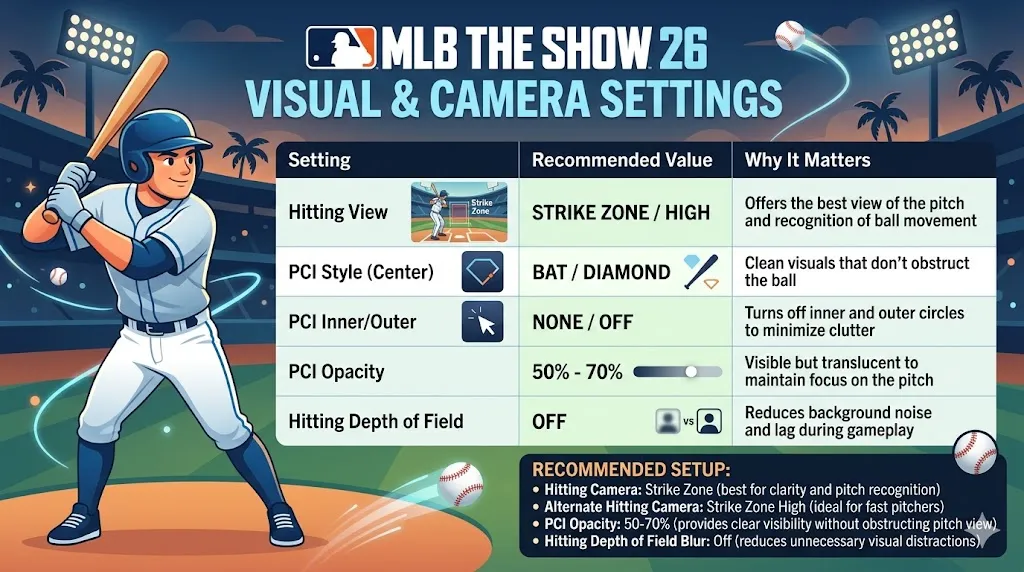
Here's a more detailed look at the settings that will help you master batting in MLB The Show 26:
| Setting | Best For | Why It Works |
|---|---|---|
| Hitting Interface | Zone Hitting | Full control over PCI; optimal for competitive play |
| PCI Sensitivity | High/Max | Fast reaction times for high-velocity pitches |
| PCI Style | Bat | Minimal distraction, directly tied to where the bat is |
| Guess Pitch | Off | Forces you to read the pitch, which builds better habits |
| Camera Setup | Strike Zone | Best for pitch recognition, focus on the release point |
To maximize your batting performance in MLB The Show 26, it's essential to have the right settings that help you control the Plate Coverage Indicator (PCI) and react quickly to pitches. By using the Zone Hitting interface, setting your PCI Sensitivity to High/Max, and keeping your Guess Pitch option off, you'll have more control and can read pitches more effectively. Additionally, using the Strike Zone camera view helps with pitch recognition, giving you a better chance to react and hit with precision.
If you're looking to enhance your Diamond Dynasty experience with the best players, U4N offers the cheapest MLB The Show 26 stubs for sale, allowing you to unlock top-tier players and improve your team without breaking the bank. Don't miss out on the opportunity to get the best deals and take your gameplay to the next level!
Alongside your settings, implementing good batting habits will improve your results on the field.
For the most optimal batting experience in MLB The Show 26, here's a quick recap:
U4N編輯團隊由一群熱愛遊戲的分析師和技術專家組成。我們不僅是一個可靠的遊戲資產市場——我們的核心目標是通過專業內容幫助玩家。我們的團隊為一些大熱門遊戲製作詳細的攻略、經濟策略和技術問題解決方案,包括《MLB The Show 26》、《Aion 2》、《Forza Horizon 6》、《Arc Raiders》和《Path of Exile》等。
無論是掌握遊戲市場的買賣技巧,還是幫助你打造最強的遊戲角色或策略,我們發布的每一份內容都經過我們團隊的實際測試。在 U4N,我們不僅跟隨遊戲的趨勢,我們還幫助你領先一步