購物車空
繼續購物Adding a created player to your roster in MLB The Show 26 is simple once you know the steps. Whether you're building a superstar from scratch or customizing a unique player for your favorite team, this guide will get them onto the field in no time.
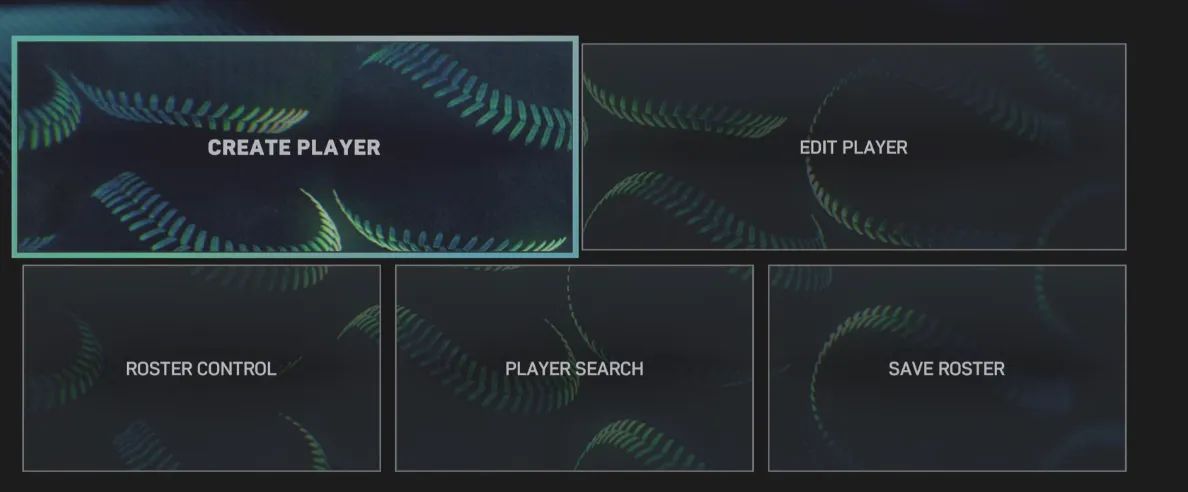
This is the foundation—you can tweak skills and gear as much as you like before adding them to a roster.
If you want to expand your roster without spending hours in the creation menu, U4N makes it easy to buy MLB 26 Players, giving you instant access to fully customized athletes and letting you jump straight into building your dream team in MLB The Show 26.
This step is important because MLB teams can only add players from Free Agency.
Now they are officially part of the roster and ready to appear in games.
Saving ensures your changes stick and can be used across modes.
Your created player is now available for drafting, call-ups, or starting lineups.
Getting your custom player into the roster opens up new ways to enjoy MLB The Show 26, letting you experiment with talent, team balance, or even create a dream roster. By following these steps, you can make sure your player hits the field exactly where you want them.
For players looking to accelerate their progress or unlock top-tier players faster, U4N offers a reliable option to get MLB 26 Stubs for Sale, providing a safe and instant way to enhance your roster and fully enjoy all the customization and gameplay opportunities in MLB The Show 26.
U4N編輯團隊由一群熱愛遊戲的分析師和技術專家組成。我們不僅是一個可靠的遊戲資產市場——我們的核心目標是通過專業內容幫助玩家。我們的團隊為一些大熱門遊戲製作詳細的攻略、經濟策略和技術問題解決方案,包括《MLB The Show 26》、《Aion 2》、《Forza Horizon 6》、《Arc Raiders》和《Path of Exile》等。
無論是掌握遊戲市場的買賣技巧,還是幫助你打造最強的遊戲角色或策略,我們發布的每一份內容都經過我們團隊的實際測試。在 U4N,我們不僅跟隨遊戲的趨勢,我們還幫助你領先一步