購物車空
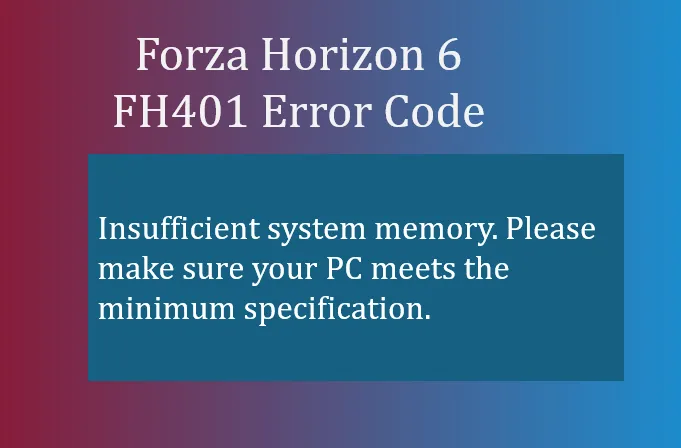
繼續購物If you've been trying to launch Forza Horizon 6 and were greeted with the FH401 error code, you're not alone. This error usually pops up on PC when the game detects that your system doesn't have enough memory to run smoothly. Unlike graphics-related crashes, FH401 is all about your RAM and virtual memory.
In simple terms, FH401 means your system memory is insufficient. The game may crash during startup or display a warning message if your PC doesn't meet the minimum RAM requirements specified by Playground Games. Even if your system meets the bare minimum, running heavy background applications alongside FH6 can still trigger this error.
Several common scenarios lead to FH401:
Here are practical steps that have helped players get past the FH401 error:
Before launching FH6, close memory-heavy applications like:
This can free up several GBs of RAM for the game.
Make sure your PC meets the minimum system requirements:
Sometimes Windows is limiting memory usage:
Windows can use a portion of your storage as “virtual RAM”:
If you continue to hit FH401 despite all tweaks, consider upgrading your RAM. Many FH6 players report that 16GB+ ensures smooth gameplay, especially on dense open-world maps like Japan.
By following these steps, most FH401 errors can be resolved without reinstalling the game. Closing unnecessary applications, adjusting virtual memory, and verifying hardware setup usually clears the problem.

For players looking to save time or enhance their experience, services like U4N provide quick options to purchase Forza Horizon 6 credits, which can help unlock cars and upgrades even while troubleshooting your system memory issues.
U4N編輯團隊由一群熱愛遊戲的分析師和技術專家組成。我們不僅是一個可靠的遊戲資產市場——我們的核心目標是通過專業內容幫助玩家。我們的團隊為一些大熱門遊戲製作詳細的攻略、經濟策略和技術問題解決方案,包括《MLB The Show 26》、《Aion 2》、《Forza Horizon 6》、《Arc Raiders》和《Path of Exile》等。
無論是掌握遊戲市場的買賣技巧,還是幫助你打造最強的遊戲角色或策略,我們發布的每一份內容都經過我們團隊的實際測試。在 U4N,我們不僅跟隨遊戲的趨勢,我們還幫助你領先一步