Helldivers 2 Mods Not Working
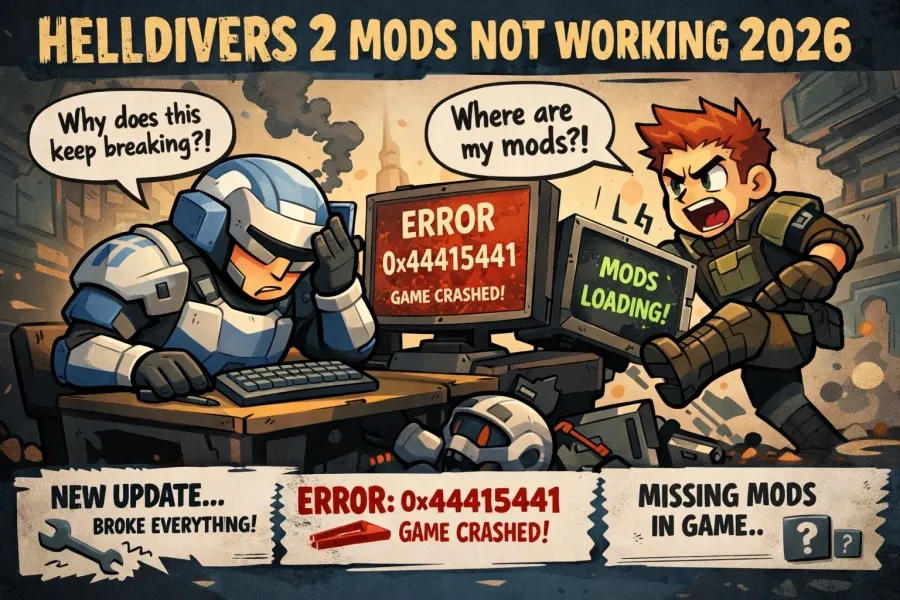
Since Helldivers 2 does not officially support modding, game updates frequently break existing mods, leading to crashes (like Error 0x44415441) or mods simply not appearing in-game.
Quick Fixes
- Update Your Mods: Check the Helldivers 2 Nexus Mods page for recent updates. Many visual and model-swap mods require manual updates from authors after a major game patch.
- Switch Mod Managers: If you are using Vortex, many users report it is unreliable for this specific game. It is highly recommended to use the HD2ModManager (HD2MM) or the Arsenal manager instead.
- Purge and Redeploy: Simply disabling a mod often isn't enough. Use the Purge function in your mod manager to completely remove mod files from the game directory, then try redeploying them one by one.
- Check Game Files: If the game won't launch at all, verify the integrity of game files on Steam to restore any original files the mods may have overwritten.
Common Technical Blocks
- File Naming: If you are installing mods manually, ensure they are in the correct data folder and named sequentially (e.g., patch_0.patch, patch_1.patch). Overlapping file names will cause mods to fail.
- Body Type Conflicts: Many armor mods are designed specifically for either the "Brawny" or "Lean" body types. If your mod isn't showing up, try switching your body type in the ship's Armory.
- Visual vs. Audio: Patch updates often "brick" visual mods (meshes/textures) while leaving audio mods functional. If you're crashing, try running only your audio mods to see if the issue persists.
A Note on Safety
While client-side visual and audio mods are generally ignored by the GameGuard anti-cheat, any mod that alters gameplay stats or hitboxes can lead to an account ban.

Mods Not Working 2026
In 2026, Helldivers 2 mods often stop working due to frequent game updates that change how assets are handled. Since the game does not officially support modding, even minor patches can break existing files or lead to crashes.
If your mods aren't working, try these steps:
- Purge and Reinstall: Many users find that "purging" mods through their mod manager (like HD2MM or Vortex) and then reinstalling them fixes issues caused by file conflicts.
- Check for Mod Updates: Visit the Helldivers 2 Nexus Mods page to see if the mod author has released a version compatible with the latest game update. Most active mods are updated within a few days of a patch.
- One-by-One Testing: If the game crashes on launch, disable all mods and re-enable them one by one to identify the specific mod causing the conflict.
- Verify Game Integrity: If the game won't launch even after removing mods, use the "Verify integrity of game files" feature in the Steam Library to repair corrupted files.
- Clear Local Data: Manually delete local mod data. This is typically found in %appdata%/vortex/helldivers2/mods or within your specific mod manager's storage folder.
- Anti-Cheat Conflicts: Remember that mods affecting gameplay or stats may be blocked by nProtect GameGuard. Stick to client-side cosmetic or audio mods to avoid potential bans or technical blocks.